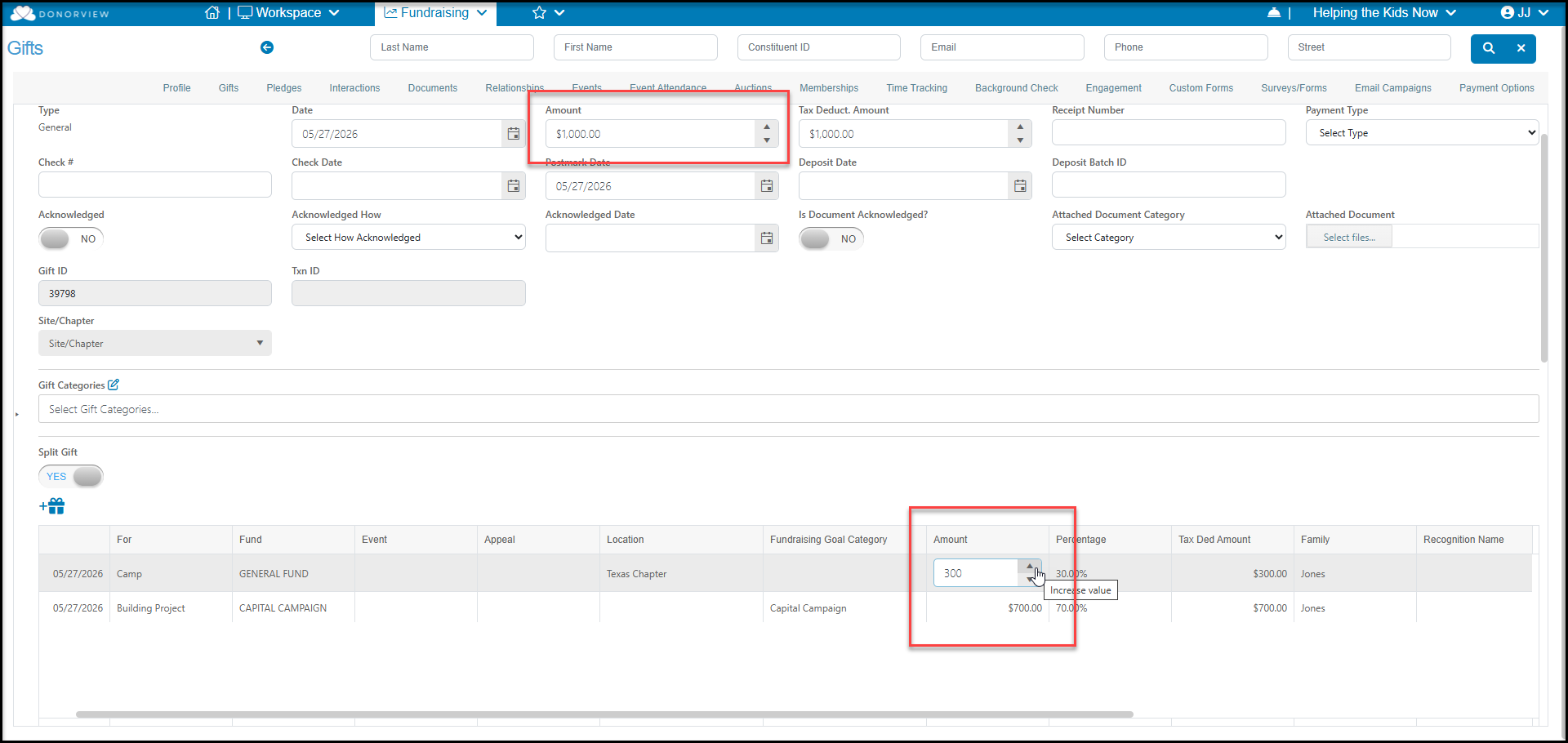
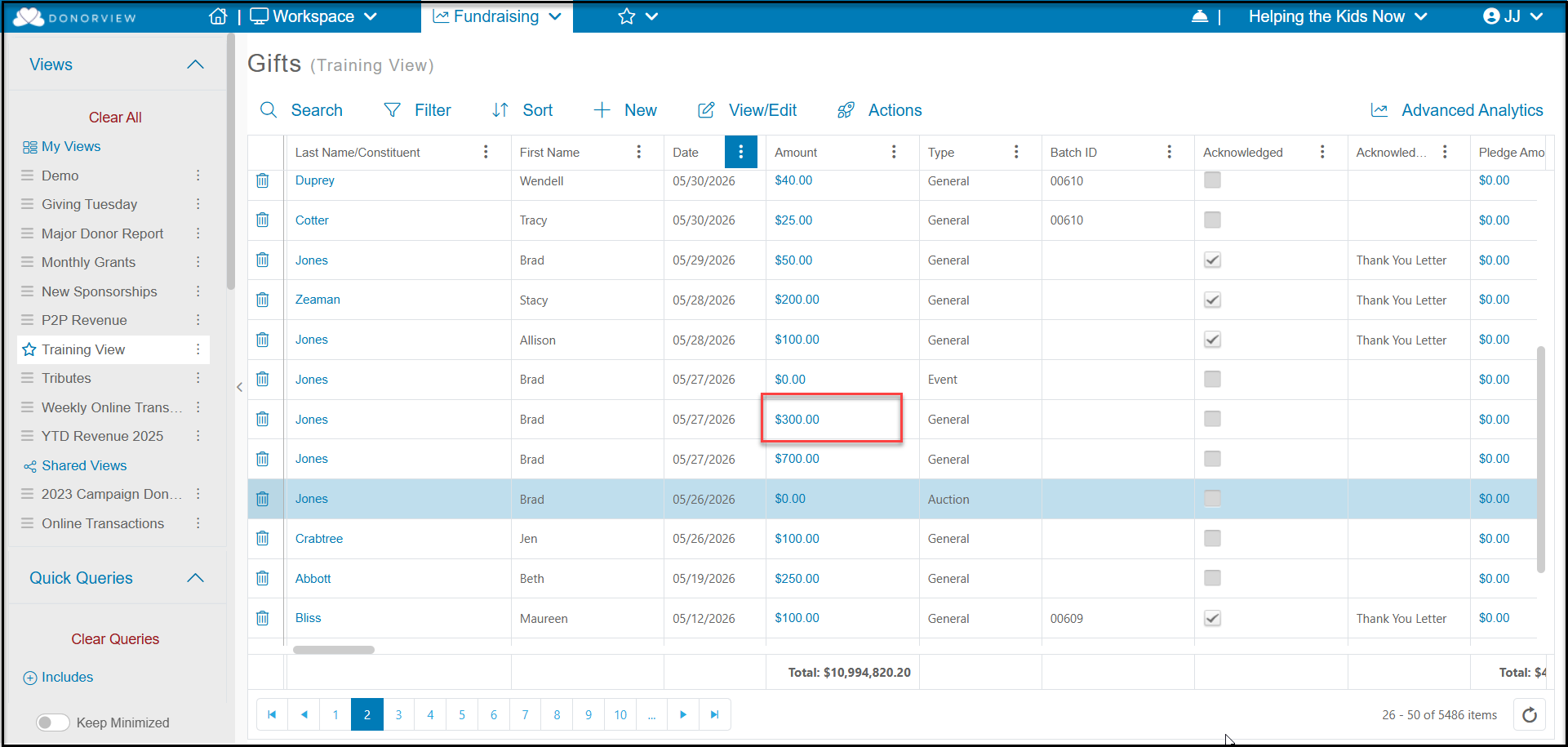
Yes. To open the gift, click on the Amount from the Gifts grid or the constituent's Gifts tab.
You can turn off a split by toggling Split Gift to NO and the transaction will revert to a single amount applied to the revenue categories assigned in the For, Fund, Event, Appeal, Fundraising Goal Category, and Location fields.
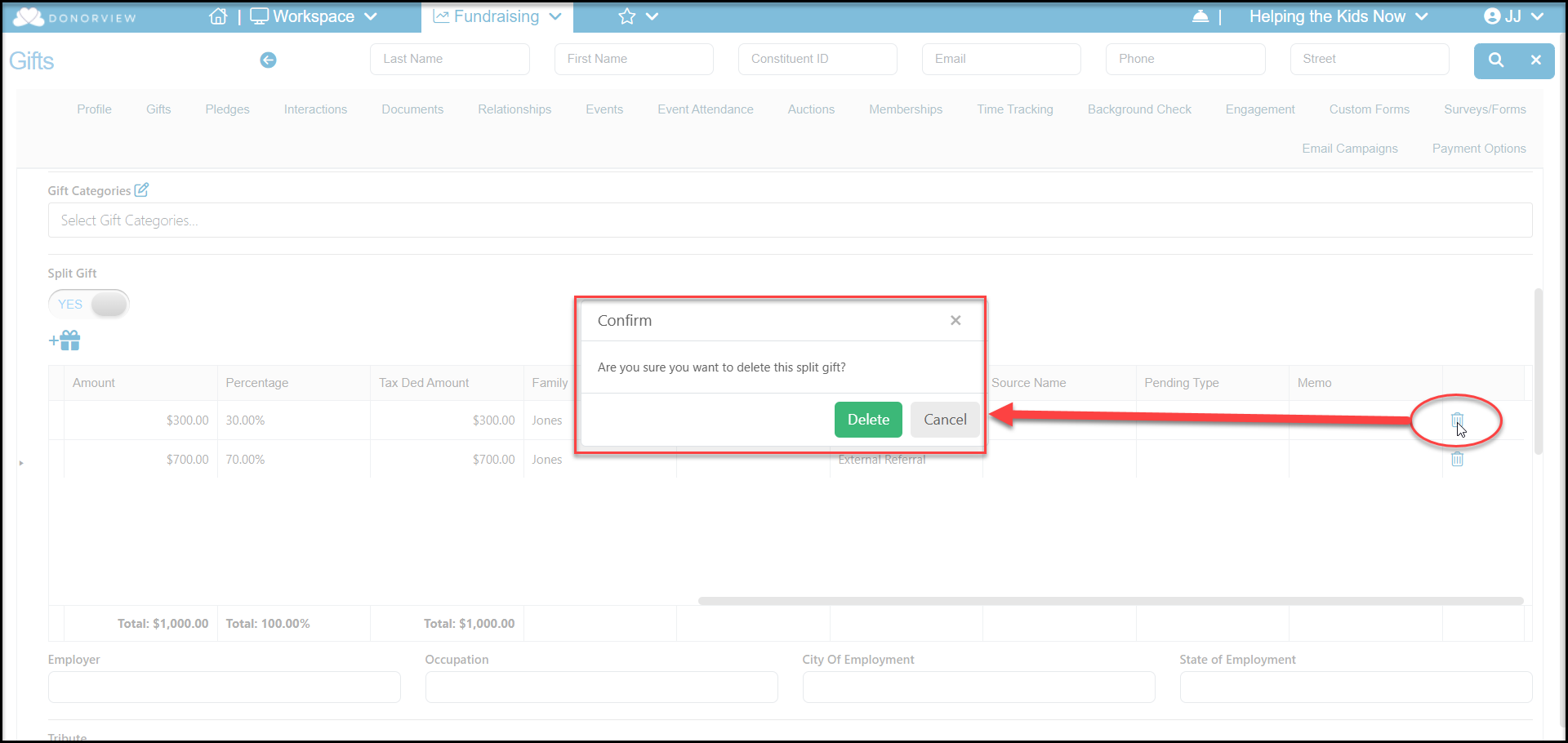
To remove a split amount, but maintain this as a split gift, scroll over to the right of the Split Gift grid in the Gift screen and click on the trashcan icon. Click Delete to confirm that you want to remove this row or Cancel to keep the row.
Next, you will update the amounts for the other items, to ensure the splits add up to 100% and the total is the same as the Amount field at the top of the page. Click Save at the top or bottom of the page to save the changes. Once saved, the new splits will show on the grids.