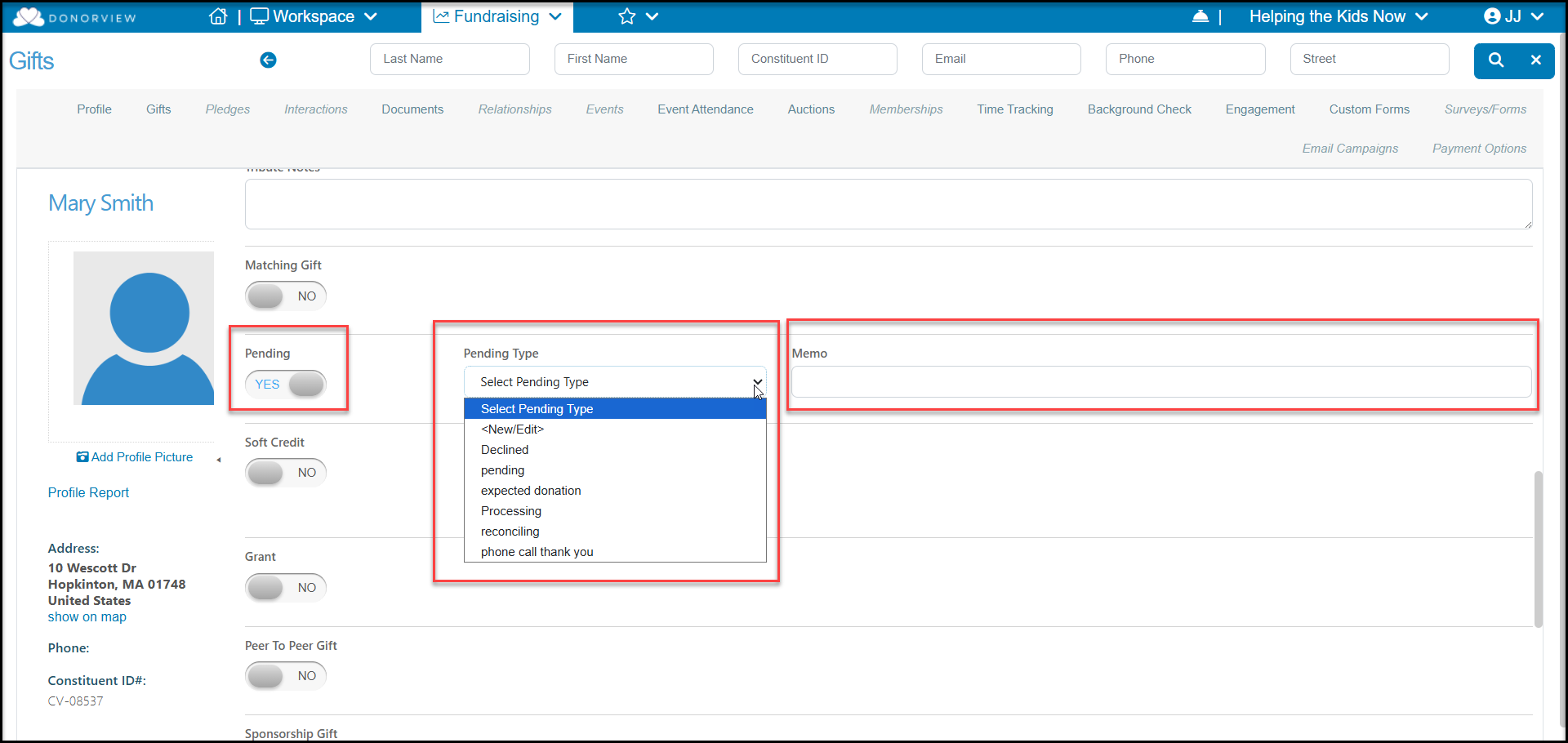
How do I designate a pending gift?
The pending field is generally used to indicate that a transaction was processed using one of the donation, event, membership or auction pages. Transactions entered online via credit card are automatically marked Pending "YES" until the credit card has been charged and the funds have been deposited into your account. Once the funds are deposited, the gift will automatically be marked Pending "NO" and a Deposit Date will be entered.
Note that if you record a transaction manually with a payment type other than credit card, for example recording a check payment for an event purchase, the record will be marked Pending "YES," but will not automatically be marked as "No." If you wish to change this, you can always edit the gift and manually change Pending to "No."
In most cases, when not using an online page, a pending gift is entered as a pledge. This records the commitment and allows you to record the pledge payment when it is received. You can learn more about pledges in this article "What is a pledge?"
If you wish to manually use the Pending field, you can, but be sure to notify your accounting team how you are using this field to prevent confusion. When entering or editing a gift, set the Pending field to “YES.” Select the pending type and enter a memo if you’d like. Once the gift becomes finalized, you can edit the gift and set the Pending field to “NO”.