Could a gift be given anonymously?
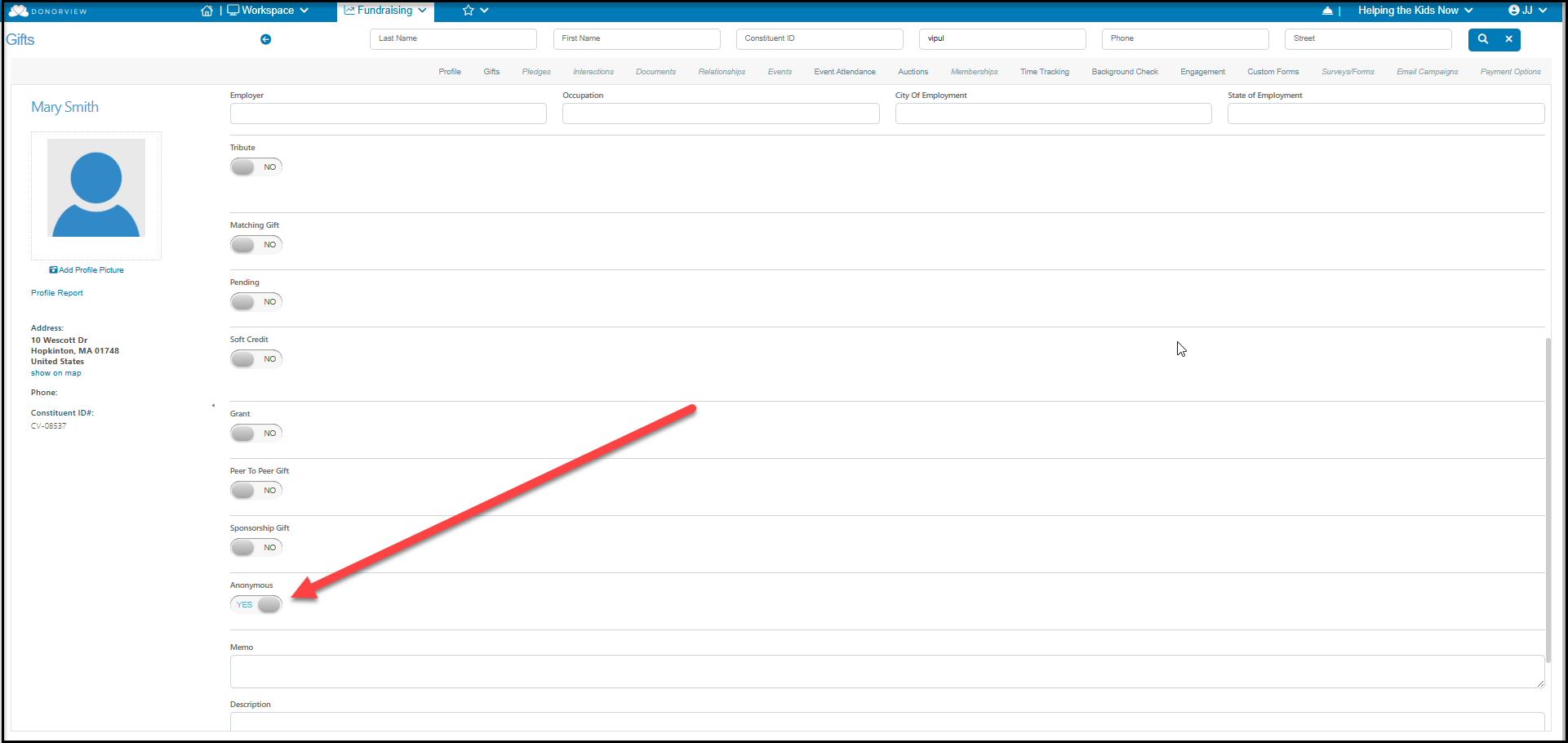
Yes, anonymous gifts and donors who wish to remain anonymous can be identified. The information will still appear in the constituent's record, however there will be a check mark in the column Gives Anonymously on the Constituents grid or a check mark in the column Anonymous on the Gifts grid. This allows you to still see and report on the gift, but you have the option to exclude the names when making public reports. Anonymous gifts are still included in the constituent's summary giving fields shown on the Constituents grid.
You also have the option of creating a constituent record called Anonymous Anonymous that you can record small cash and other types of donations that will not be attributed to a specific constituent.
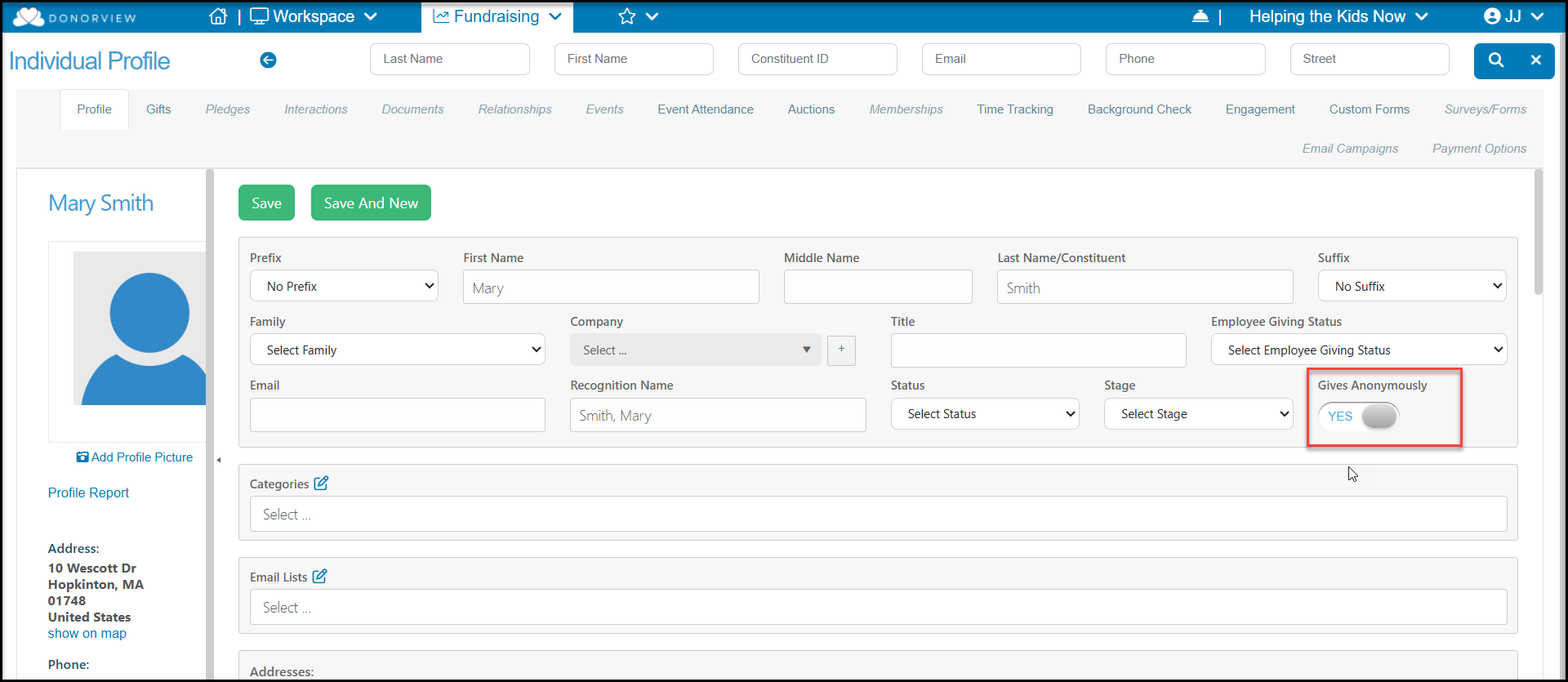
If a constituent generally makes their gifts anonymously, you can set the Gives Anonymously toggle to YES on their profile screen. For each new gift, the Anonymous field will automatically be selected. You can then change it for a specific gift if the donor does not want to remain anonymous for that gift.
If a constituent requests that a specific gift be anonymous, you can set the Anonymous field to YES on the particular gift. The Gives Anonymously field on the profile does not need to be checked if only specific gifts are anonymous, but not all gifts.