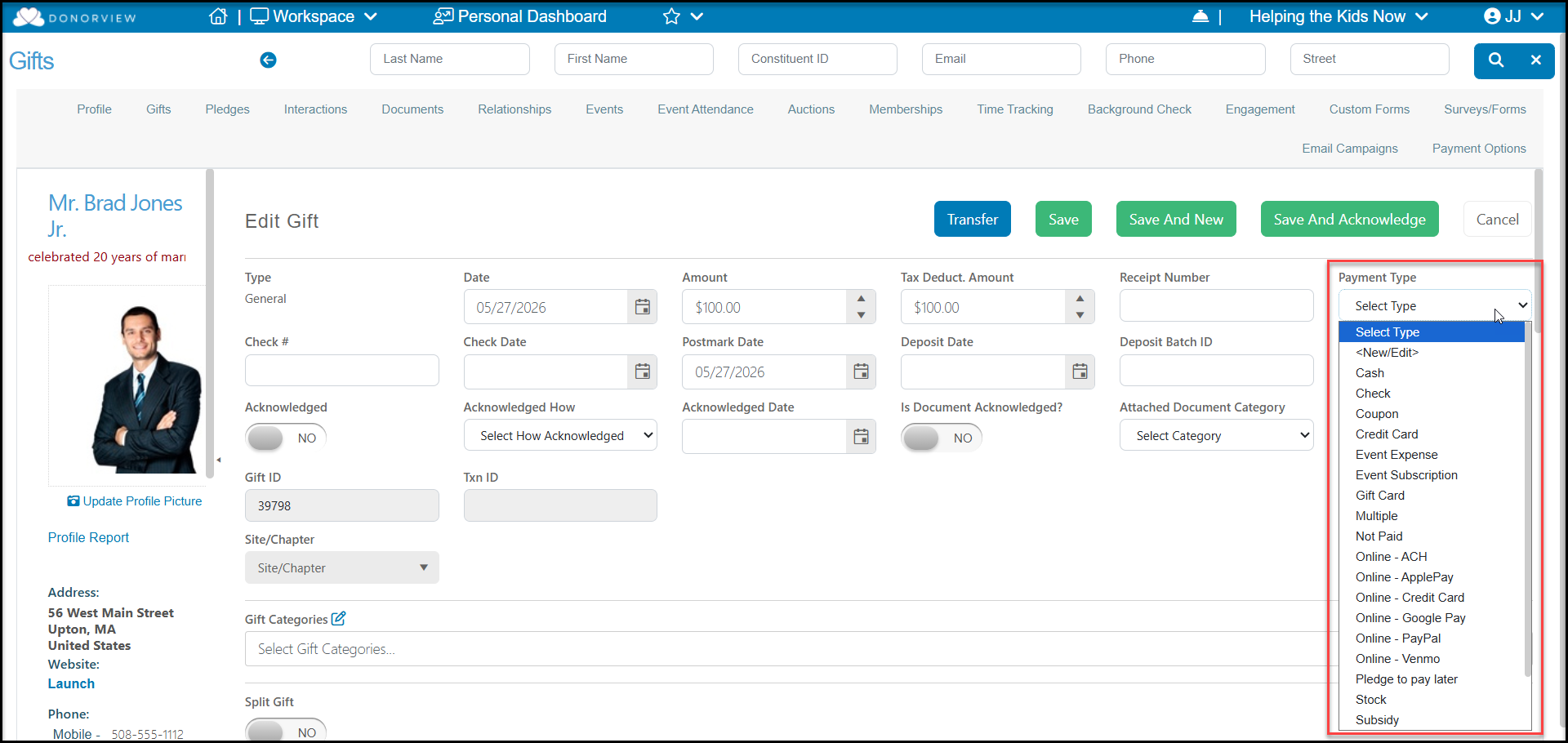
Yes, you can add new payment types when adding or editing a gift. Click in the Payment Type box and select <New/Edit> to open the editor window and add or edit the list. Note that some options, like the Online options cannot be edited due to their interface with online transaction processing.
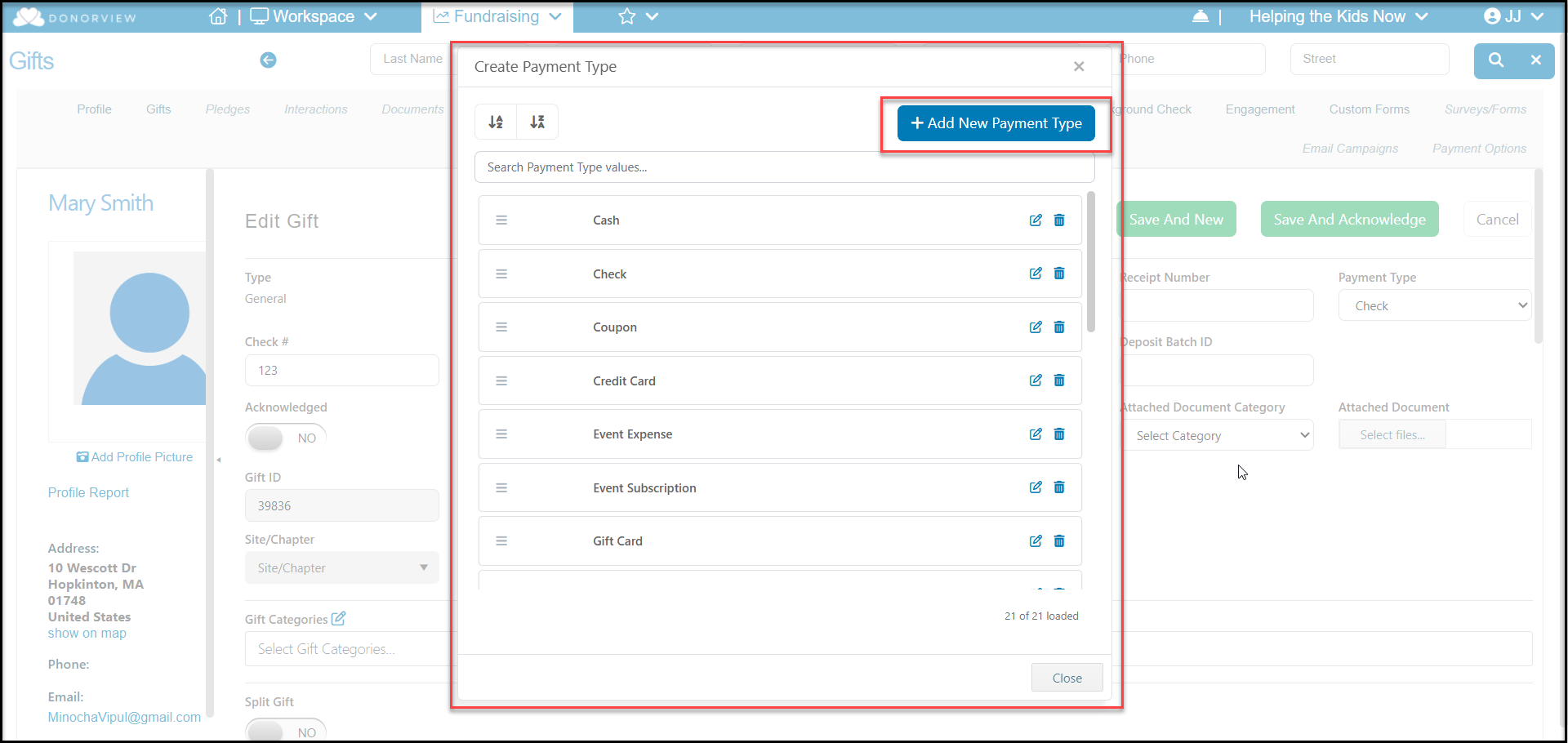
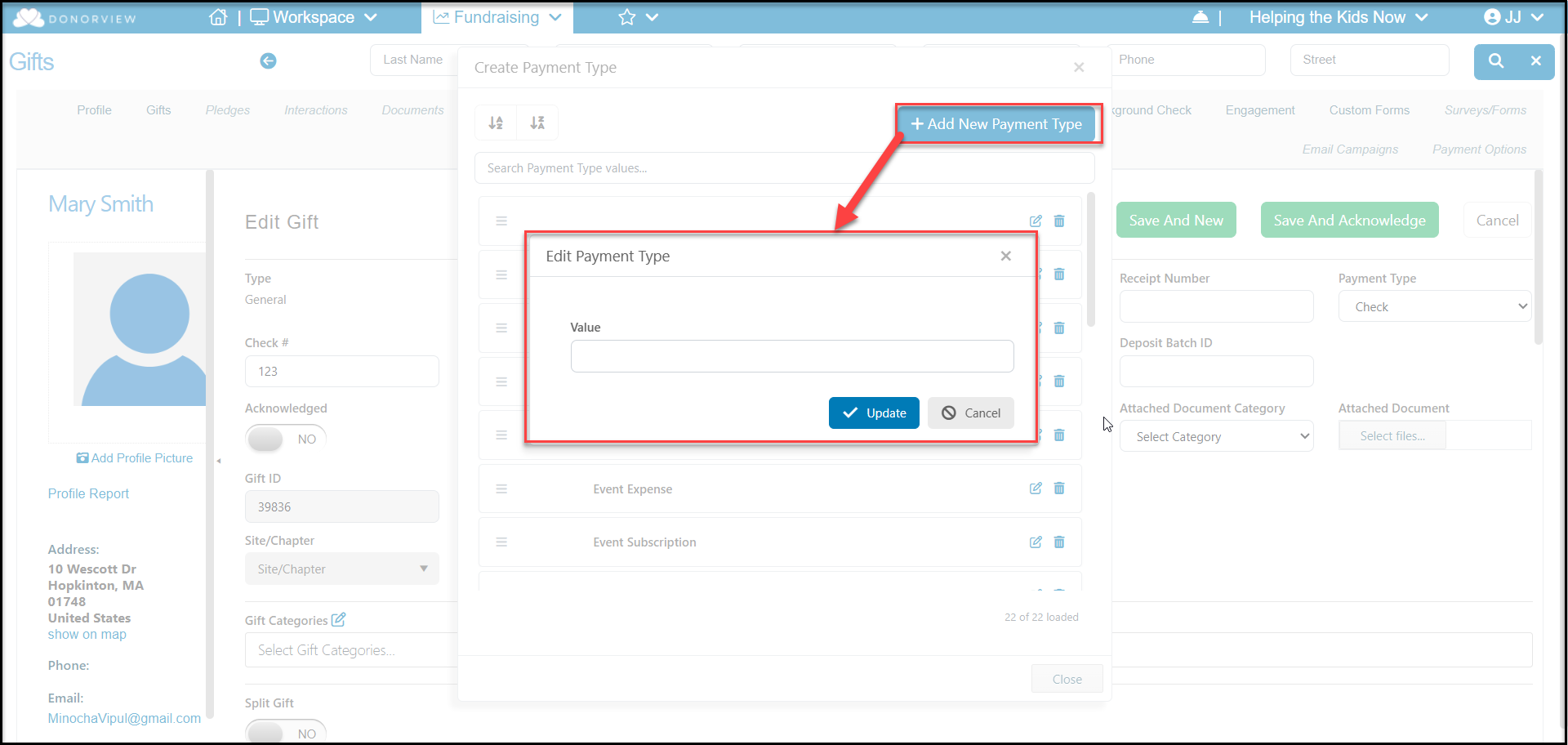
You can add a new payment type by clicking on +Add New Payment Type and entering the new type in the dialog box.
You can also edit an existing type using the edit icon on the right side of the row. Payment types can be deleted with the trash can icon, but only if they have not been used for any transactions.
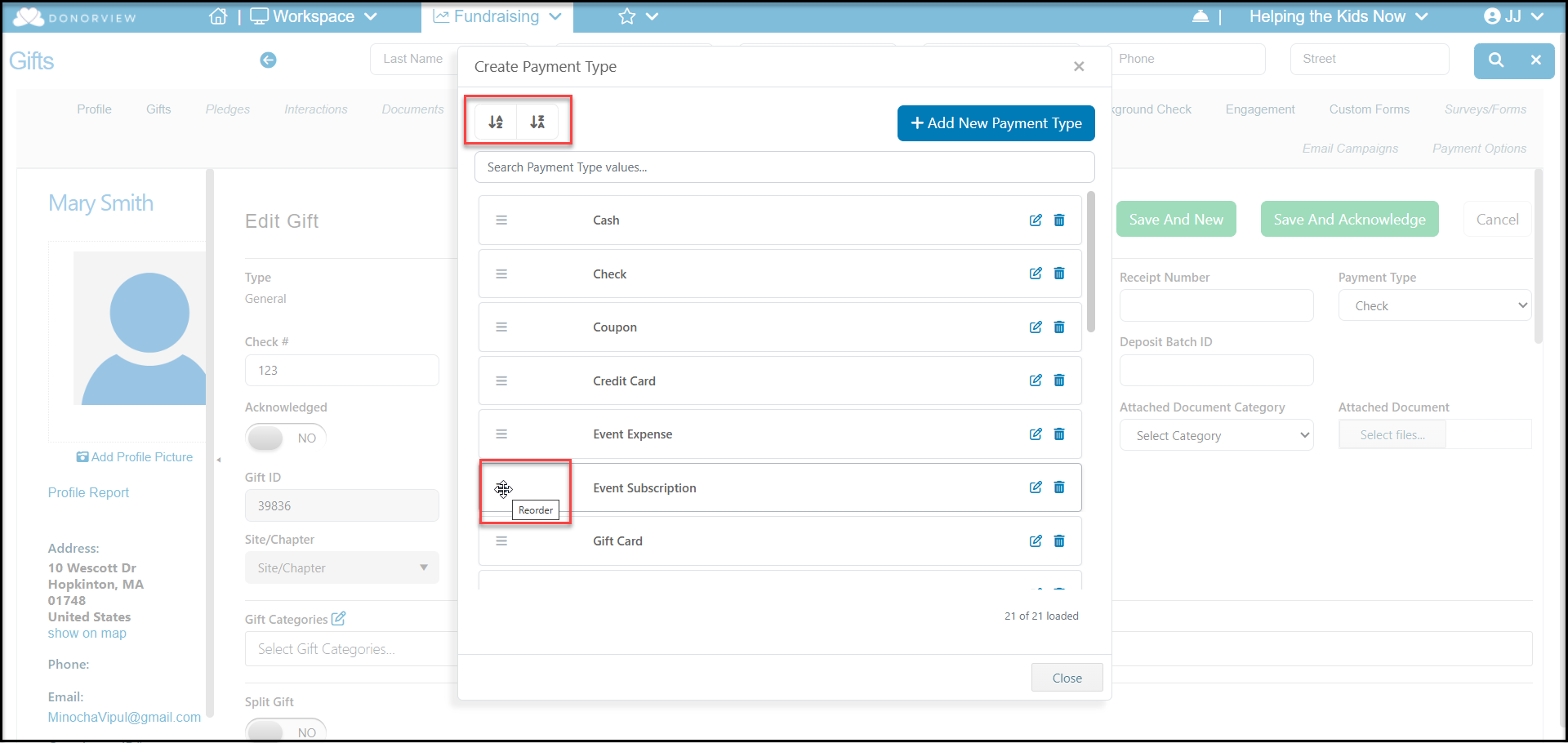
You can reorder the payment types using the links at the top of the window to sort them in ascending or descending alphabetical order. You can also move any of the values into a different order using the the three lines on the left side of the row to drag and drop the value into a new location.