# How to manage individual spouses/partners
> Source: https://support.donorview.com/how-to-manage-individual-spousespartners | Updated: 2025-02-26T21:46:43Z
There are several ways to manage spouses and partners within DonorView but, depending on your needs, you may require that they each have their own separate constituent records. This option has the benefit of allowing you to track and communicate with each person individually. However sometimes you may still need to communicate with the spouses/partners as a single household. The salutation fields will be most helpful in these instances. You can use the salutation fields in any merge letters or emails. By default, when entering a new record the Formal Salutation field will populate with the Prefix and Last Name, Informal Salutation field will populate with the First Name, and Envelope Salutation will populate with the Prefix, First Name, Last Name and Suffix. The salutation fields are editable, however, so you can customize them.
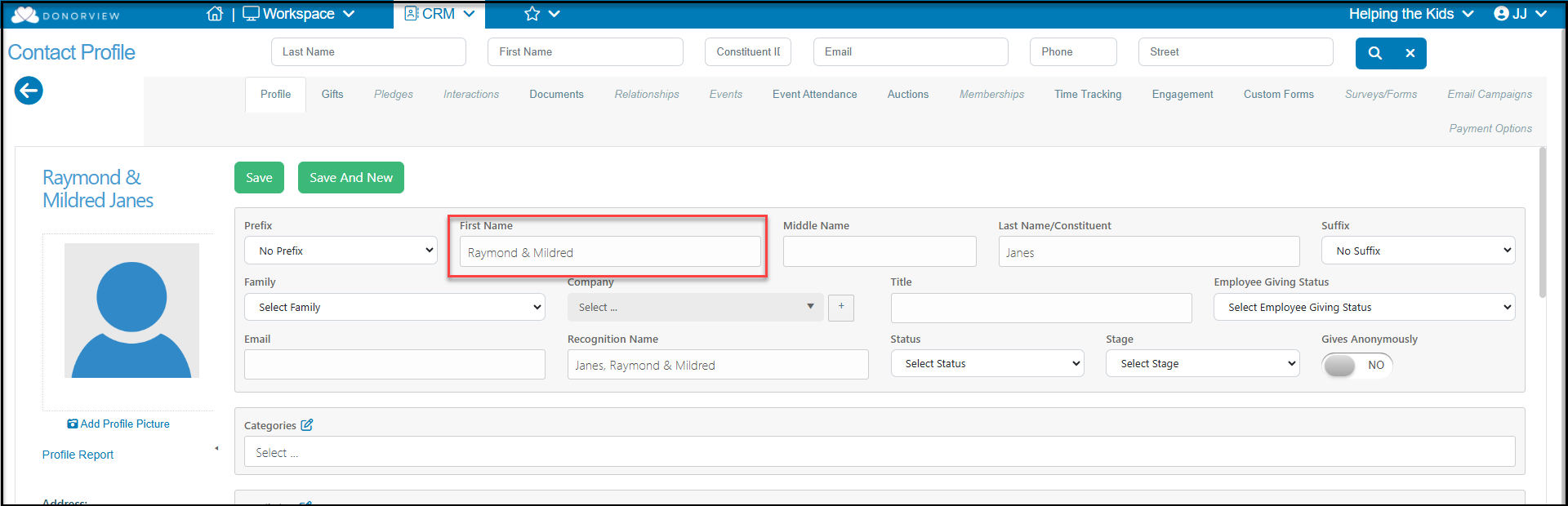
If the spouses/partners are always participating or donating together, there is no need to create separate records. If they share the same last name, you can include both people's names in the First Name field.
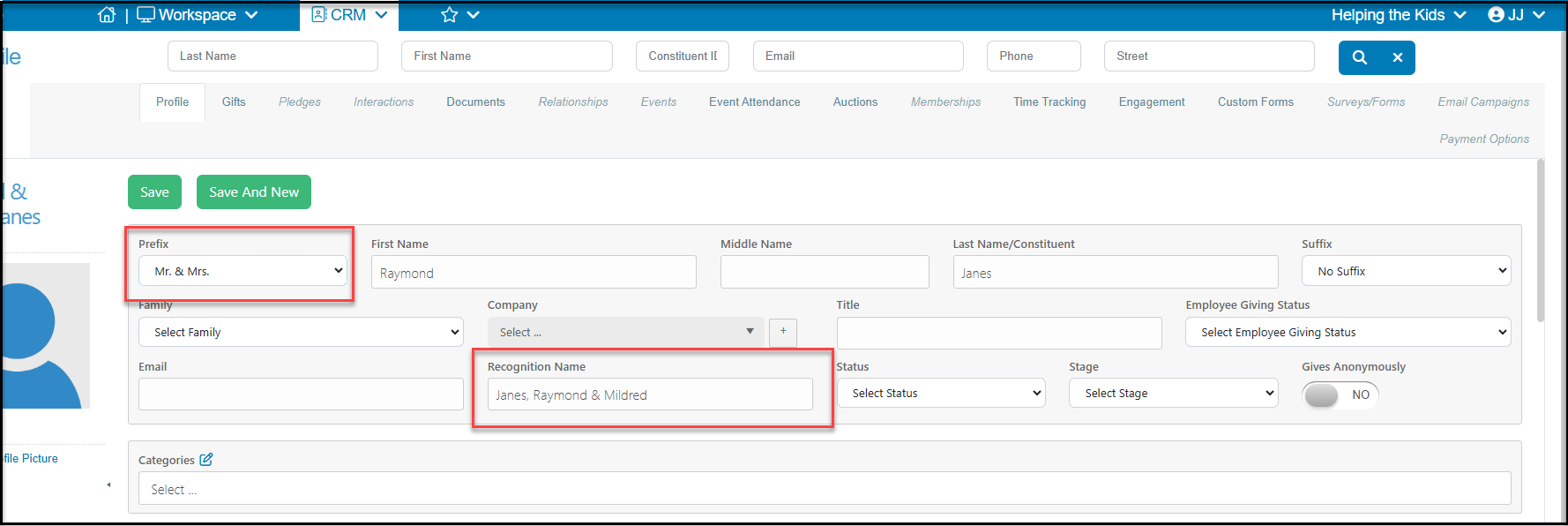
 Or, you can use a more formal arrangement and use a Prefix of Mr. & Mrs., with only the husband's name in the first name if desired. In this case, you will want to update the **Recognition Name** field as well as the **Informal Salutation** field to reflect the wife's name as well.
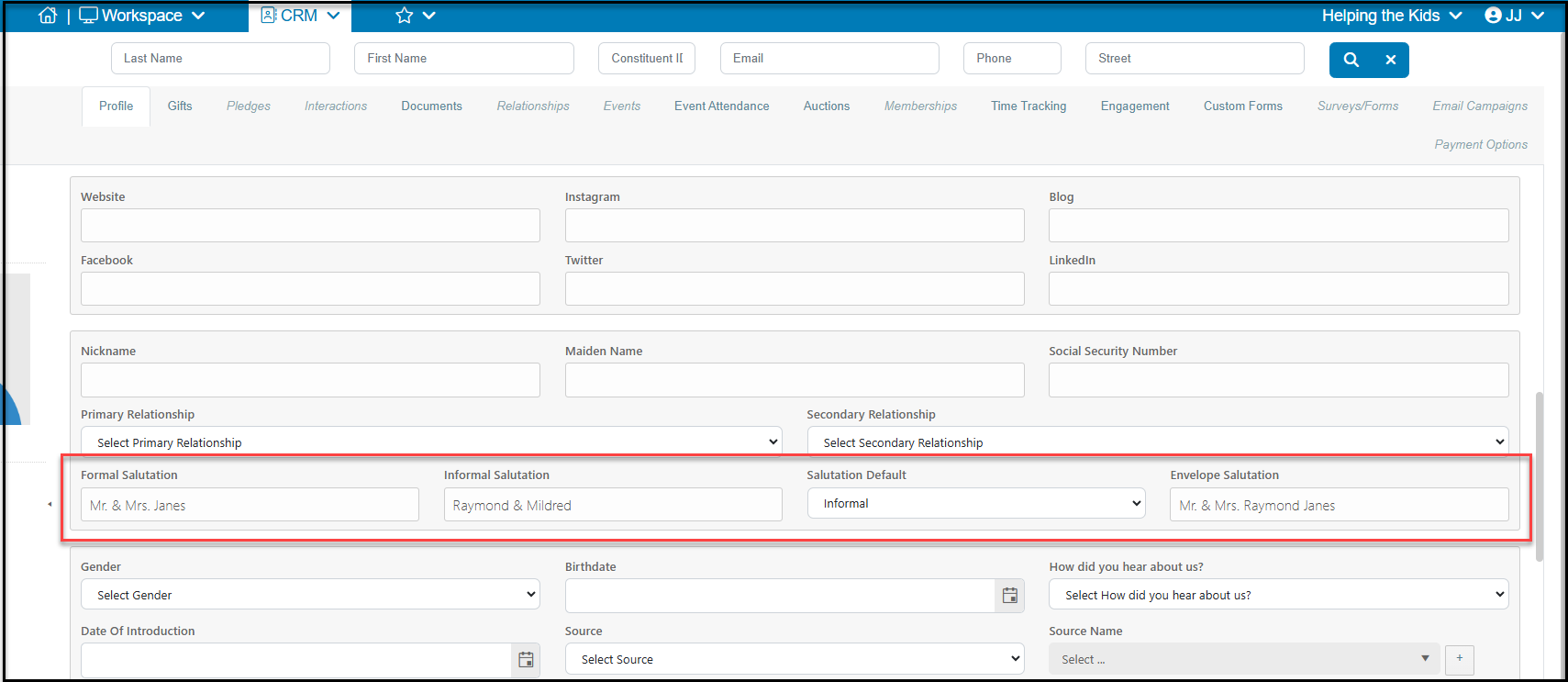 For spouses/partners who are always participating and donating together, but they have different last names, we recommend identifying the primary person and entering their name in the **First Name** and **Last Name** fields. However, you will update the **Formal, Informal** and **Envelope Salutations** to reflect the names of both spouses.
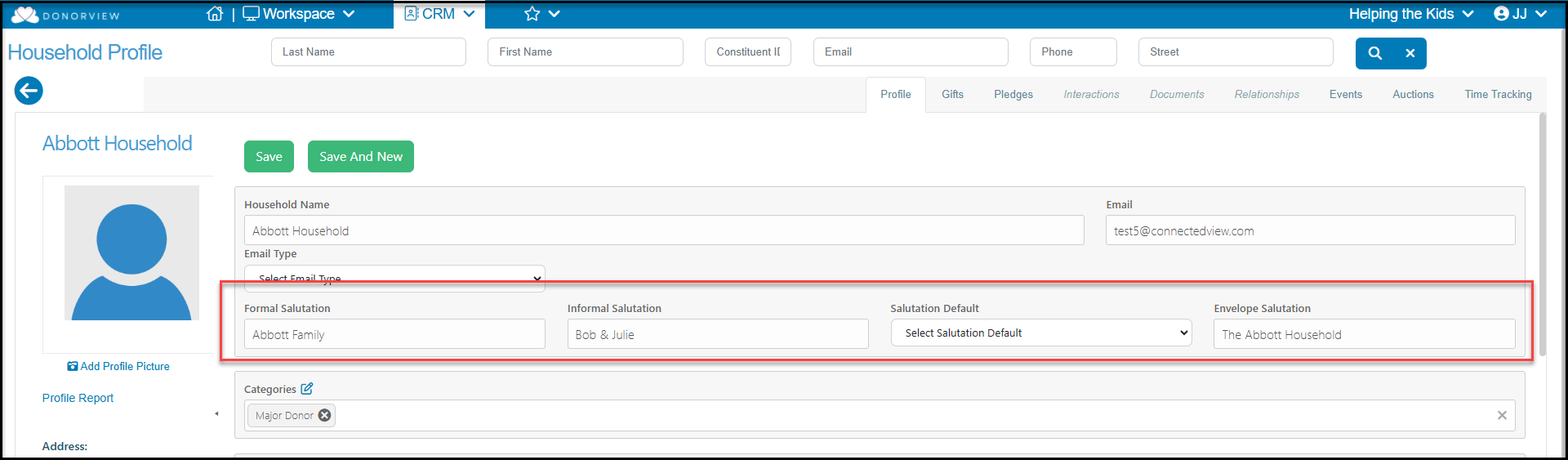
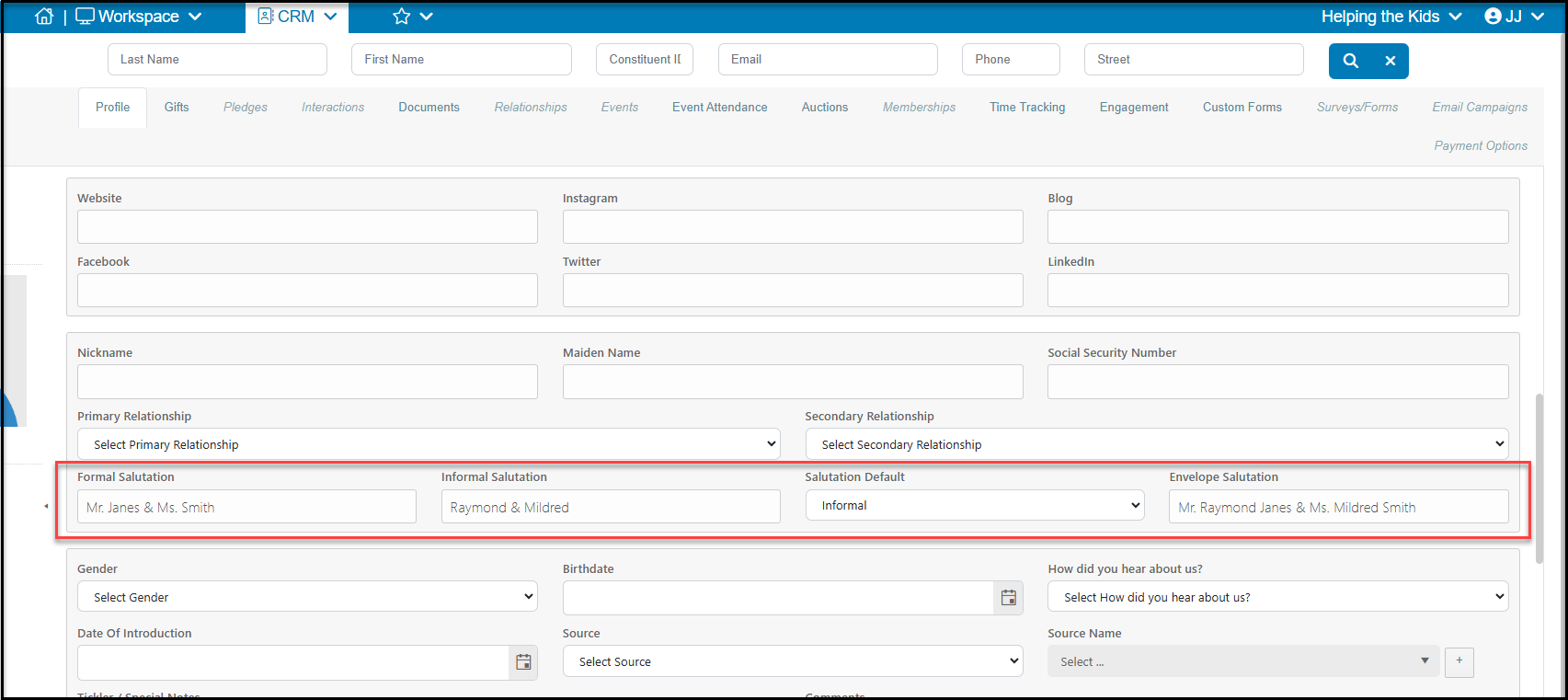 If you decide to have two separate records for the spouses, you can create a Household Record, which will provide information on both spouses giving history in one record. Creating a Household Record creates a new constituent in the database. To see more about Household Records, please see the articles in the Household Recordssection of the knowledgebase. With a Household record, you can customize the Formal, Informal, and Envelope Salutations.
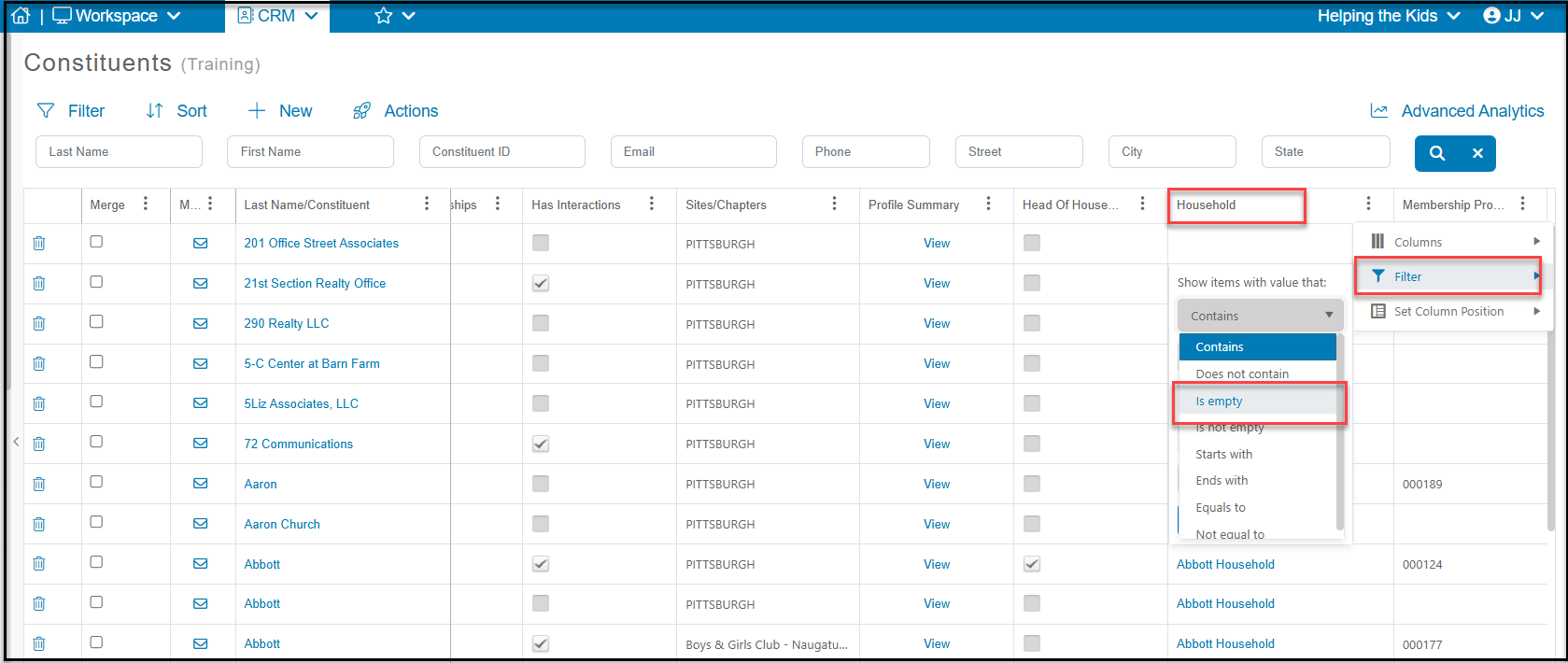
 If you want to include Households, but exclude the members of a household from a mailing, you will need to add a filter to the Constituents grid to say that the Household "Is Empty." This will exclude the family members from the mailing and only include the Household records.
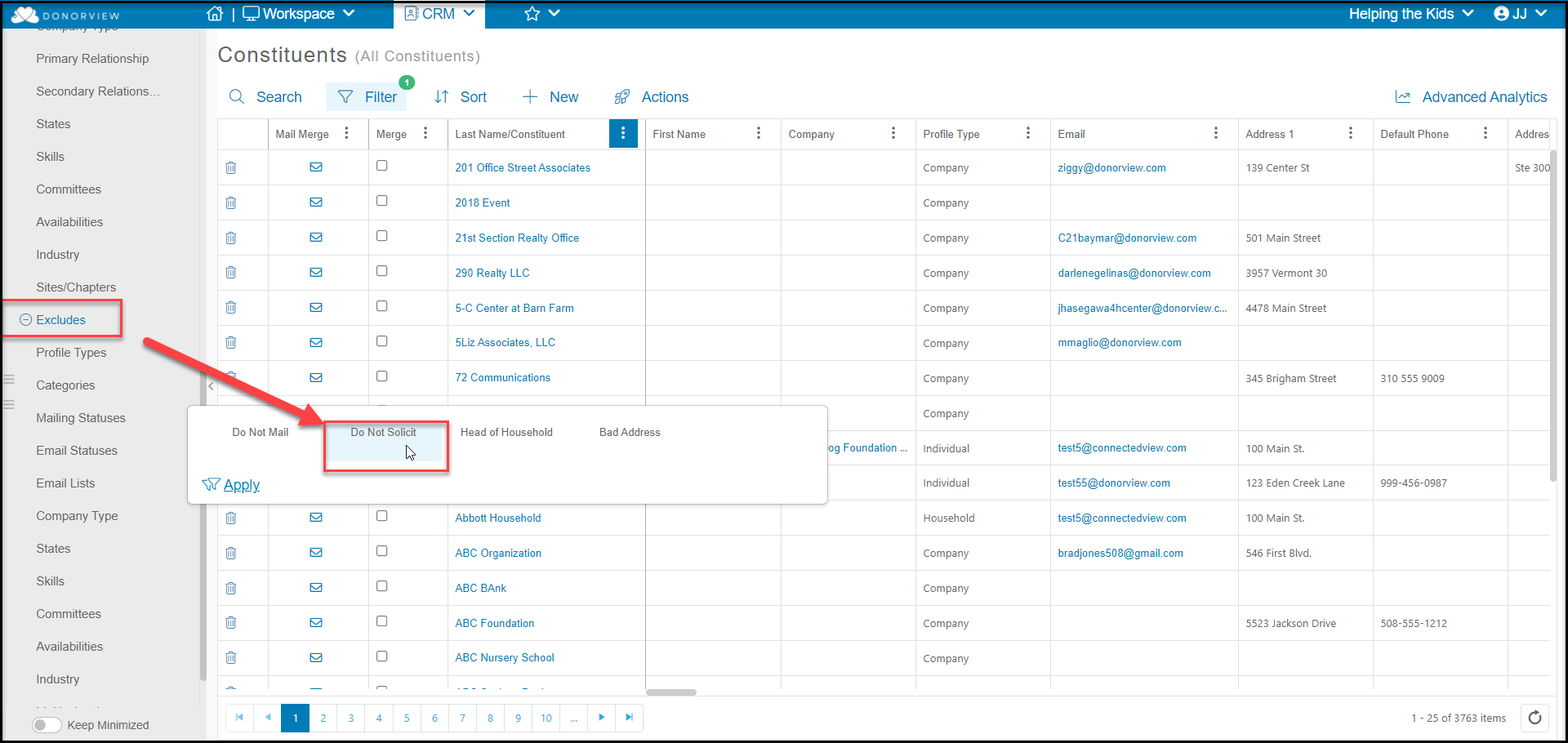
 If you decide not to use the Household Record feature, both spouses will appear on an unfiltered Constituent grid. If you are using this for a mailing list, without an particular identifier to show who is the Head of the Household, it could cause two letters to go a single address. To solve this problem you can identify one spouse as "Do Not Solicit" using the Mailing Status field.
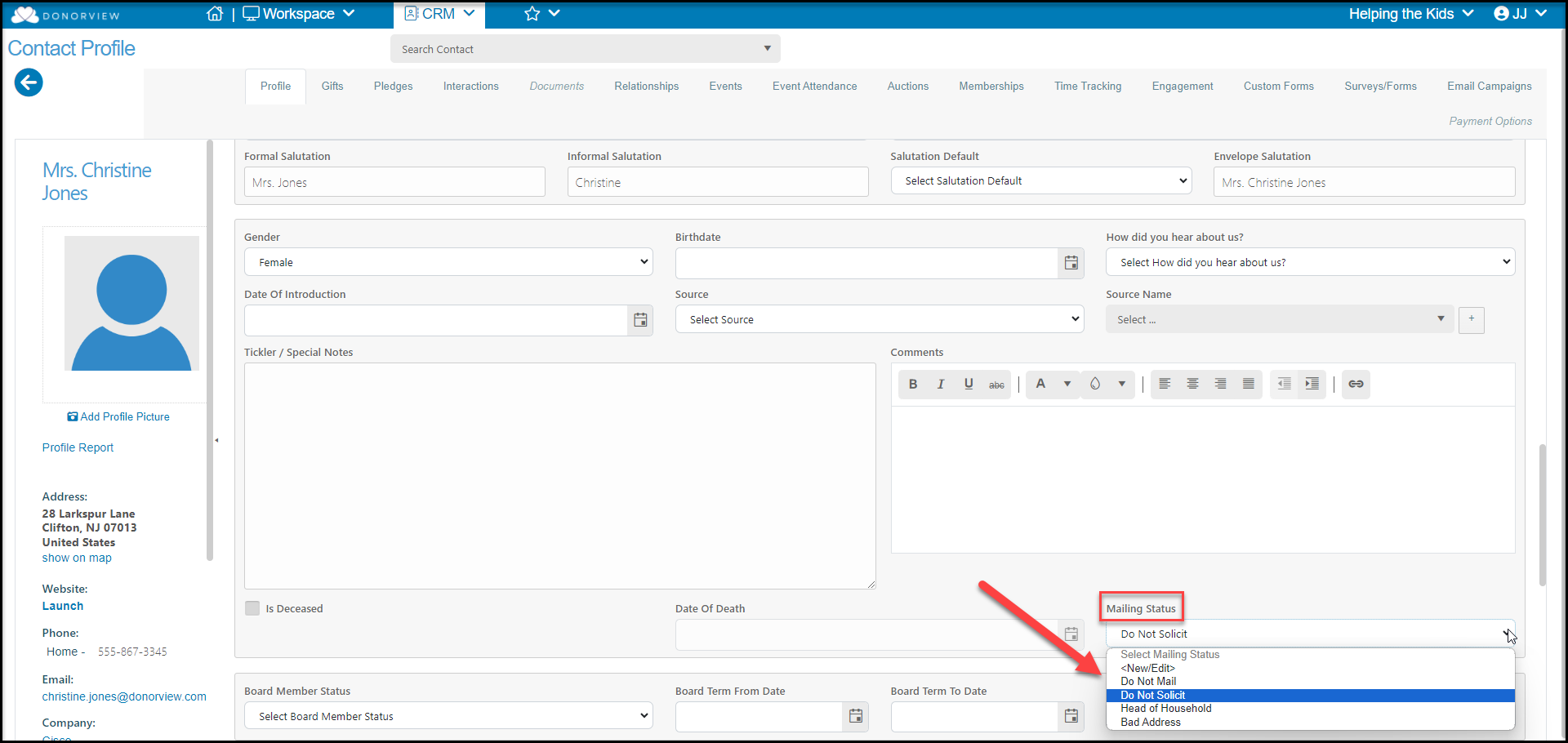 Then when you are preparing a mailing list, you can exclude the spouse using the Queries>Excludes>Mailing Statuses feature to remove them from the list.