# How do I see all the donations for a P2P campaign?
> Source: https://support.donorview.com/how-do-i-see-all-the-donations-for-a-p2p-campaign | Updated: 2024-03-26T20:36:32Z
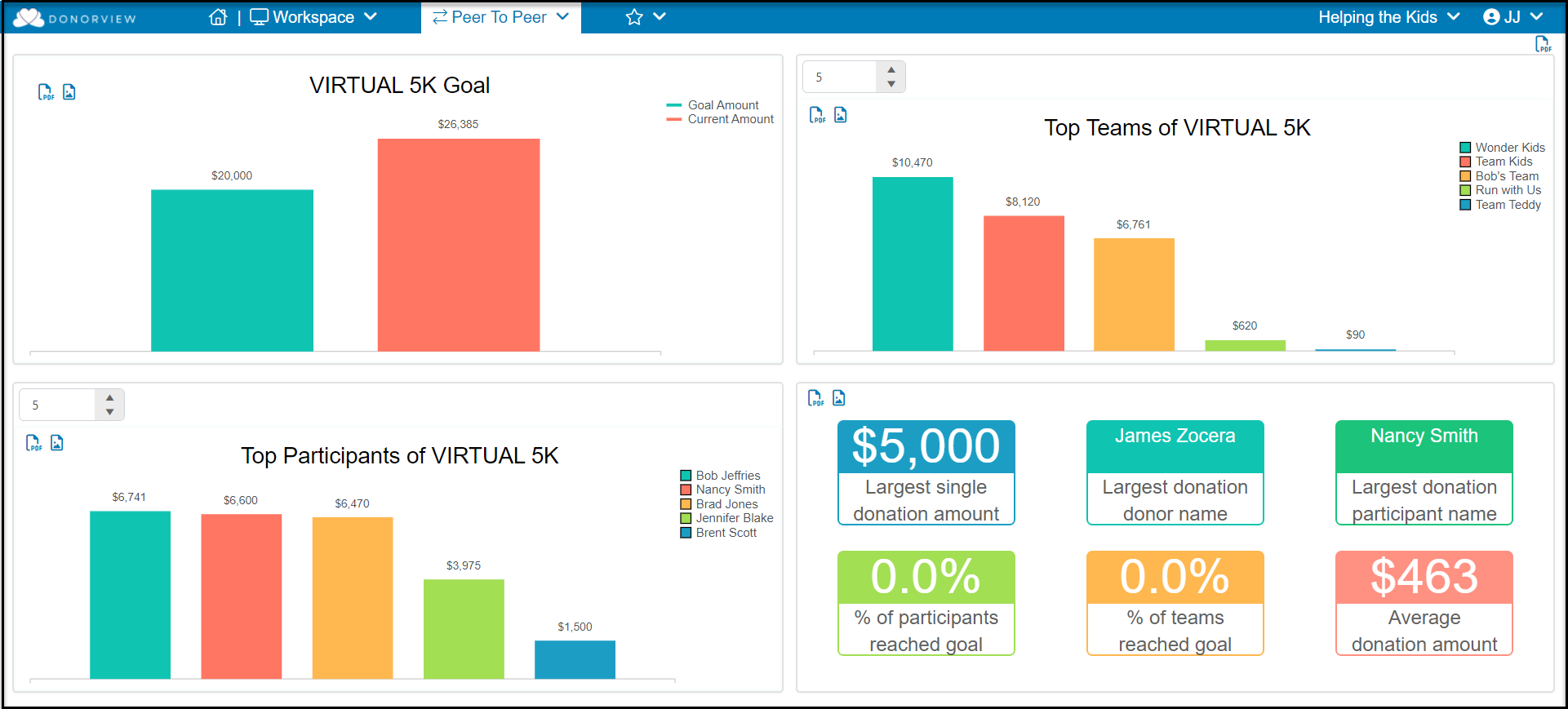
1. The P2P Summary Dashboard found under the Workspace menu shows graphs for the most current P2P campaign.
a. The entire dashboard can be exported as a pdf file using the icon in the top right corner of the screen.
b. The individual graphs can be exported as a pdf or image file using the icons in the top right corner of each graph.
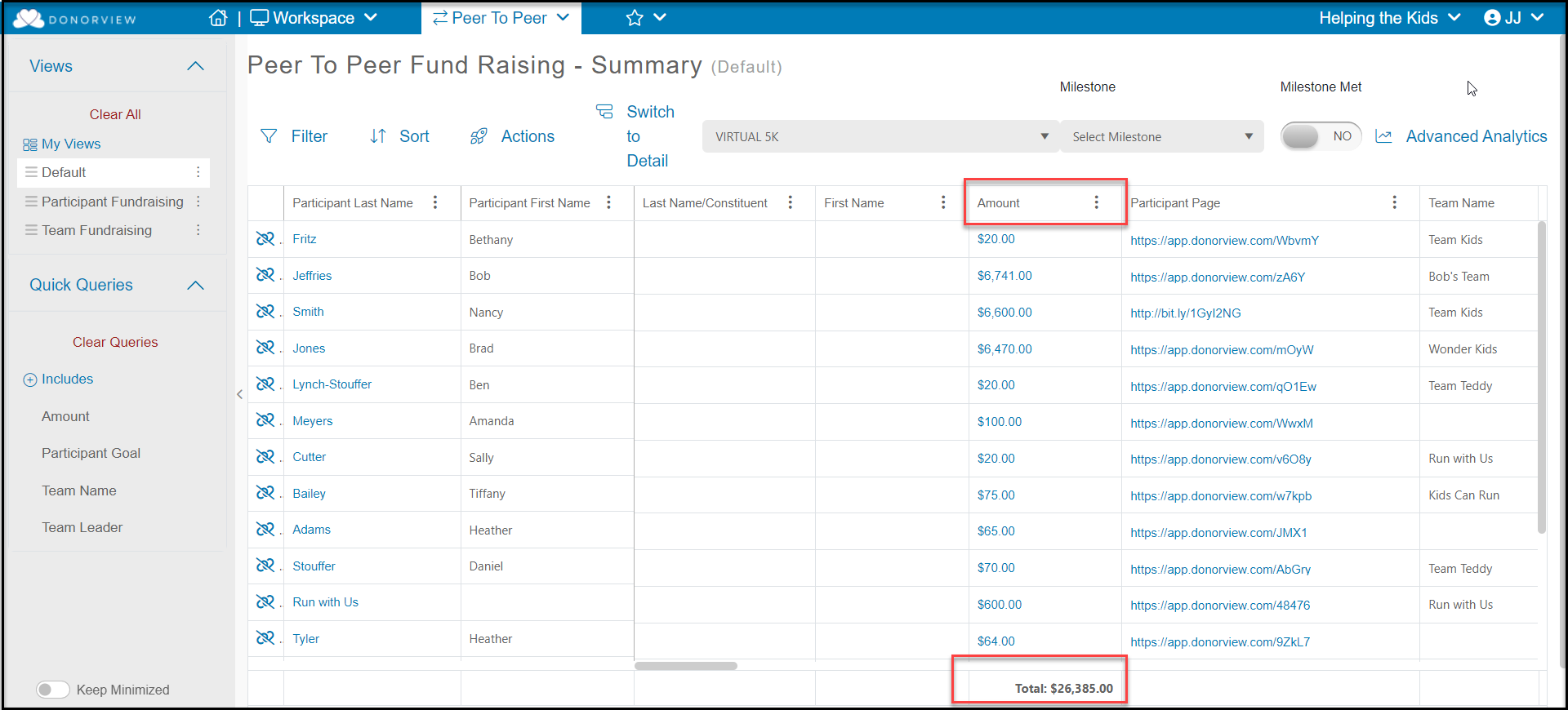
 2. The total raised so far for the campaign is shown under the Amount column.
3. The P2P Dashboard Detail view will show each individual donation or pledge.
2. The total raised so far for the campaign is shown under the Amount column.
3. The P2P Dashboard Detail view will show each individual donation or pledge.