# How do I record traditional paper silent auction bids?
> Source: https://support.donorview.com/how-do-i-record-traditional-paper-silent-auction-bids-dv | Updated: 2026-07-28T13:16:24Z
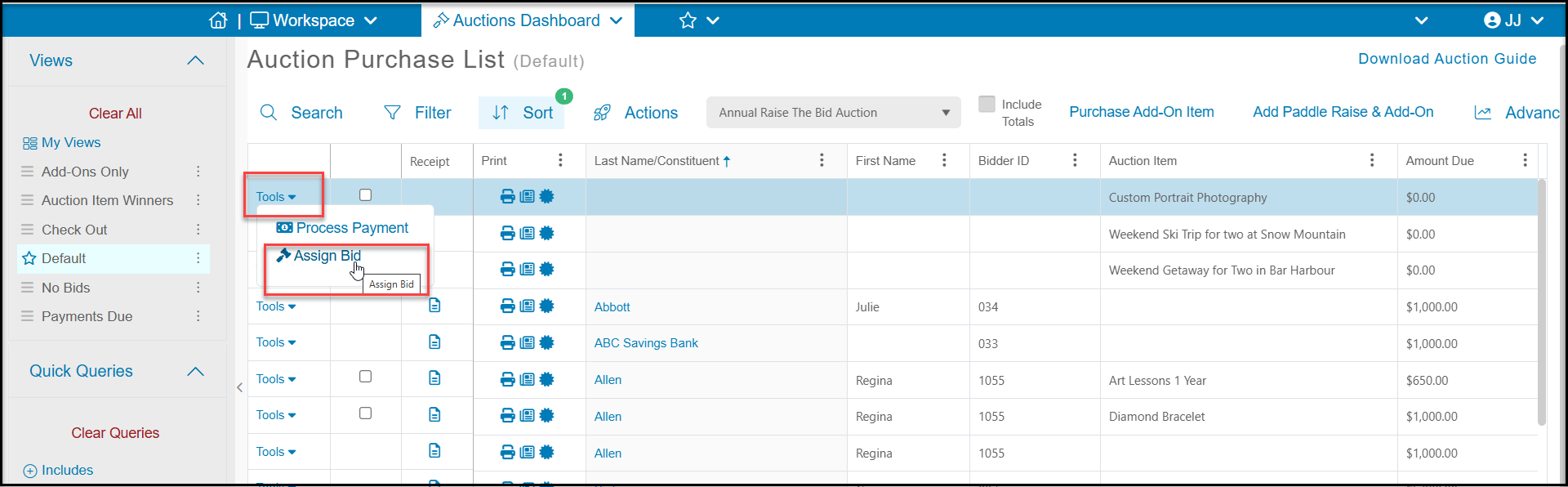
1. If your auction is using traditional paper silent bid sheets, you will use the tools menu to enter the bids.
2. Each item must be assigned individually, there is no batch or bulk assign process.
3. Click on **Tools** the **Assign Bid** from the Auctions grid on the row of the auction item.
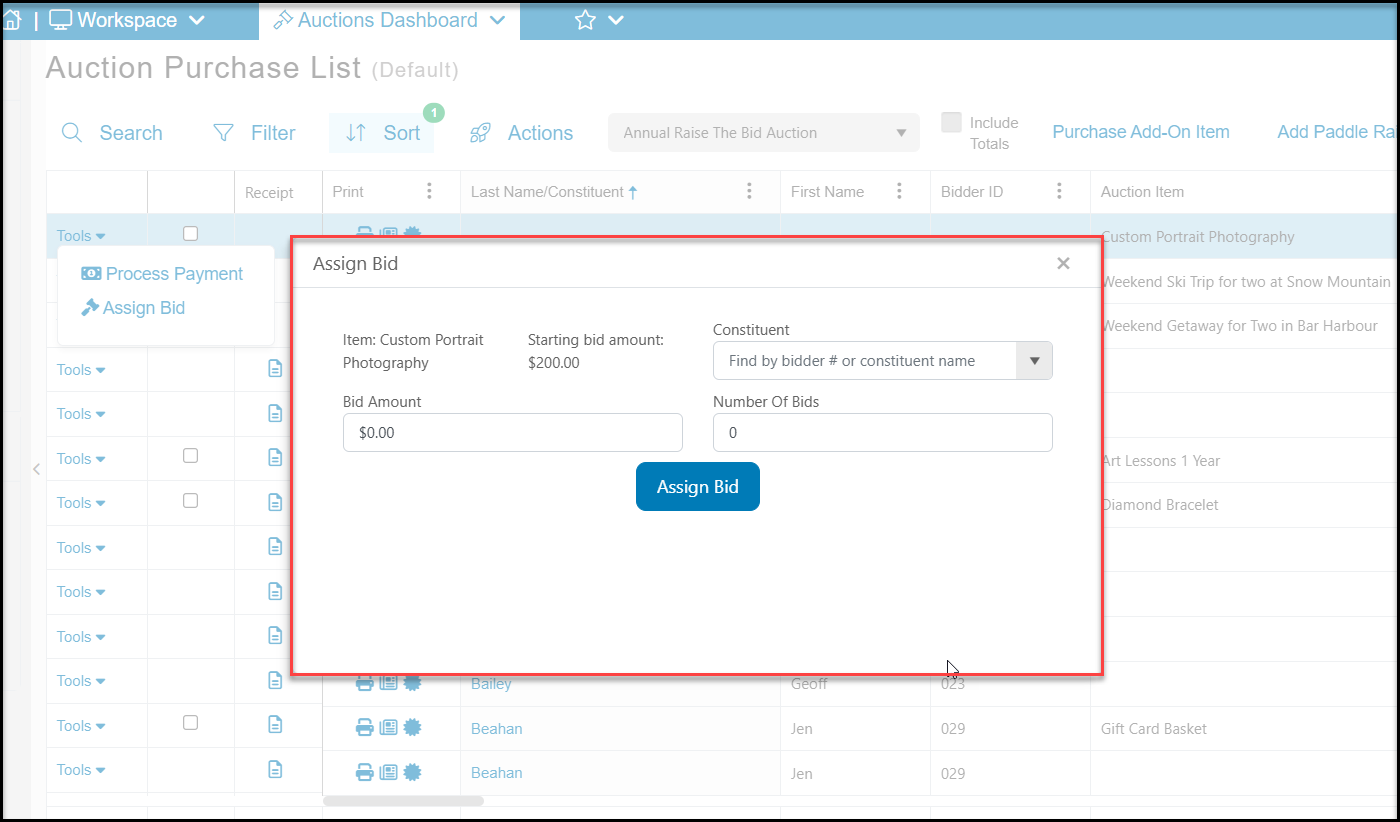
 4. Search by bidder number or attendee last name to identify the bidder in the **Constituent** field.
5. Enter the **Bid Amount.**
6. Entering the **Number of Bids** is optional, but could help you identify those items that had a lot of interest.
7. Click the blue **Assign Bid** button to record the bid.
4. Search by bidder number or attendee last name to identify the bidder in the **Constituent** field.
5. Enter the **Bid Amount.**
6. Entering the **Number of Bids** is optional, but could help you identify those items that had a lot of interest.
7. Click the blue **Assign Bid** button to record the bid.
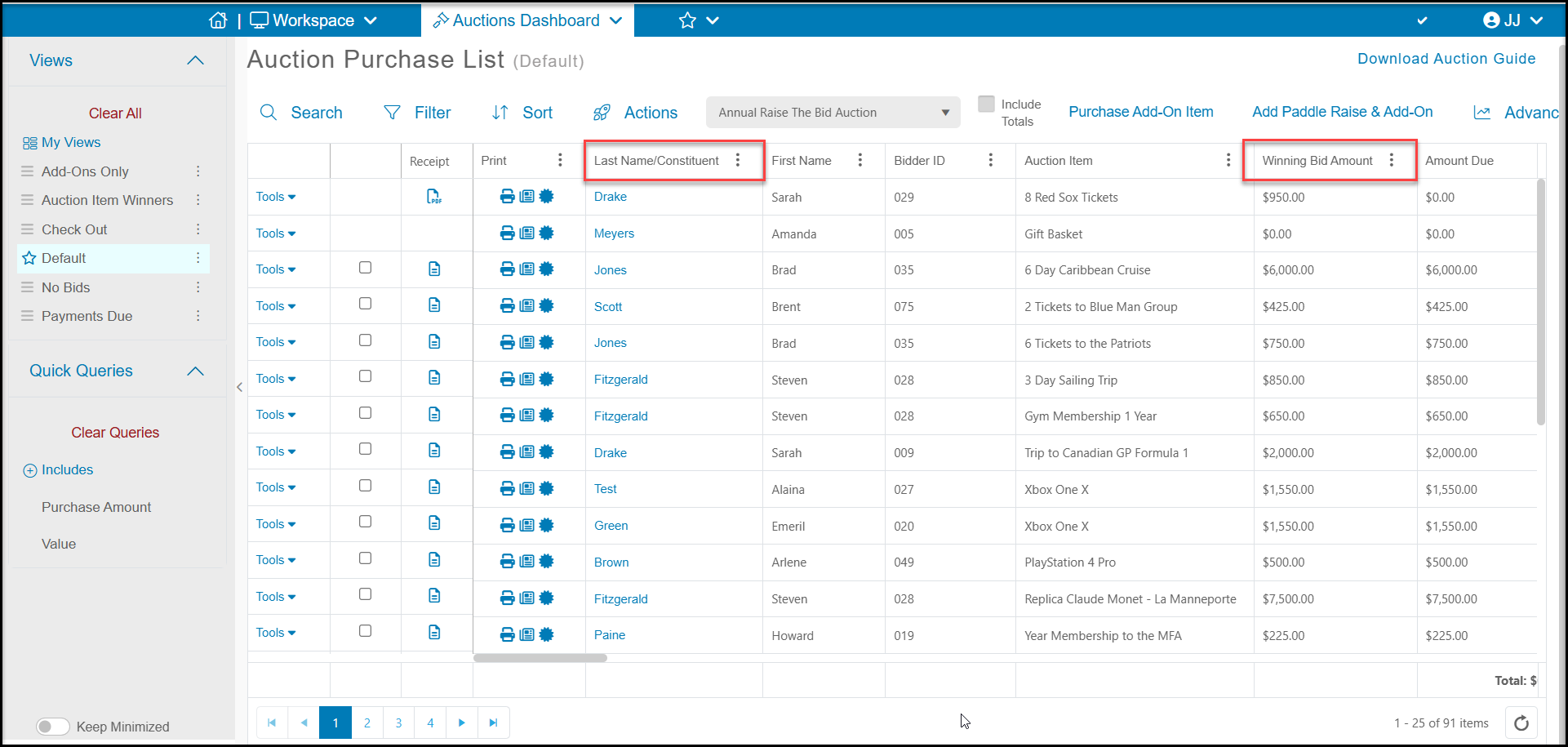
 8. The window will close and you will see the assigned bidder under Last Name/Constituent and Winning Bid Amount on the grid.