# How do I link a membership to a sponsorship?
> Source: https://support.donorview.com/how-do-i-link-a-membership-to-a-sponsorship-dv | Updated: 2026-10-12T20:39:01Z
To link a sponsorship to a membership level, ensure the sponsorship and applicable tasks have already been created. You can learn more in this article "How do I create a Sponsorship?"
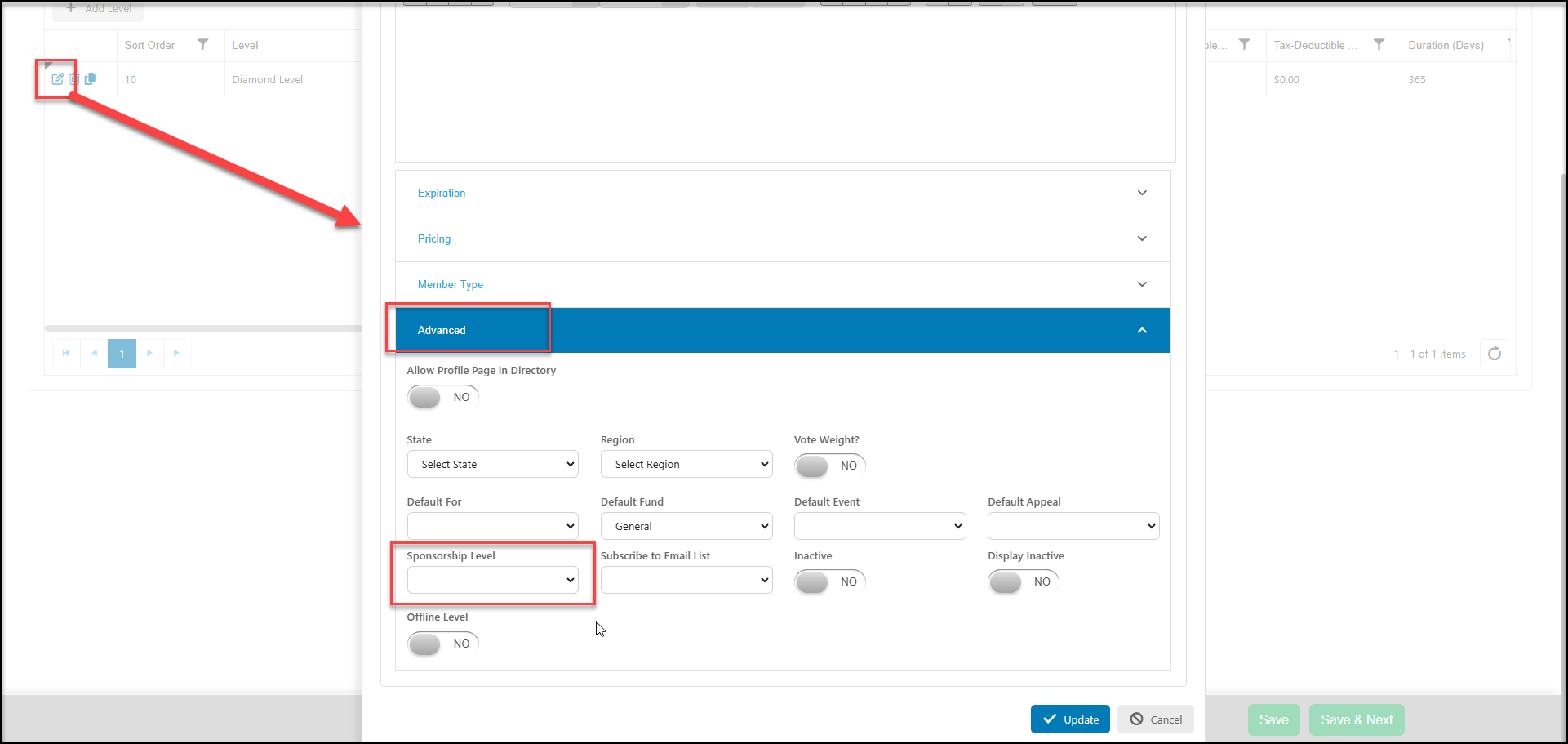
From a Membership Page, go to the Membership Setup Tab and add or edit a membership level. From the membership level in Advanced section, select the applicable **Sponsorship Level** from the pulldown menu. When finished entering the remaining information, click on **Update** to save the connection.
Whenever event transactions are recorded for levels that are attached to sponsorships, the sponsorship tasks will automatically be created on the Sponsorships grid.