# How do I get to the Time Tracking section?
> Source: https://support.donorview.com/how-do-i-get-to-the-time-tracking-section-dv | Updated: 2020-06-30T15:03:10Z
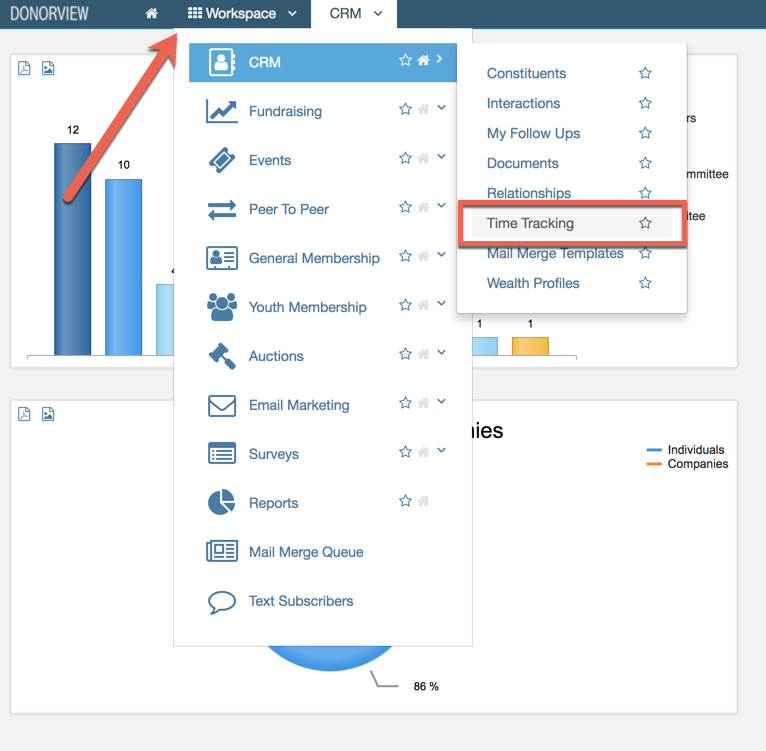
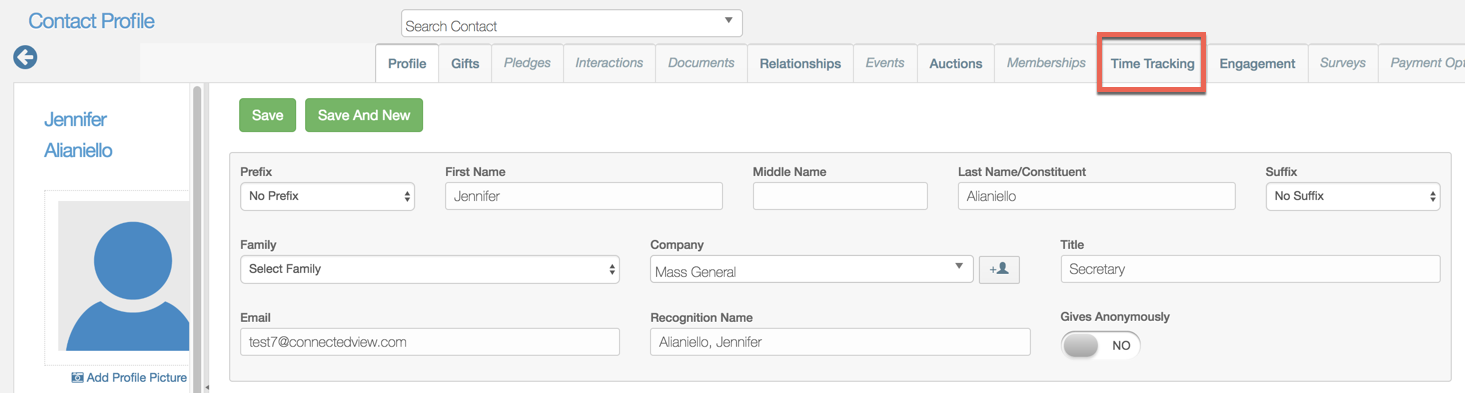
The Time Tracking section can be viewed both inside a constituent's record and on the main Time Tracking dashboard in the CRM module. Inside a constituent record, Time Tracking displays between Memberships and Engagement. The main dashboard can be found in the menu by mousing over CRM and then selecting Time Tracking.