# How do I export all emails?
> Source: https://support.donorview.com/how-do-i-export-all-emails-dv | Updated: 2024-01-22T20:35:24Z
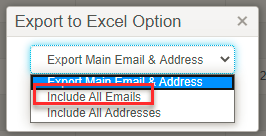
Go to **Workspace > CRM > Constituents** and select Actions > Export to Excel File. At Export to Excel Option, select Include All Emails.
 The file will be downloaded to the folder/location based on the web browser setting.
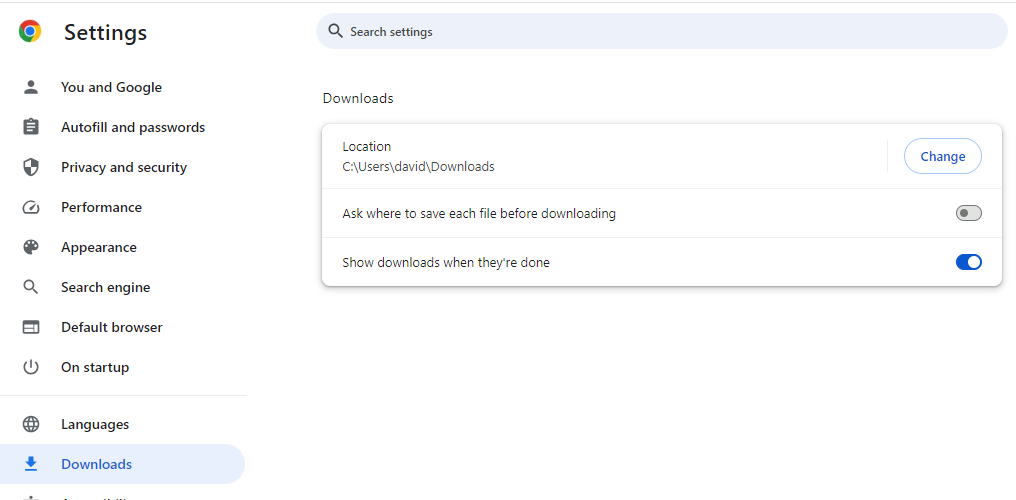
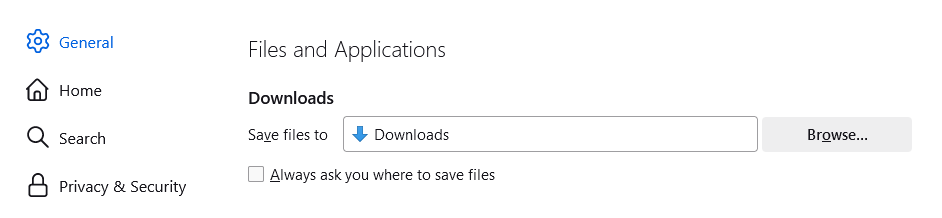
For example, Google Chrome and Firefox are setup to download and save files to the Downloads folder.
The file will be downloaded to the folder/location based on the web browser setting.
For example, Google Chrome and Firefox are setup to download and save files to the Downloads folder.