# How do I delete an auction item bid?
> Source: https://support.donorview.com/how-do-i-delete-an-auction-item-bid | Updated: 2026-03-31T21:43:04Z
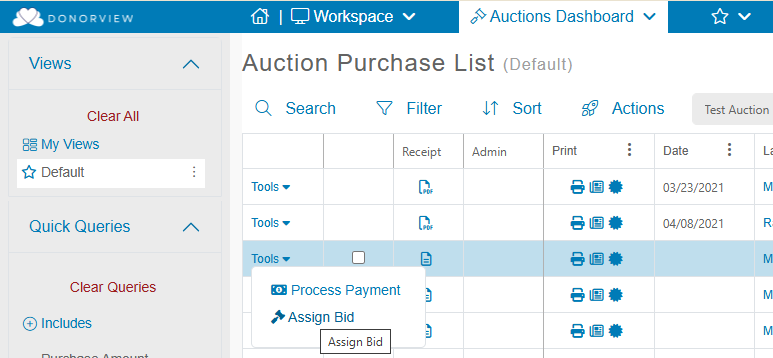
To remove an auction item bid, go to **Workspace > Auctions Dashboard > Auctions**, select the auction and select Tools > Assign Bid for the auction item.
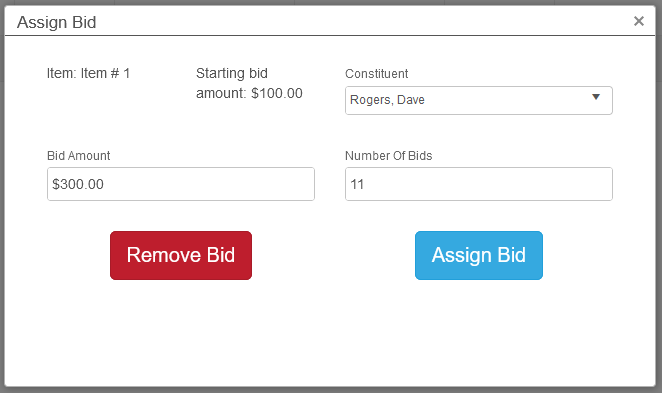
 If a bid has been placed on the (unpaid) item, you can remove the most recent bid.
The process can be repeated to remove additional bids.
If a bid has been placed on the (unpaid) item, you can remove the most recent bid.
The process can be repeated to remove additional bids.