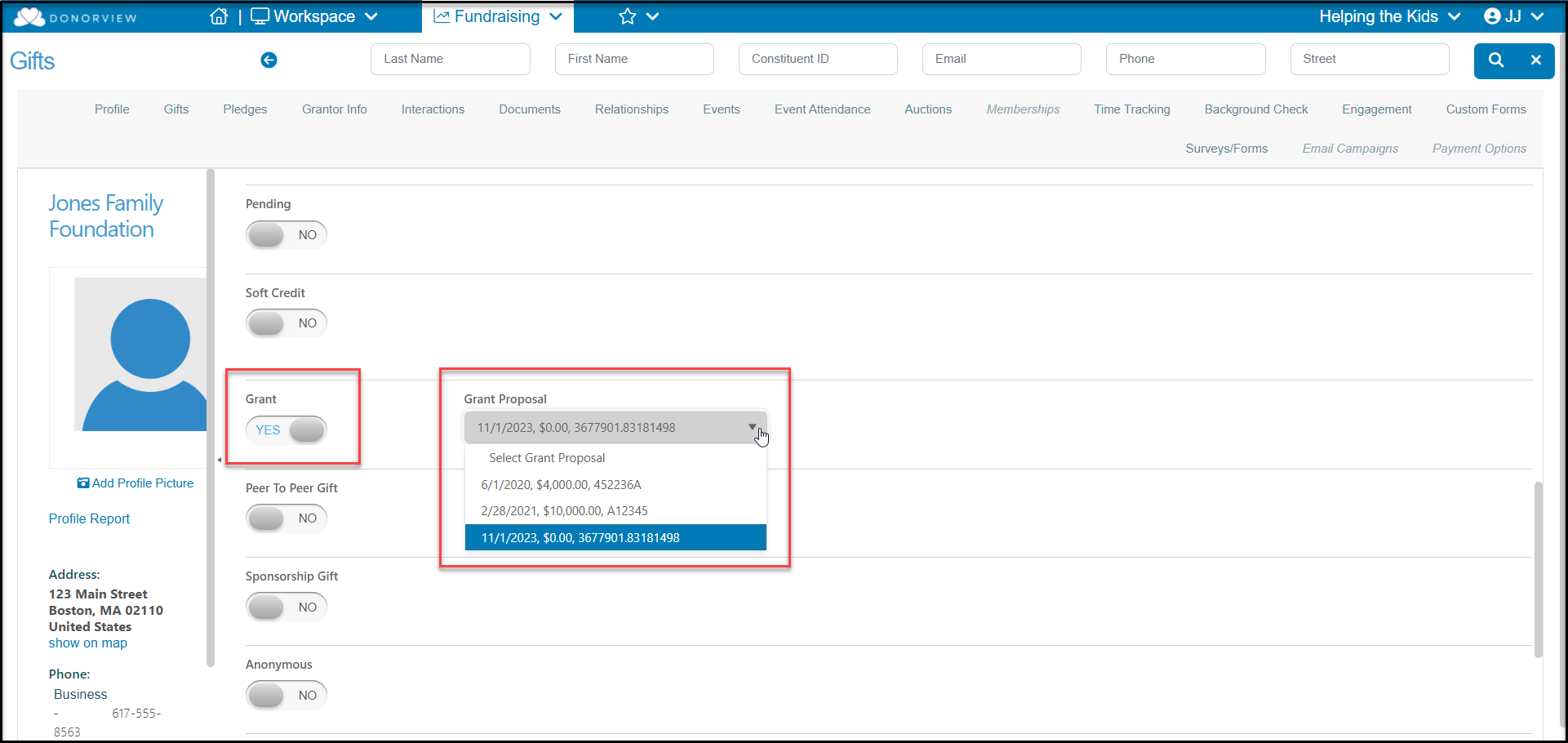
# How do I connect the funding to the grant proposal?
> Source: https://support.donorview.com/how-do-i-connect-the-funding-to-the-grant-proposal-dv | Updated: 2026-08-03T19:02:10Z
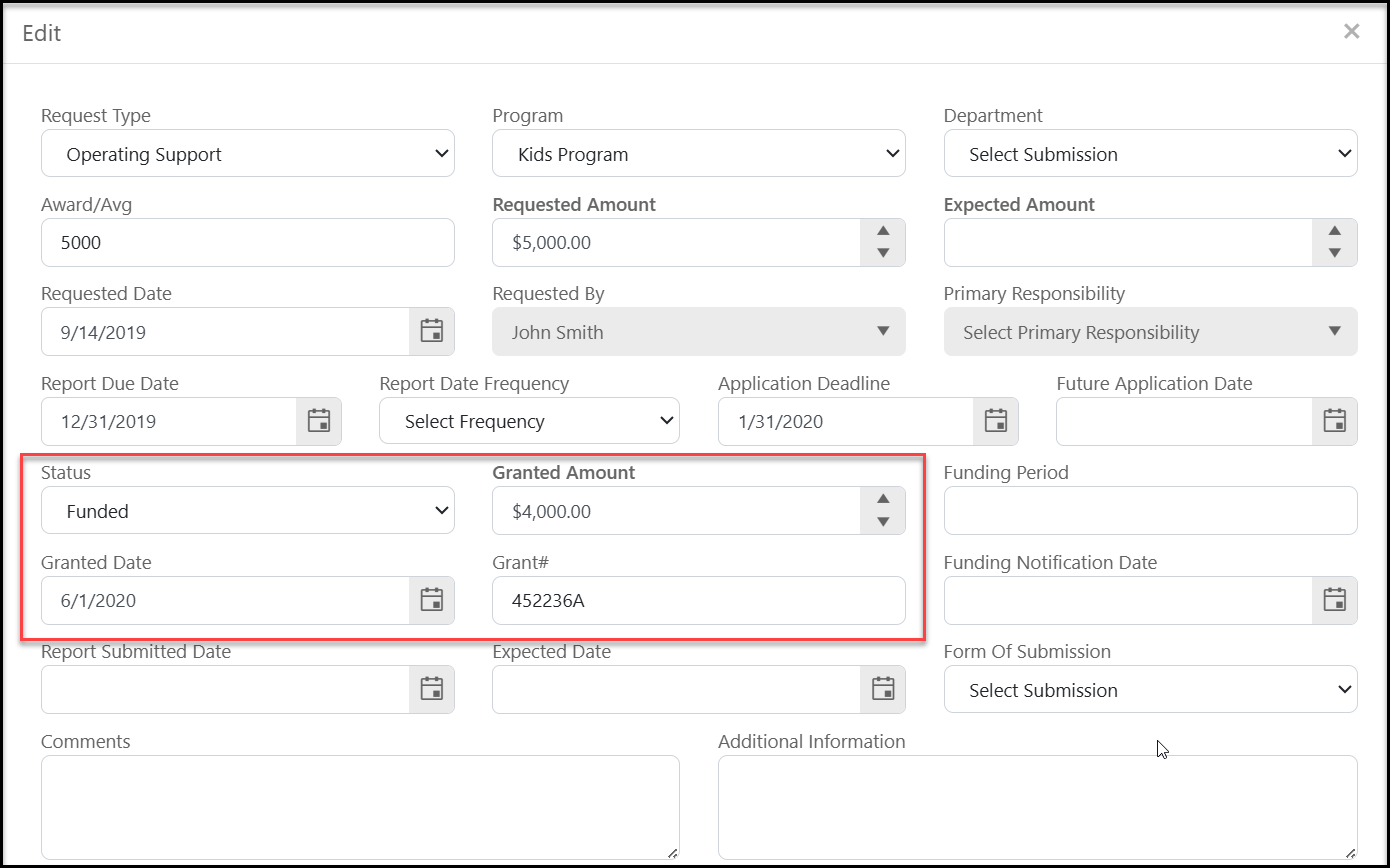
Prior to connecting the contribution to the grant, ensure the grant proposal includes:
1. **Status** = **Funded**
2. A **Granted Amount**.
3. A **Granted Date**.
 When you record the gift record for this grant (or if it is already entered) you can set the **Grant** field to **YES** and then link it to the grant proposal. The dropdown will show all proposals that have been funded for this grantor.