# How do I assign Tasks for Sponsorship Follow Ups
> Source: https://support.donorview.com/how-do-i-assign-tasks-for-sponsorship-follow-ups | Updated: 2026-08-03T18:09:34Z
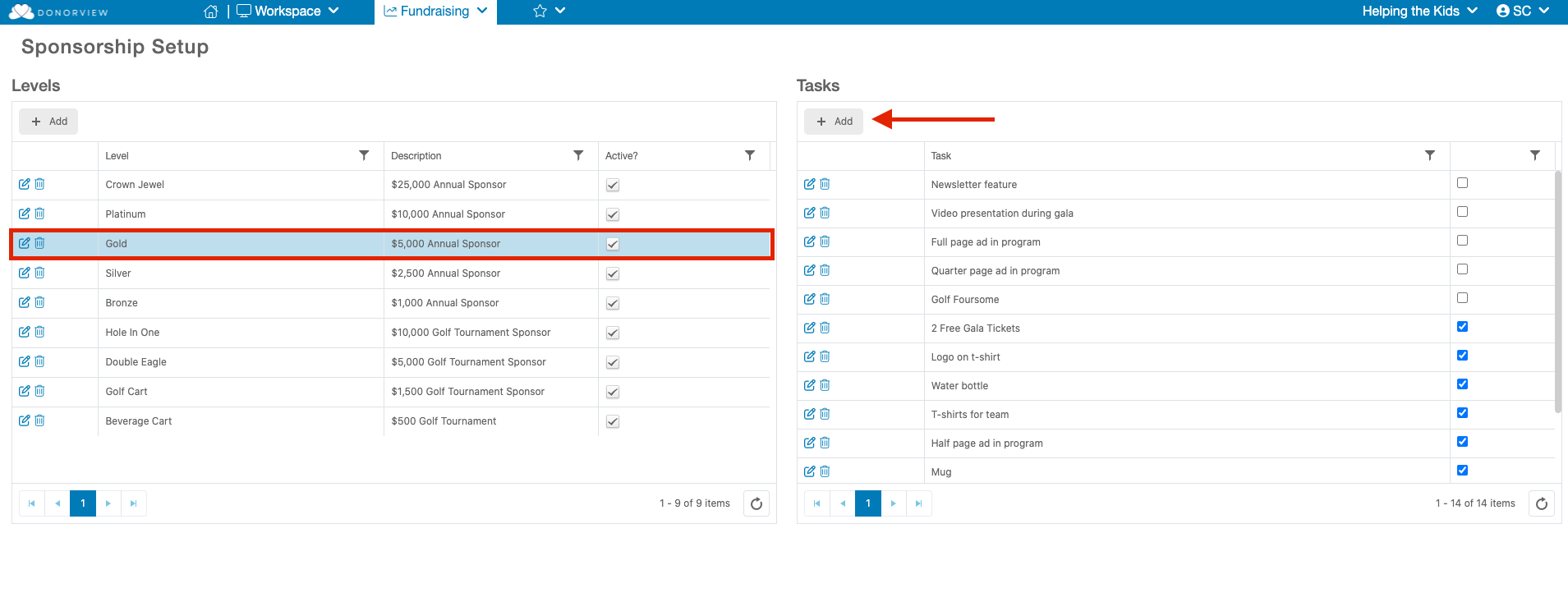
Tasks are assigned on the Sponsorship Page. Once the sponsorship level is created, tasks associated with that level can be added.
- Click the row with the applicable sponsorship level.
- If there are existing tasks listed, you can check the box next to that task to add it to the sponsorship.
- To add new tasks, click on **+Add** at the top of the task list.
When a sponsorship is entered with a gift or event level transaction, the tasks will automatically be assigned as Follow Ups for the constituent.
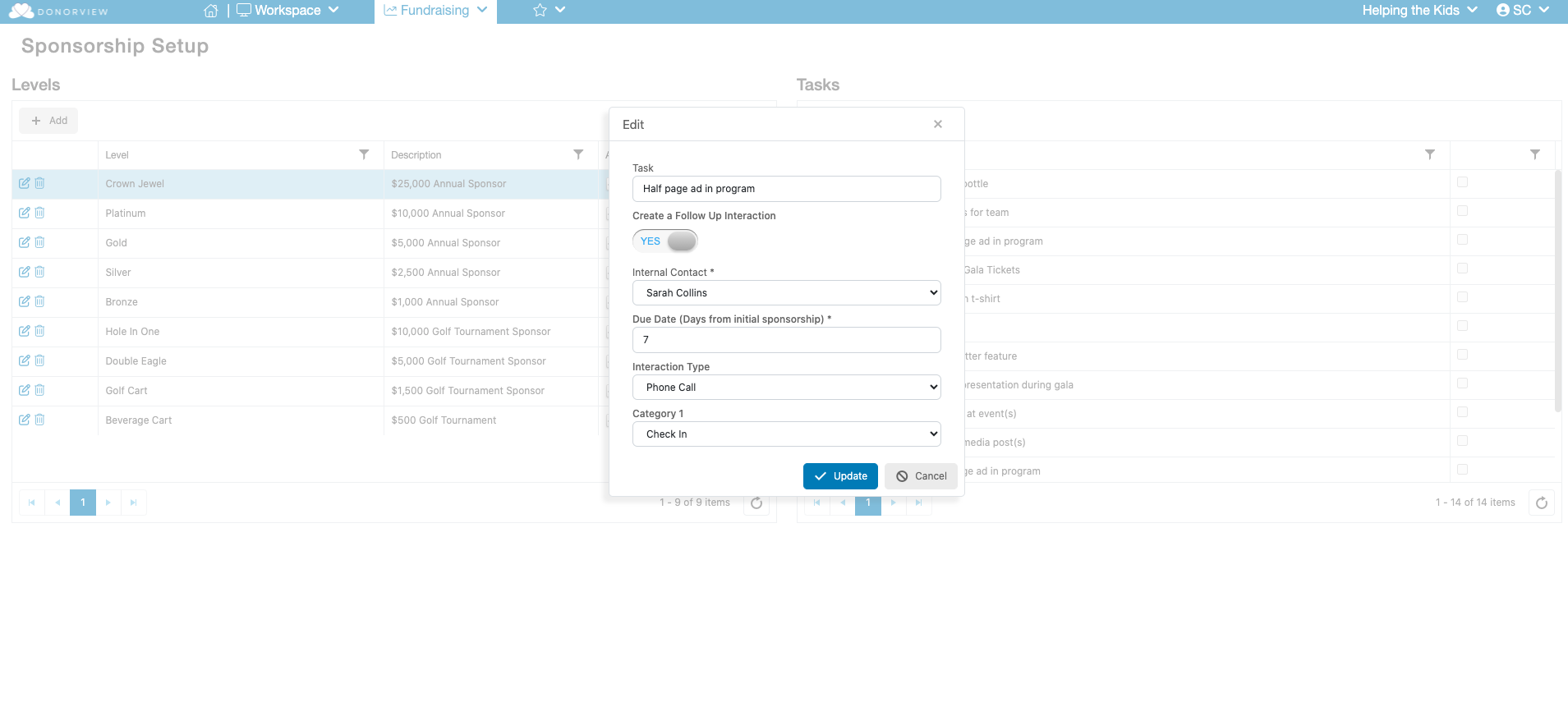
 During the setup of your Task you will also be able to turn on a setting to have a Open Interaction generated and assigned to a specific user based on the assignment of a Sponsorship to a Constituent. You can select which User the Interaction will be assigned to, the number of days after assignment the Interaction will be due as well as the Interaction Type and Category 1 value.