# How do I adjust the Vertical Space for a Text area in an email template?
> Source: https://support.donorview.com/how-do-i-adjust-the-vertical-space-for-a-text-area-in-an-email-template-dv | Updated: 2026-07-08T14:18:29Z
The attached short video shows one way to adjust the Vertical Space setting for a text area.
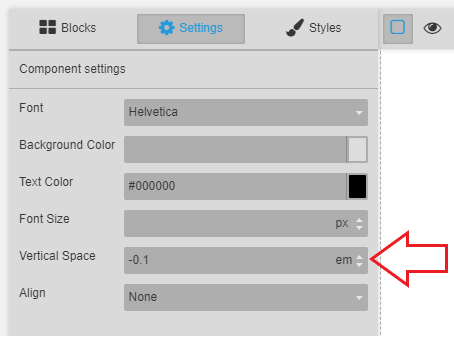
If the value is **incorrectly** set it can affect the text when received by email recipients. The email template is built using HTML and depending on which email application opens the email, the HTML can be rendered / handled differently. Web-based (browser) email seems to ignore the -0.1 value shown below.
*The value can be cleared out or set to a valid value.*
This is an improper setting,
 Email text will look something like this,
