# How do I add a new phone number?
> Source: https://support.donorview.com/how-do-i-add-a-new-phone-number-dv | Updated: 2026-10-07T20:49:38Z
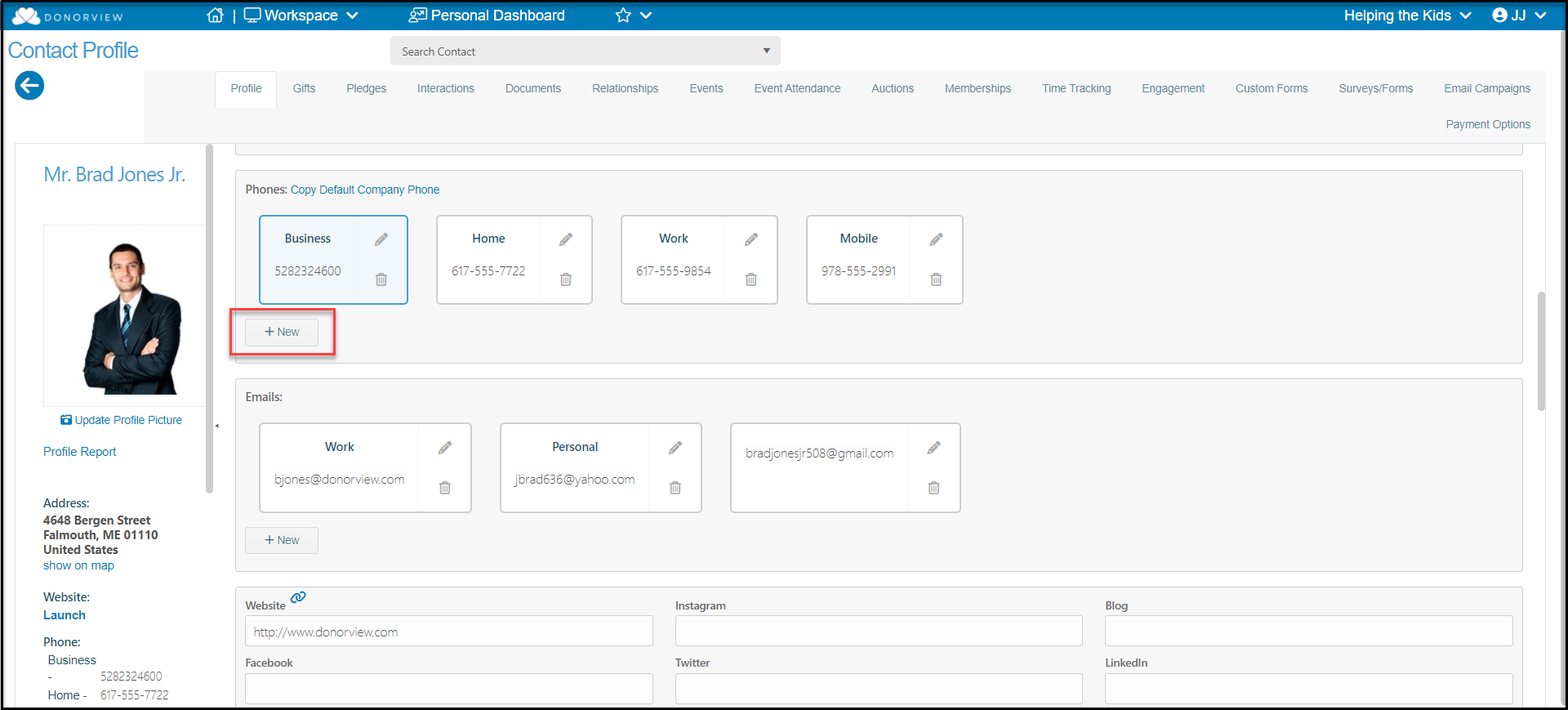
Proceed to the constituent's profile page to the Phones section. Click on **+New** to add a new number.
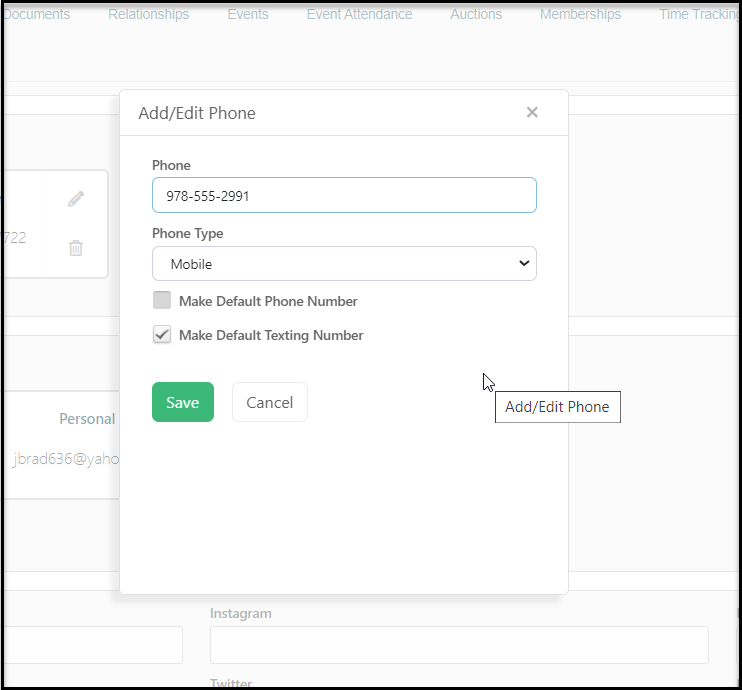
 In the new window enter the phone number and select the **Phone Type.** You can edit the list of phone type options using the **** option in the list, however only those numbers identified as Home, Work, Mobile, or Other can be shown on the Constituents grid. Only those phone numbers identified as Mobile numbers can be used for the texting feature.
If you would like this phone number the default for this constituent, check **Make Default Phone Number**. If the number is identified as a Mobile number, it can also be identified as the default texting number by checking the box next to **Make Default Texting Number**. Click the **Save** button to save your changes.
In the new window enter the phone number and select the **Phone Type.** You can edit the list of phone type options using the **** option in the list, however only those numbers identified as Home, Work, Mobile, or Other can be shown on the Constituents grid. Only those phone numbers identified as Mobile numbers can be used for the texting feature.
If you would like this phone number the default for this constituent, check **Make Default Phone Number**. If the number is identified as a Mobile number, it can also be identified as the default texting number by checking the box next to **Make Default Texting Number**. Click the **Save** button to save your changes.