# How can I tie a proposal to the grant gift record?
> Source: https://support.donorview.com/how-can-i-tie-a-proposal-to-the-grant-gift-record | Updated: 2026-08-03T19:21:14Z
The grant must be identified as approved for funding prior to connecting it to a gift. Go to the Grants grid under the Fundraising Module and click on the **Tools** menu, then **Edit**.
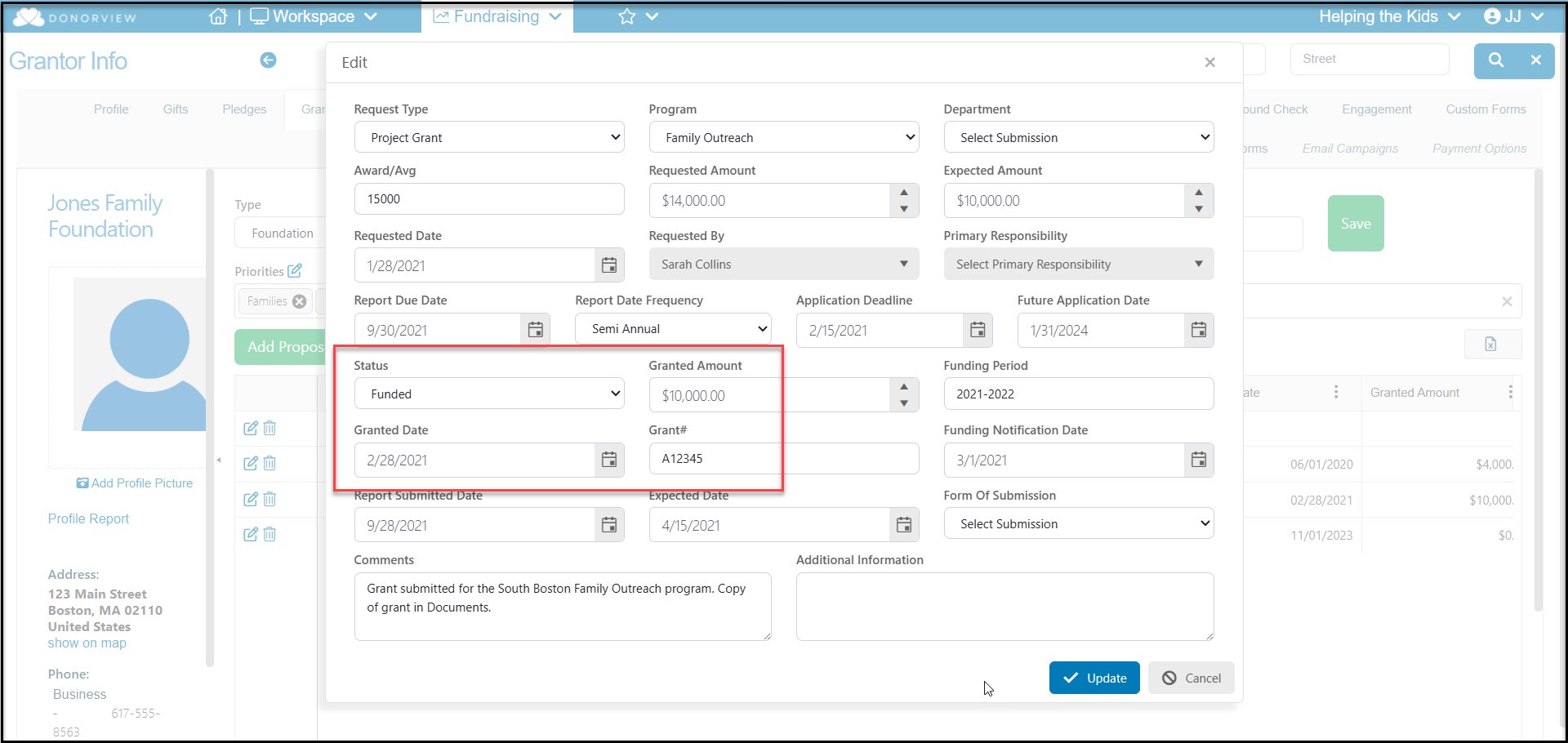
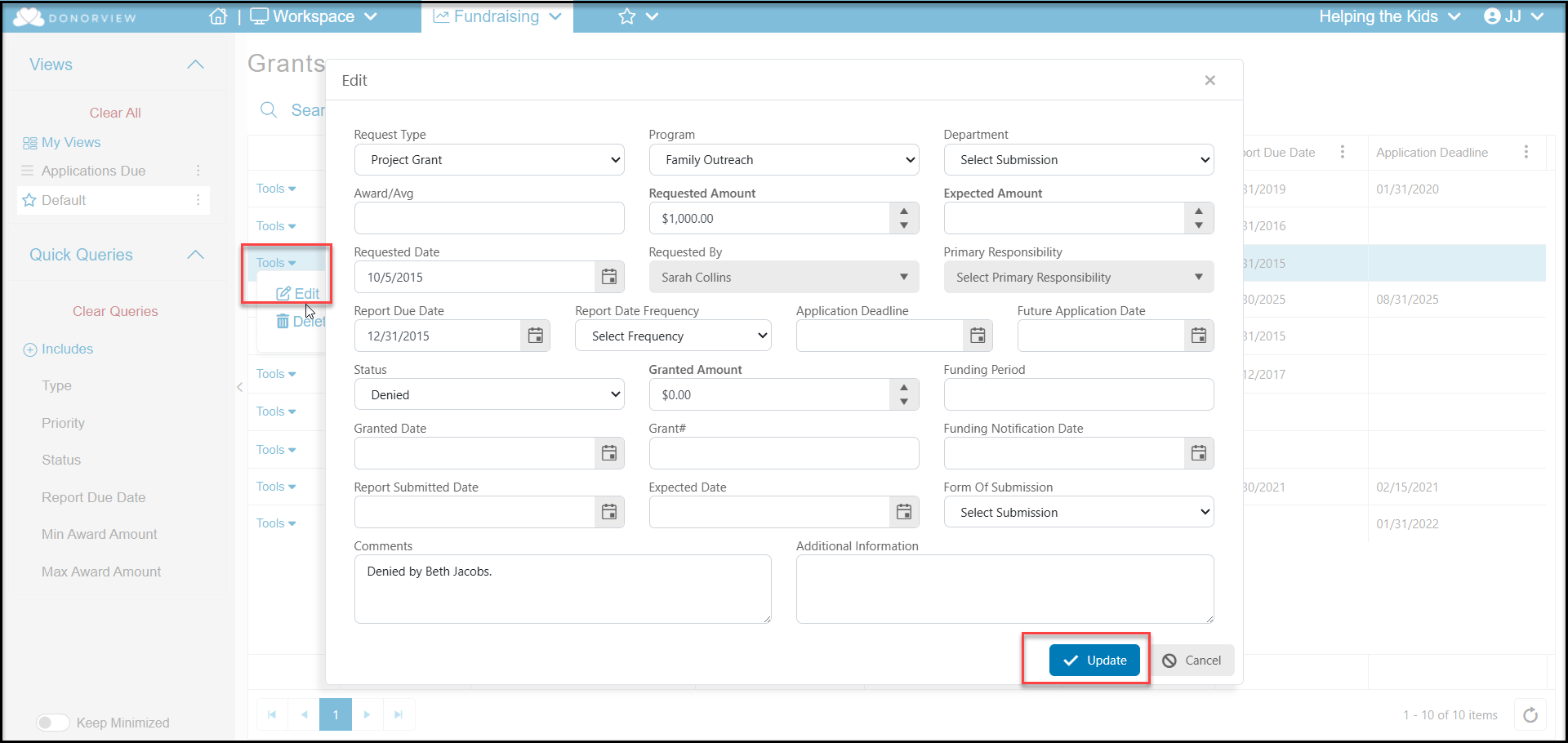 Change the Status to **Funded** and enter **Granted Date** and the amount to be received under **Granted Amount**. Click **Update** to save the changes.
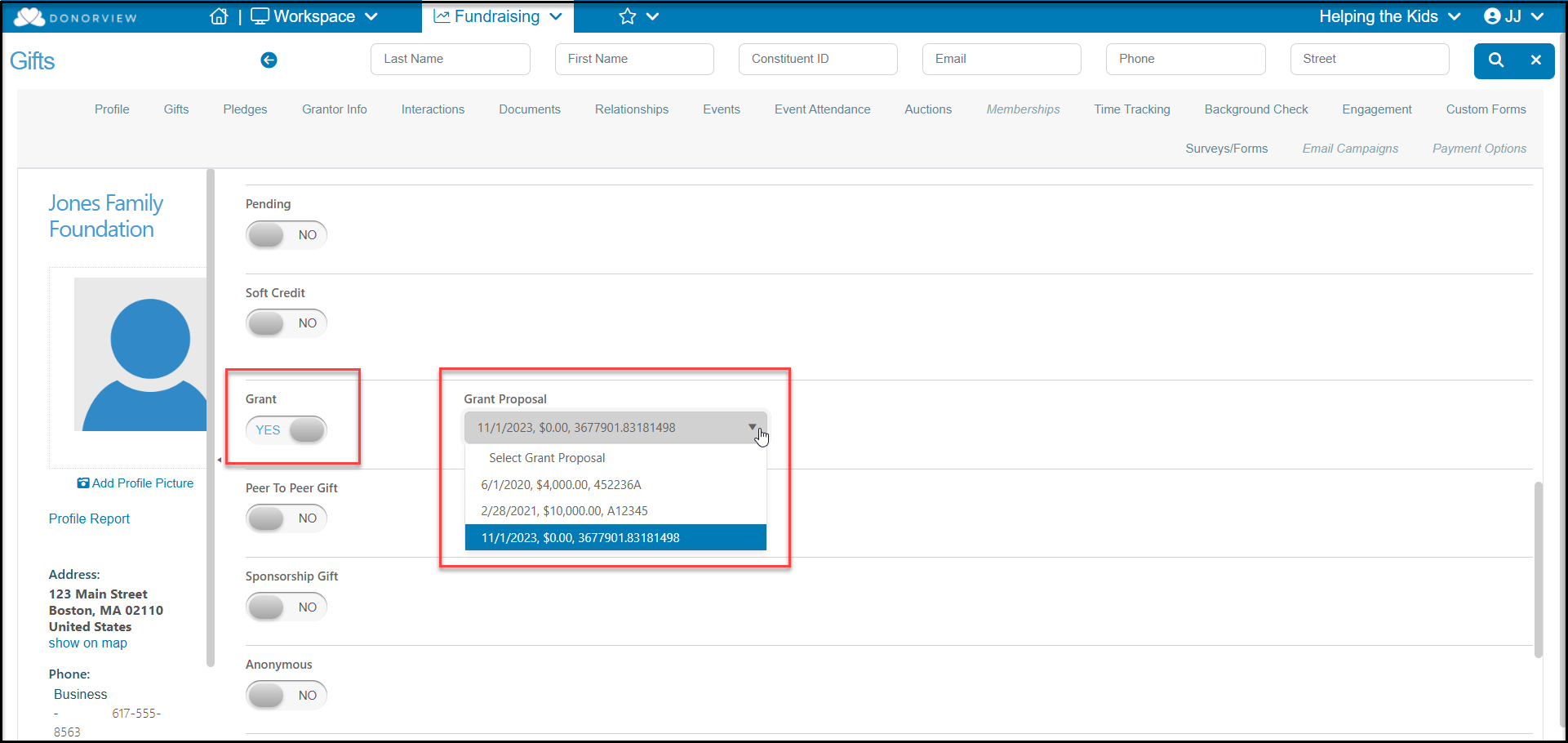
 Enter the new gift or edit the gift that has been entered associated with the grant and toggle the **Grant** button to **YES**. A pulldown menu will appear and you'll be able to select the proposals that have been funded by this constituent from the list. Click the appropriate green **Save** button at the top or bottom of the page to complete the entry.