# How can I create a complimentary or free membership?
> Source: https://support.donorview.com/how-can-i-create-a-complimentary-or-free-membership-dv | Updated: 2026-03-10T20:07:26Z
You can either create a membership level with $0 price or you can create a 100% off coupon.
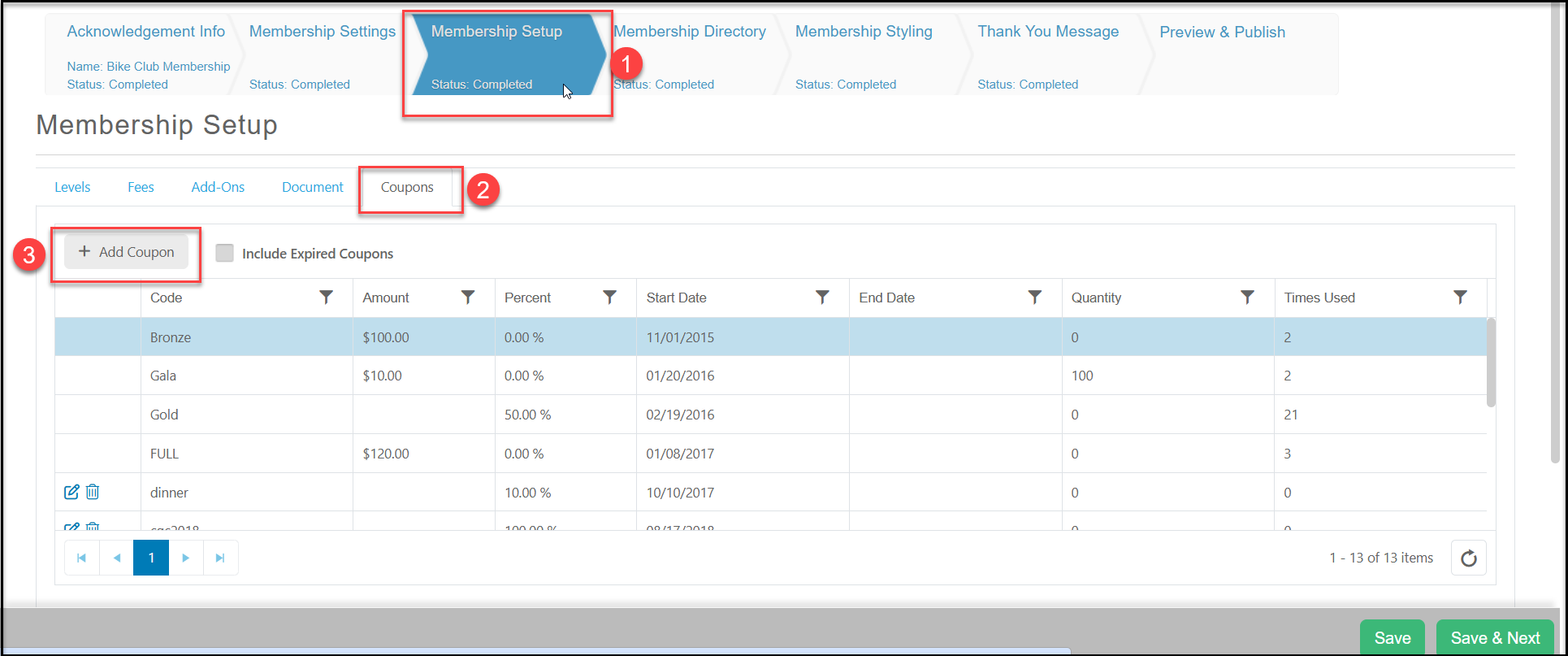
1. To create a coupon, go to the Membership page's Membership Set Up tab.
2. Click on the Coupons sub-tab.
3. Click on the **+Add Coupon** button.
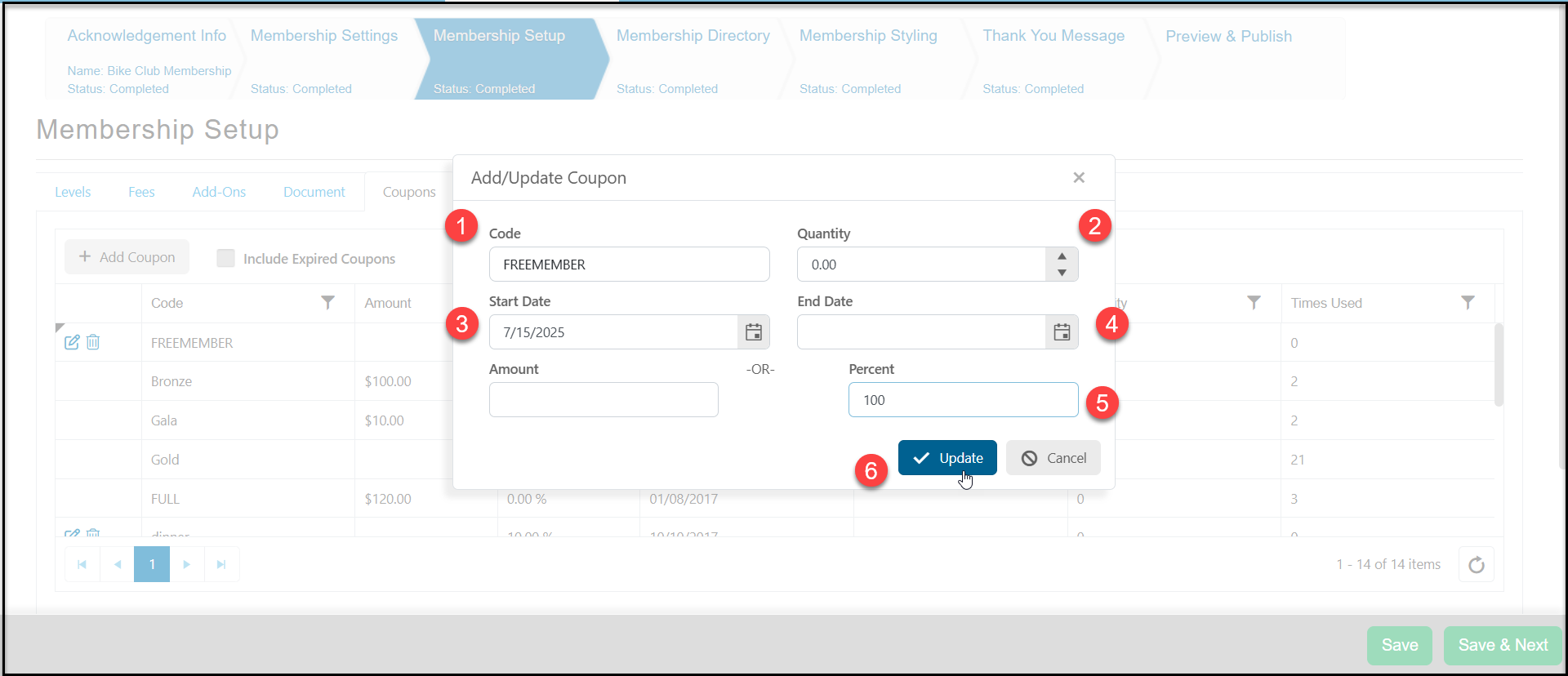
 1. In the new window enter an alpha-numeric **Code** for the coupon.
2. If there is a limited quantity, enter the quantity available under **Quantity**. If the usage is unlimited, leave the number as "0.00"
3. The **Start Date** will default to today's date, but you can edit as desired.
4. If the coupon will expire on a certain date, enter the date the coupon would be no longer valid under **End Date.**
5. Enter "100" in the **Percent** field.
6. Click on **Update** to create the new coupon code.
1. In the new window enter an alpha-numeric **Code** for the coupon.
2. If there is a limited quantity, enter the quantity available under **Quantity**. If the usage is unlimited, leave the number as "0.00"
3. The **Start Date** will default to today's date, but you can edit as desired.
4. If the coupon will expire on a certain date, enter the date the coupon would be no longer valid under **End Date.**
5. Enter "100" in the **Percent** field.
6. Click on **Update** to create the new coupon code.
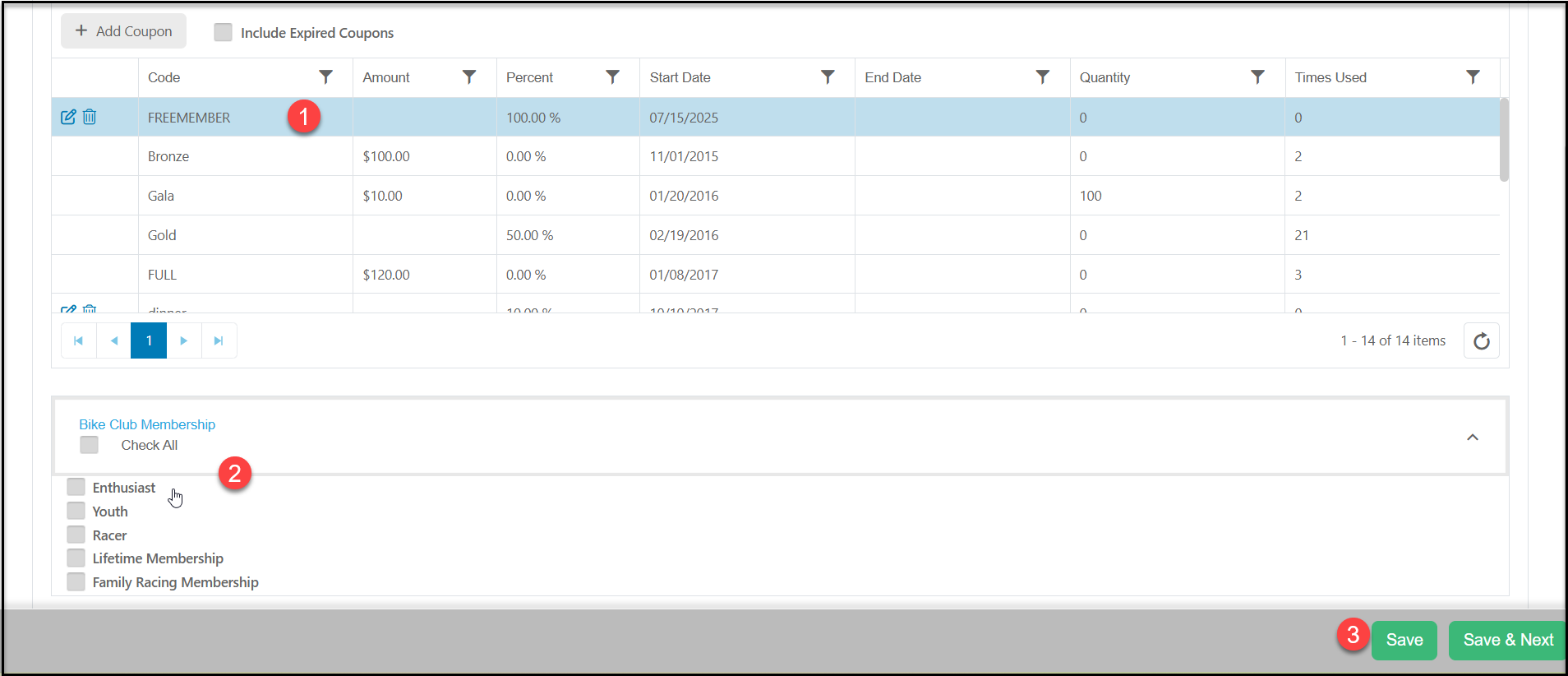
 1. Once the coupon has been created, click on the row with the coupon name to highlight it.
2. Below the grid you can apply the coupon to all the levels by checking **Check All**, or just select the specific levels you wish to be able to use this coupon.
3. Click **Save** to save your changes.
1. Once the coupon has been created, click on the row with the coupon name to highlight it.
2. Below the grid you can apply the coupon to all the levels by checking **Check All**, or just select the specific levels you wish to be able to use this coupon.
3. Click **Save** to save your changes.
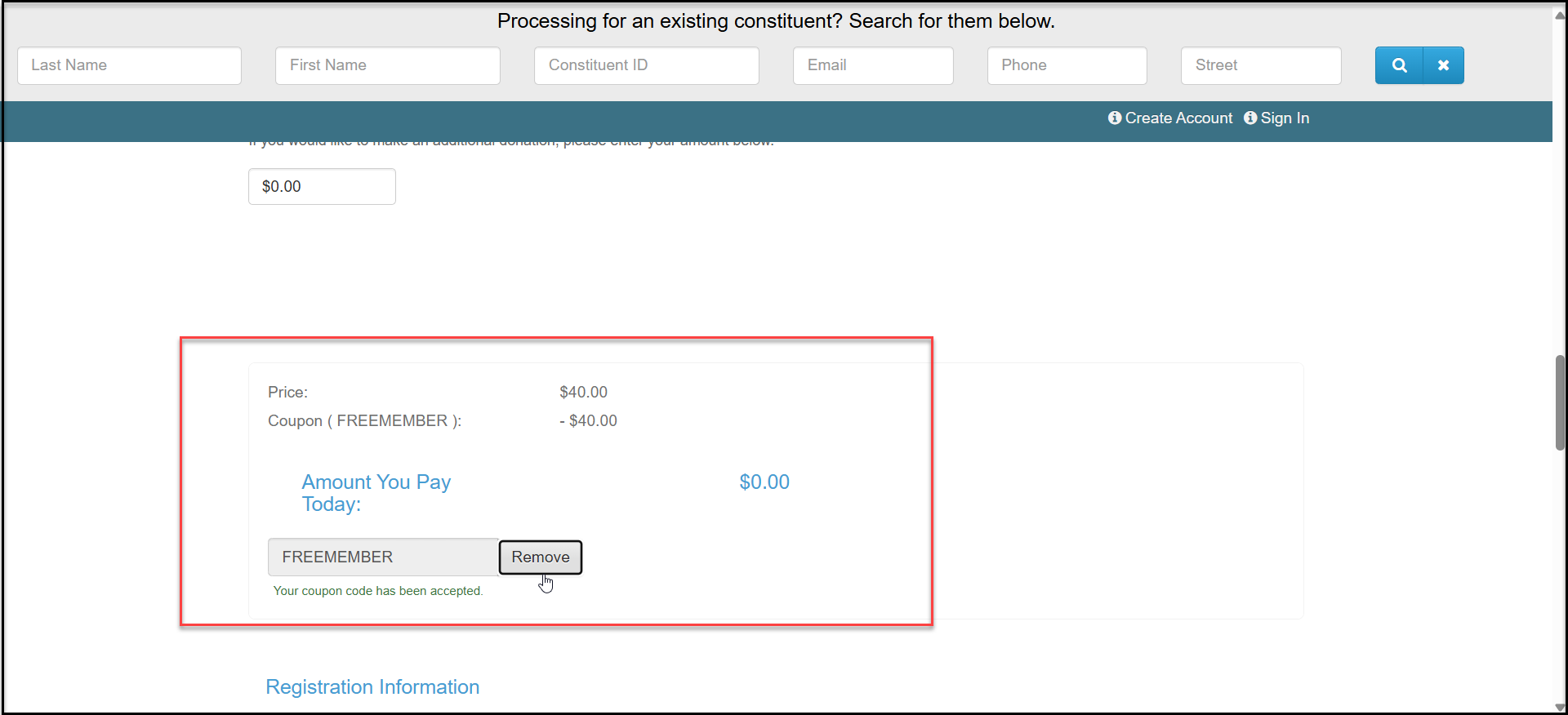
 To use the coupon, the constituent or internal user would enter the code in the Coupon Code field on the membership page.
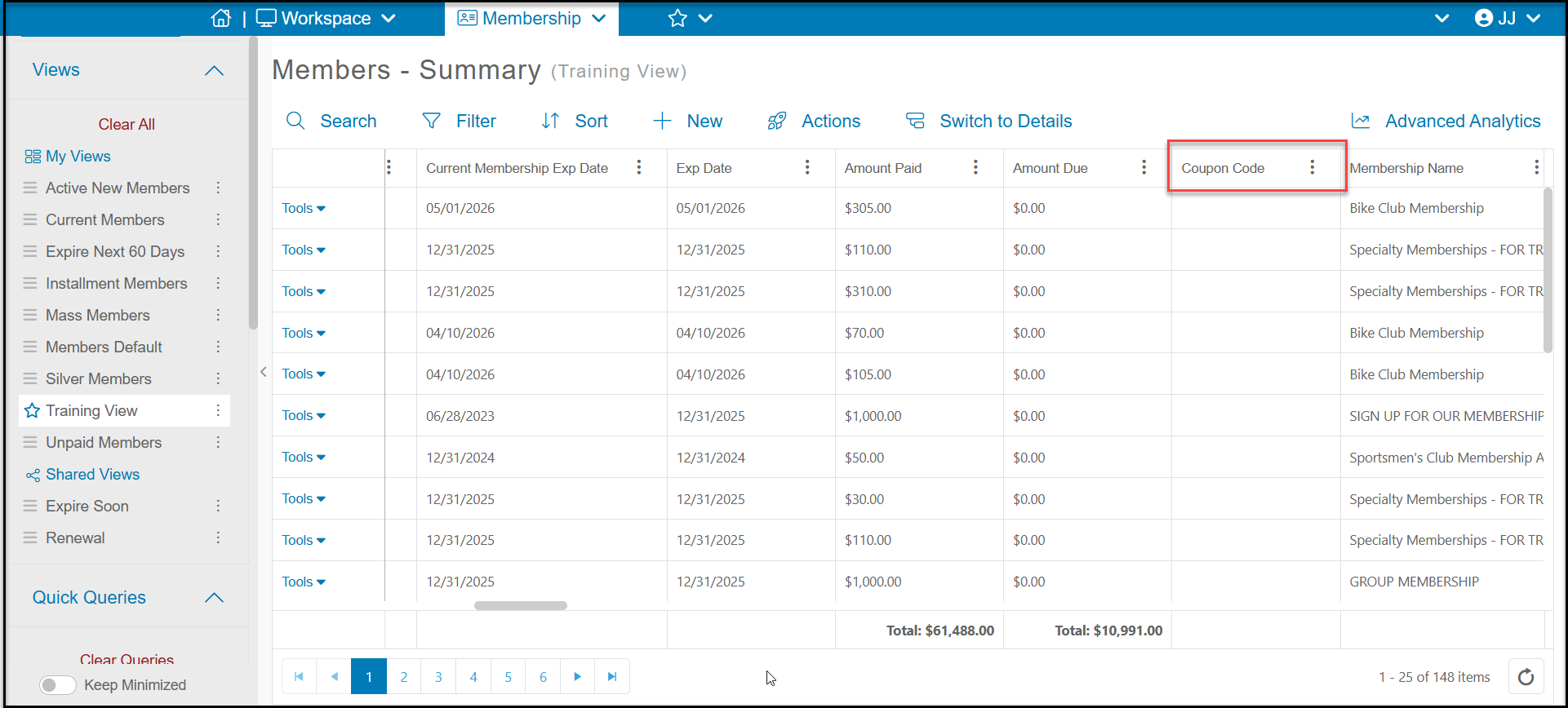
 If a coupon is applied to a transaction, you can see the **Coupon Code** used on the Memberships grid.