# How can I communicate with my event's actual attendees?
> Source: https://support.donorview.com/how-can-i-communicate-with-my-events-actual-attendees-dv | Updated: 2026-10-12T20:39:38Z
You can communicate with your event attendees via the Event Attendance grid's Actions menu.
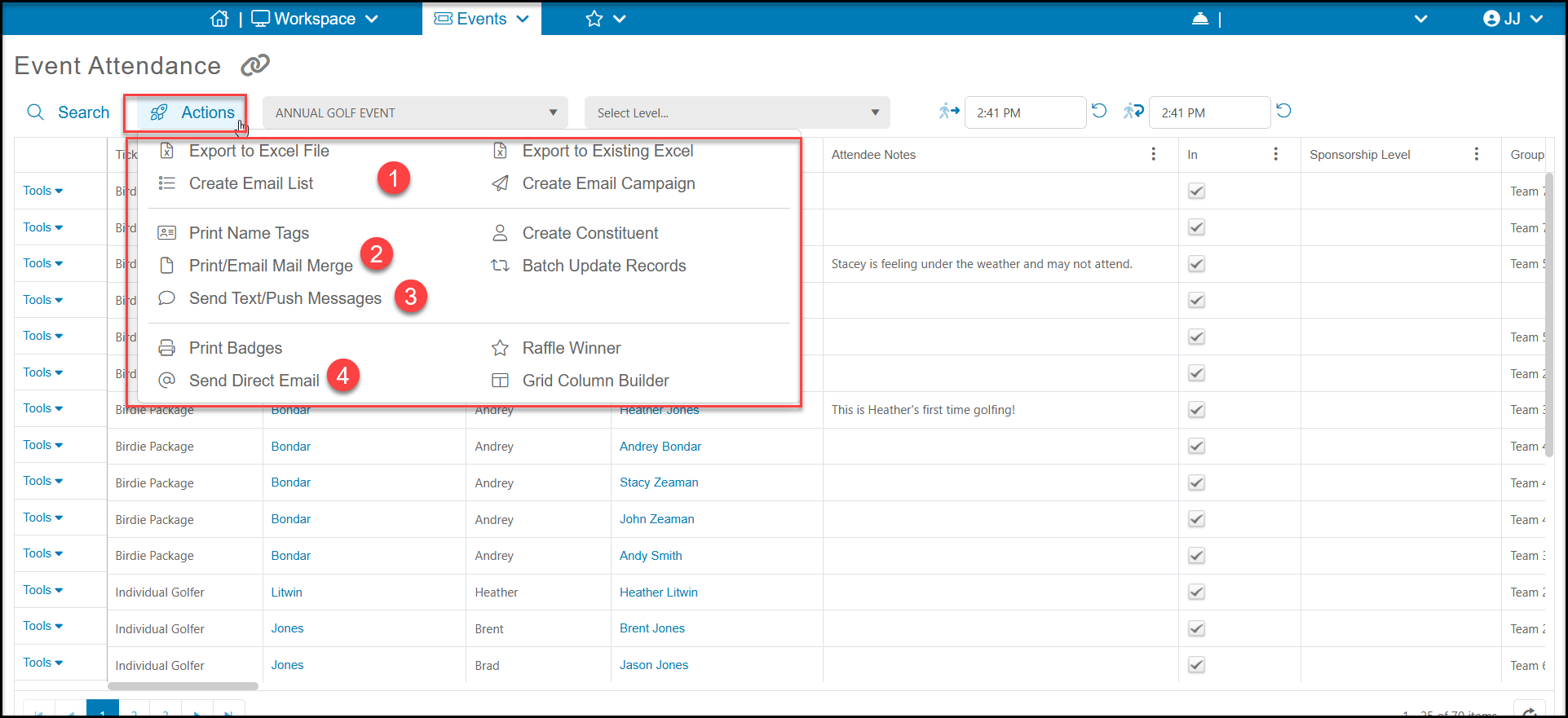 1. You can create an email list or add your attendees to an existing email list using **Create Email List** or **Create Email Campaign**. See these articles to learn more about creating email lists and email campaigns.
How do I create an email list?
How do I create an email marketing campaign?
2. You can send letters to your attendees using the **Print/Email Mail Merge** function. You can learn more about creating Mail Merge Attendance Templates and sending letters in these articles:
[How do I create an Mail Merge Event or Attendance Template?](./how-do-i-create-an-mail-merge-event-or-attendance-template)
How do I send letters from the Event or Event Attendance grid?
3. You can send texts or push notifications via the portal app by selecting **Send Text/Push Notifications**. You can learn more about this feature in this article:
Sending Text/Push Messages
4. You can also Send Direct Email to your attendees. See these articles to learn more about direct emails:
Direct Emails
Send Direct Emails from the Actions Menu
1. You can create an email list or add your attendees to an existing email list using **Create Email List** or **Create Email Campaign**. See these articles to learn more about creating email lists and email campaigns.
How do I create an email list?
How do I create an email marketing campaign?
2. You can send letters to your attendees using the **Print/Email Mail Merge** function. You can learn more about creating Mail Merge Attendance Templates and sending letters in these articles:
[How do I create an Mail Merge Event or Attendance Template?](./how-do-i-create-an-mail-merge-event-or-attendance-template)
How do I send letters from the Event or Event Attendance grid?
3. You can send texts or push notifications via the portal app by selecting **Send Text/Push Notifications**. You can learn more about this feature in this article:
Sending Text/Push Messages
4. You can also Send Direct Email to your attendees. See these articles to learn more about direct emails:
Direct Emails
Send Direct Emails from the Actions Menu