# Event Pay Later Options
> Source: https://support.donorview.com/event-pay-later-options-dv | Updated: 2024-08-24T19:17:47Z
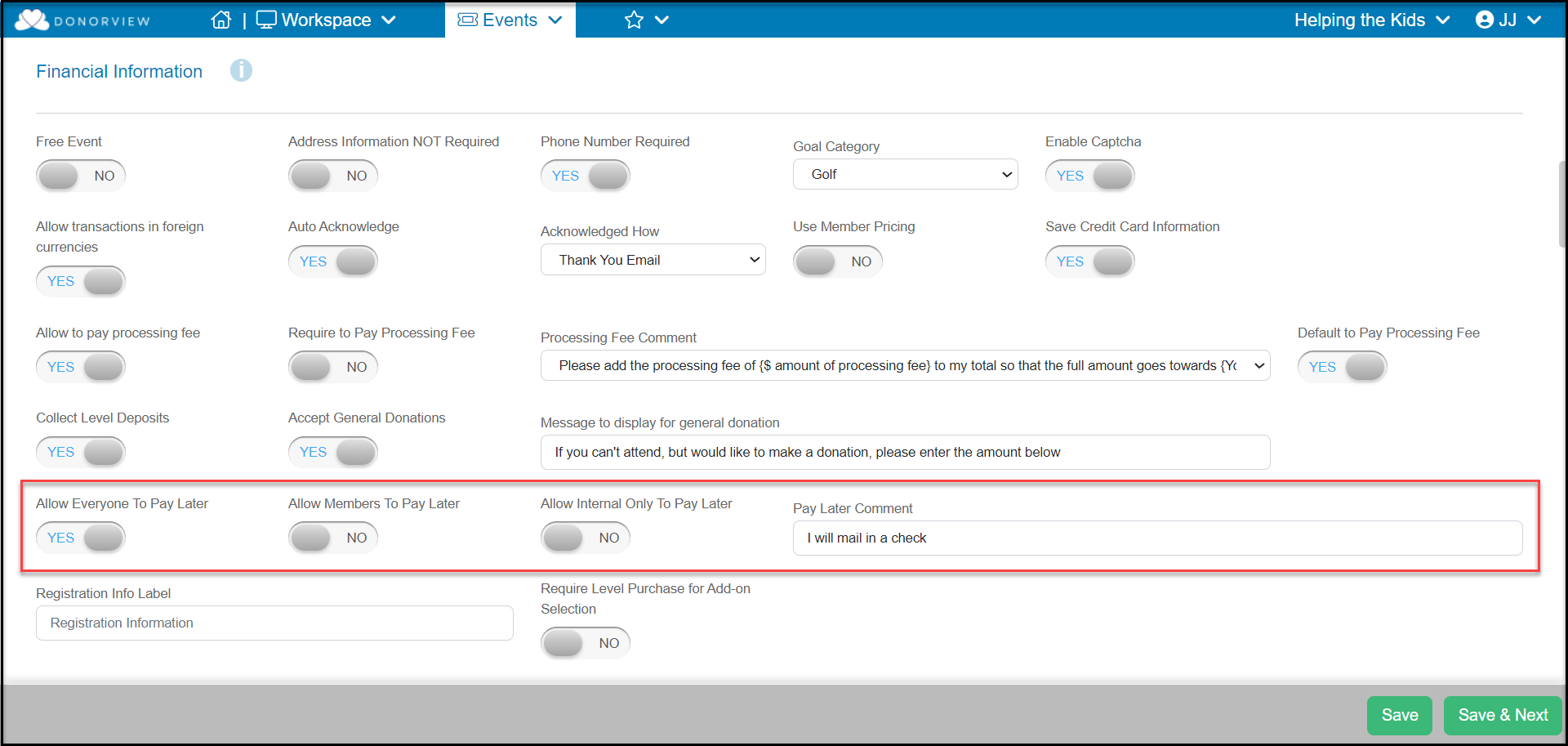
The Event Pay Later option allows you to have your event registrant choose to pay at a later time for their purchases. On the Event Settings tab, scroll down to the Financial Information section to find the options for Pay Later. Below is a description of each of those settings.
- **Allow Everyone To Pay Later** - This setting would allow anyone visiting this event page the option to pay later.
- **Allow Members To Pay Later** - This setting requires the Advanced Portal to be activated. With this toggle set to **YES**, the event registrant must be logged into their portal account and have an active membership. They would then be able to select the Pay Later option.
- **Allow Internal Only To Pay Later** - This setting would hide the Pay Later option from the public, however any DonorView users who are logged in will be able to select the option when registering a constituent.
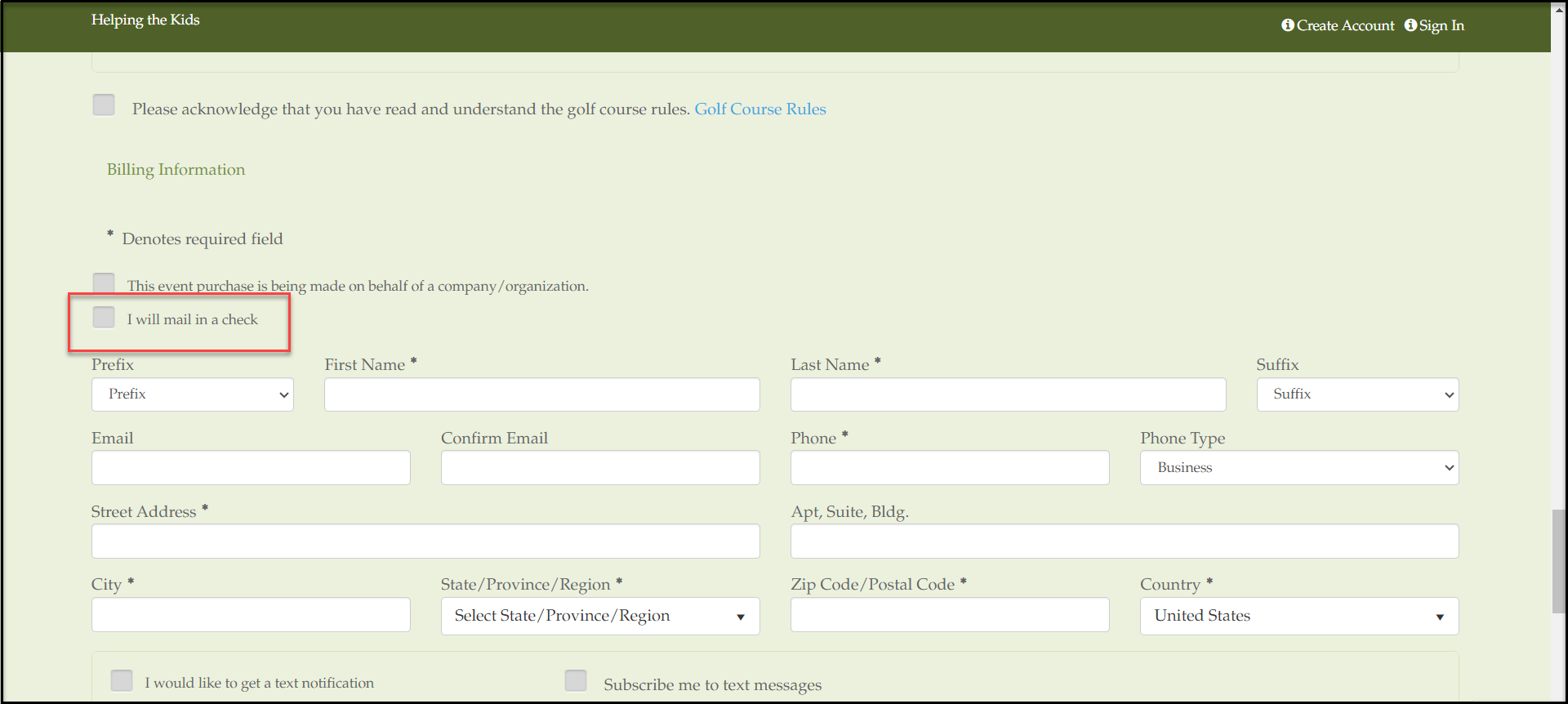
- **Pay Later Comment** - Enter the message that will display next to the Pay Later checkbox that activates this option for the registrant on the event page.
 This feature will add a checkbox to the Event Form that the purchaser can check to Pay Later. The cost of the purchase will then be added as a balance for the purchaser to pay at a later date.