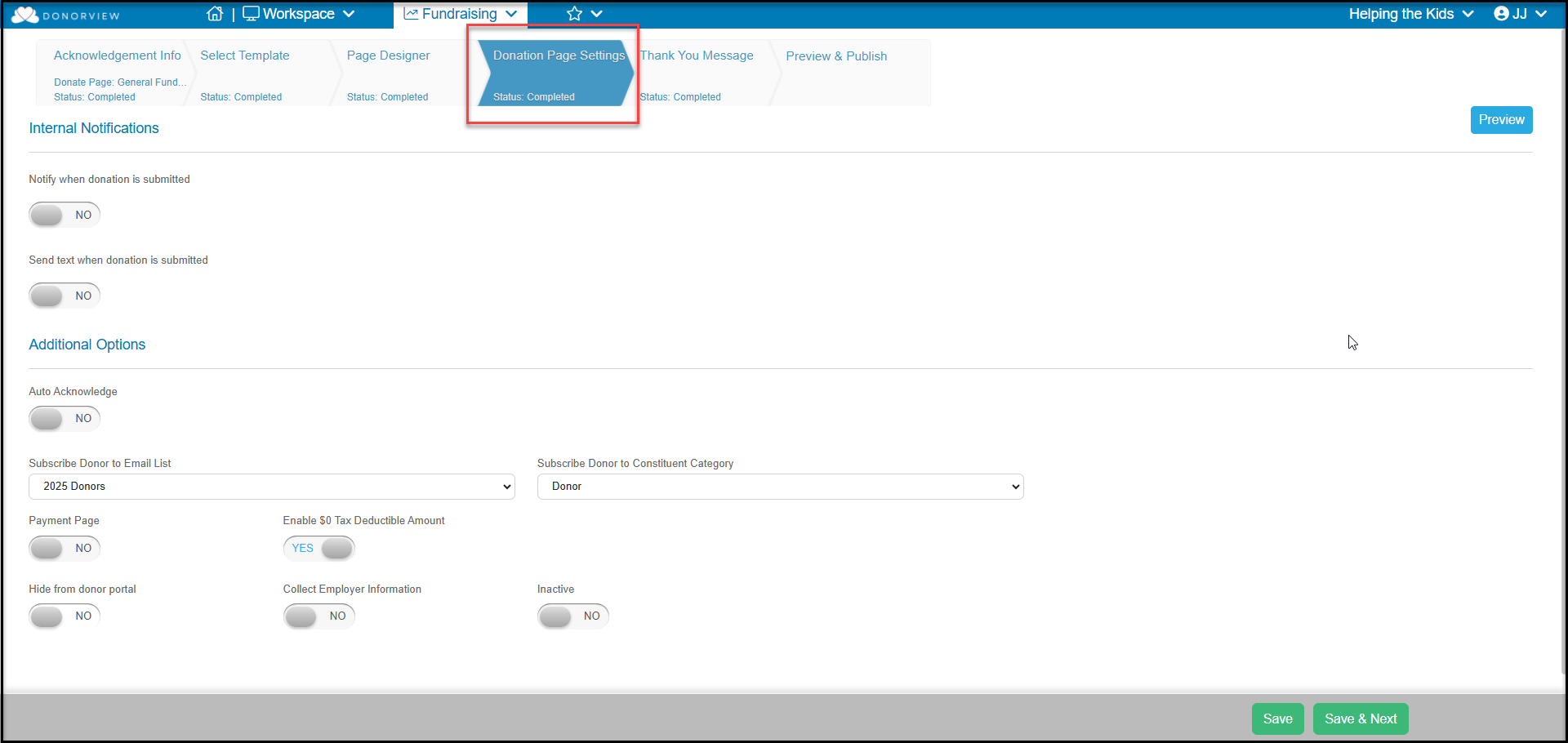
The Donation Page Settings tab is where you establish the different options you want to activate on your donation page. All of these fields are optional, so you can customize the page for your campaign needs.
- At the top of the page is the Internal Notifications section where you can turn on Notify when donation is submitted to set up notification emails or Send text when donation is submitted. You must have text messaging activated to receive a text notification.
- Under Additional Options you can set Auto Acknowledge to YES will add the check mark to the Acknowledged column on the Gifts grid so that you know the constituent has already received an automatic thank you message. With this activated, you can also indicate Acknowledged How.
- You also have the option to automatically subscribe the constituent to a list with Subscribe Donor to Email List.
- Subscribe Donor to Constituent Category will assign the constituent to a category such as Donor, Supporter or other category you have set up.
- If this page is being used as a Payment Page instead of a donation page, setting this to YES will change the word Donate to Payment throughout the page the constituent sees.
- Enable $0 Tax Deductible Amount if you want your transaction to automatically apply a $0 in the tax-deductible amount field.
- Hide from donor portal will remove this donation page from the list of options a constituent can select from the Donations icon. This option will only affect organizations using the Advanced Portal.
- Collect Employer Information is used for organizations that collect contributions for Political Action Committees (PACs) which require collecting employment information from the constituent. This information is saved in the transaction record only and does not populate any fields on the constituent's profile page.
- Inactive will deactivate the page and anyone clicking on the URL will receive an error message.
Click Save to save your changes and keep working on this tab, or click Save & Next to go to the next uncompleted step.