
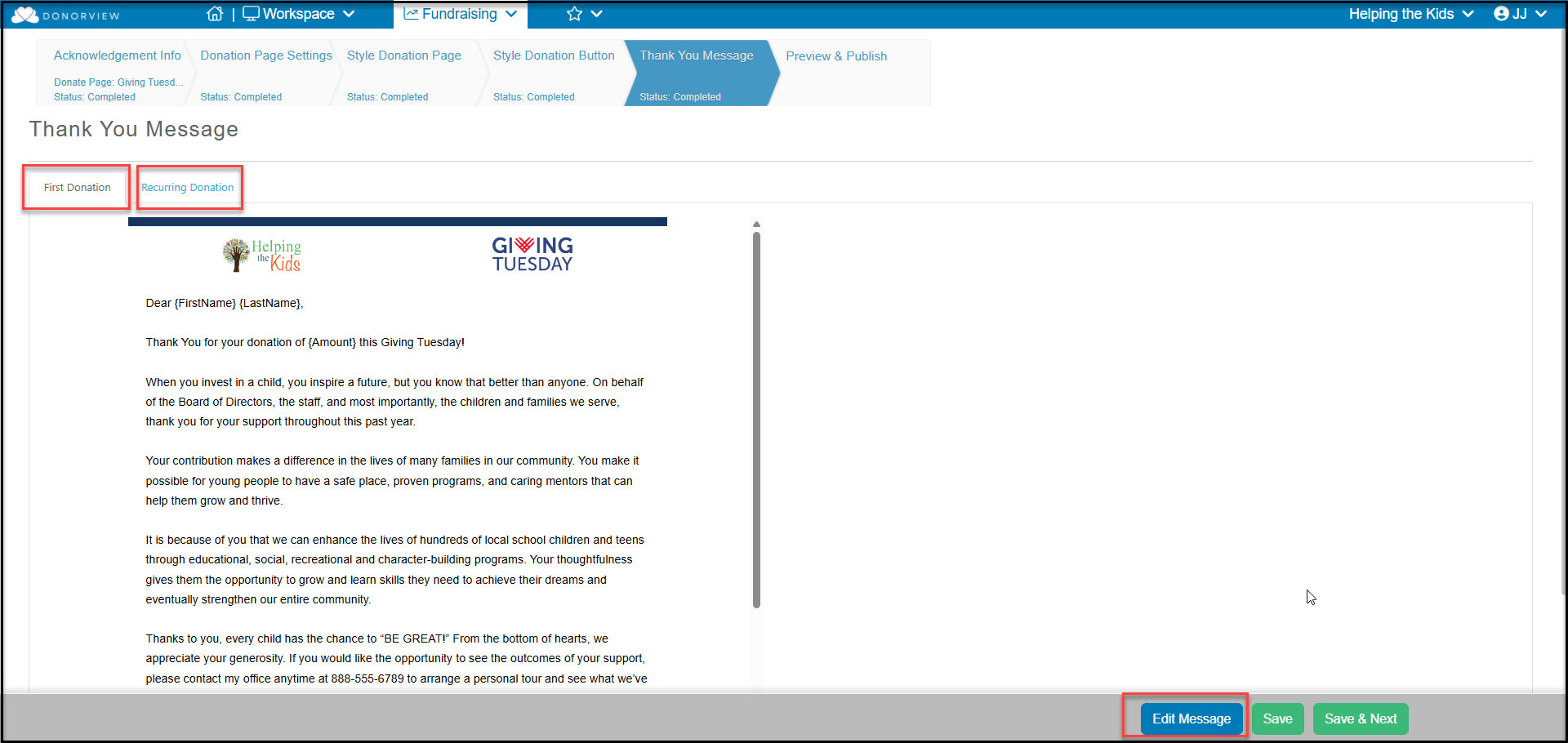
The Thank You Message tab allows you customize the message the constituent sees as soon as the complete their transaction. It is also emailed to the constituent.
If your page only accepts one-time donations, you will see one message to edit. If your page allows the set-up of recurring donations (pledges), you will see a second tab for the recurring donations. The first donation message is sent for any one-time donations or the first recurring donation. Any subsequent recurring donations will receive the second message.
The messages are edited by clicking the Edit Message button.
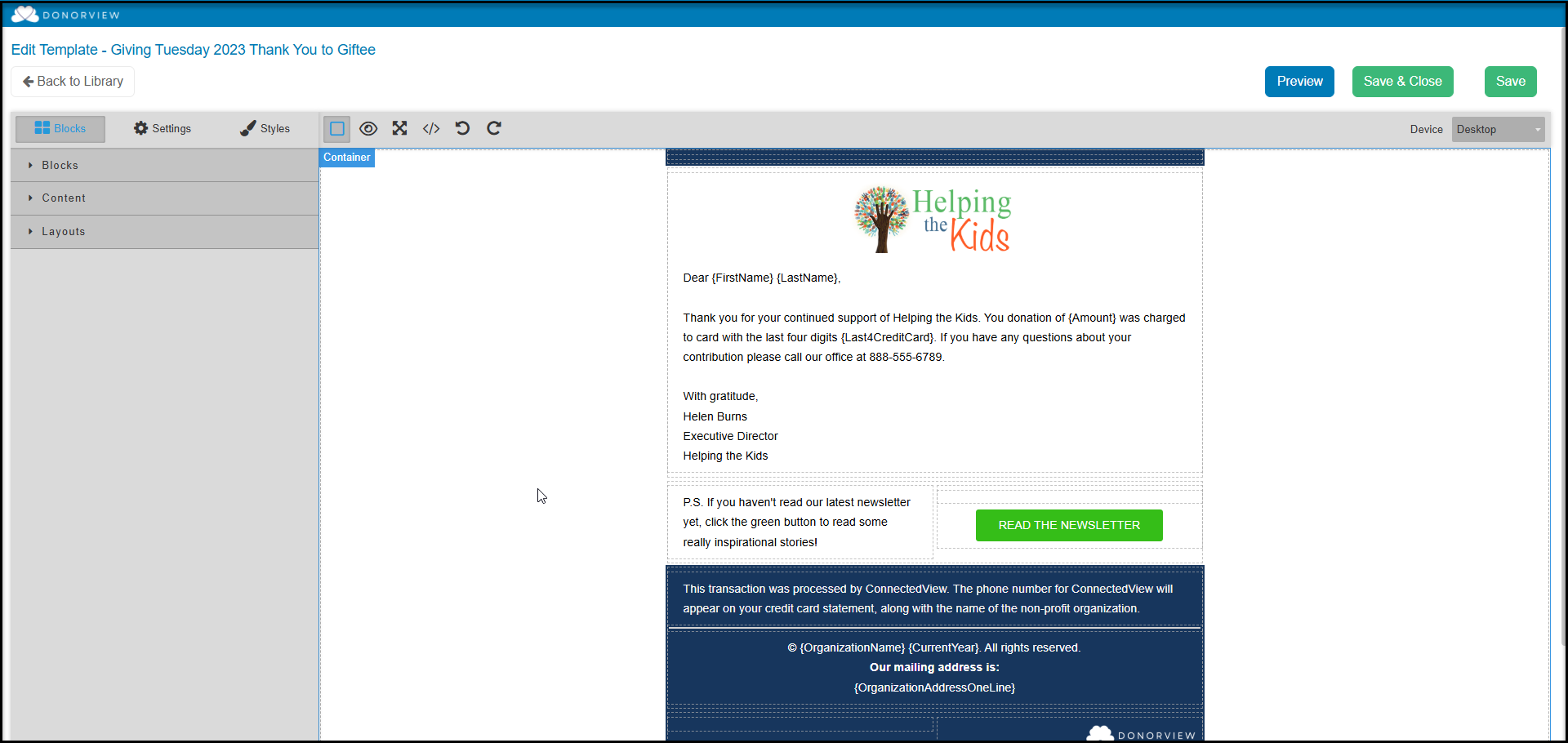
This will open the email template editor tool to add logos, links, other text, merge fields, and images. You can learn more about the email template editor in this video Email Template Editor - https://vimeo.com/359513863/4944fa1c4a. Once you are finished editing, you will click on Save & Close to return back to the donation page.
With your edits complete, click on Save & Next to proceed to the last step.