
Creating recurring or multi-day volunteer events
A recurring volunteer event is one that happens on a regular frequency like a volunteer shift for student tutoring that happens Mondays - Thursdays at 3 PM. Recurring events allow you to add multiple occurances of the same activity on one event page. This way you only need one URL and link for registration, constituents can sign up for many sessions at once, and attendee information is shown on one grid.
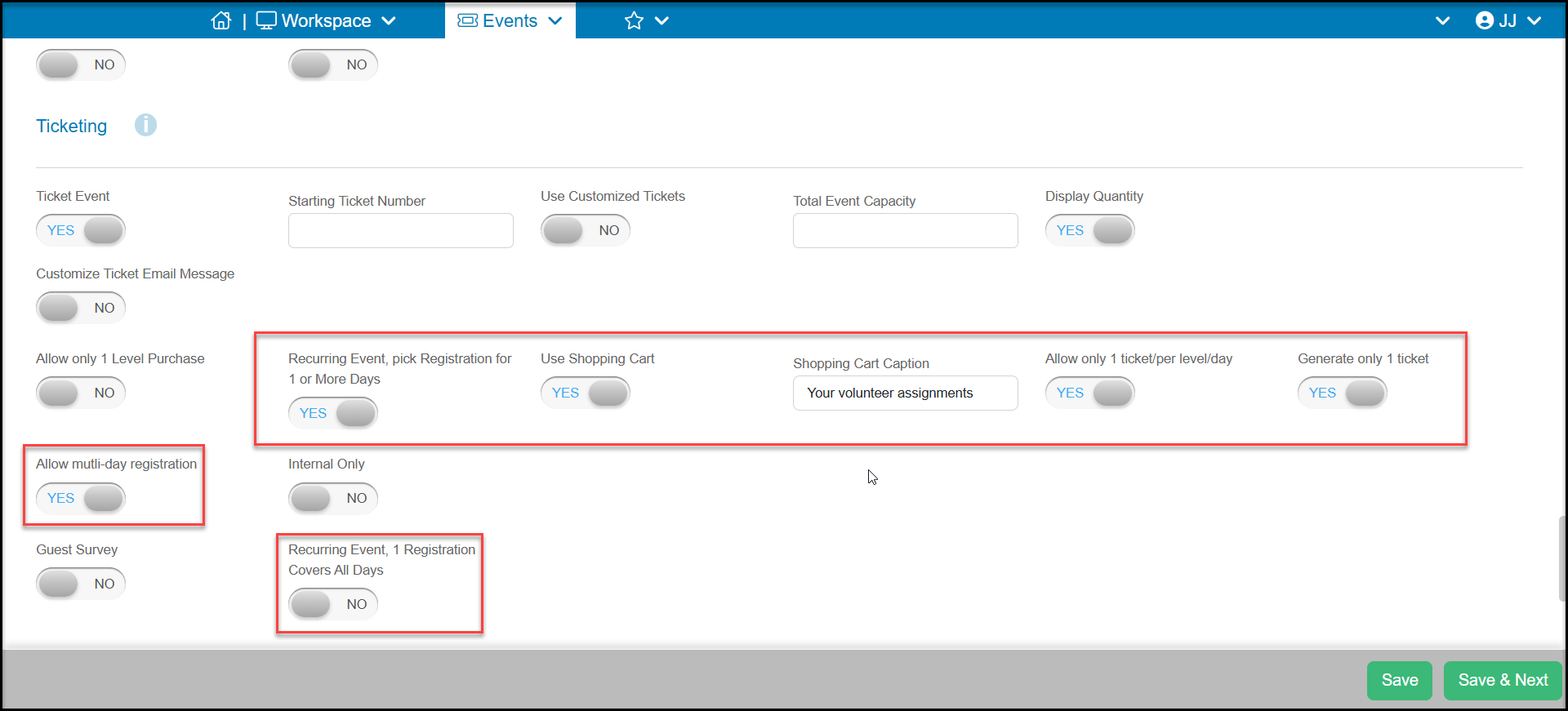
Option 1 - Recurring Event, pick Registration for 1 or More Days - this option uses a calendar and allows the volunteer to either choose specific days on the calendar to see what is available on each day or, you can activate a multi-day registration option with the calendar to register for all the sessions of a specific ticket level (activity). A new Schedule tab will be added to the event page to manage particular days and ticket level availability.
Option 2 - Recurring Event, 1 Registration Covers All Days - this option means the constituent only needs to select the ticket level (activity) once and they are registered for all occurrences automatically. This option also offers a lot of flexibility in the scheduling for each specific level.
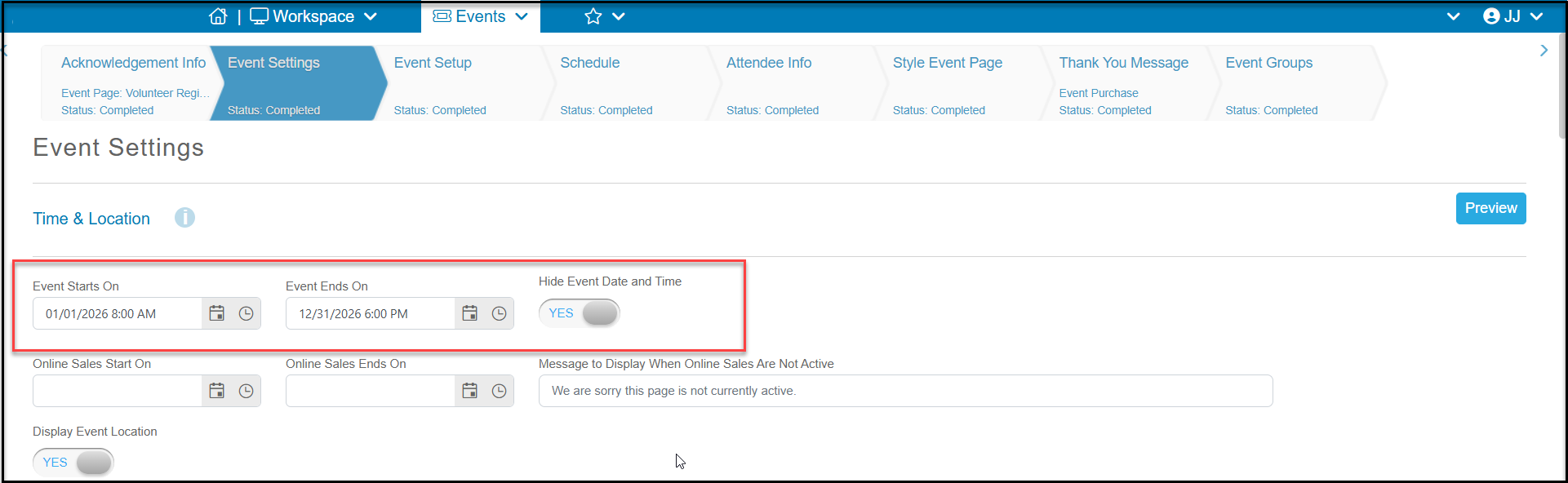
For any recurring event, it is critical to determine the duration for the entire recurring event using the Event Starts On and Event Ends On date fields at the top of the Event Settings tab.
Depending on the complexity of the event, you may want to limit this time frame to a few months to more easily manage your registrations. The longer the duration, the more records will be showing on your grids and the more days that will be included in your Schedule tab to manage.
To learn more about the two options, see these articles: