# Create a Coupon for Membership or Program Session
> Source: https://support.donorview.com/create-a-coupon-for-membership-or-program-session | Updated: 2026-03-10T20:07:51Z
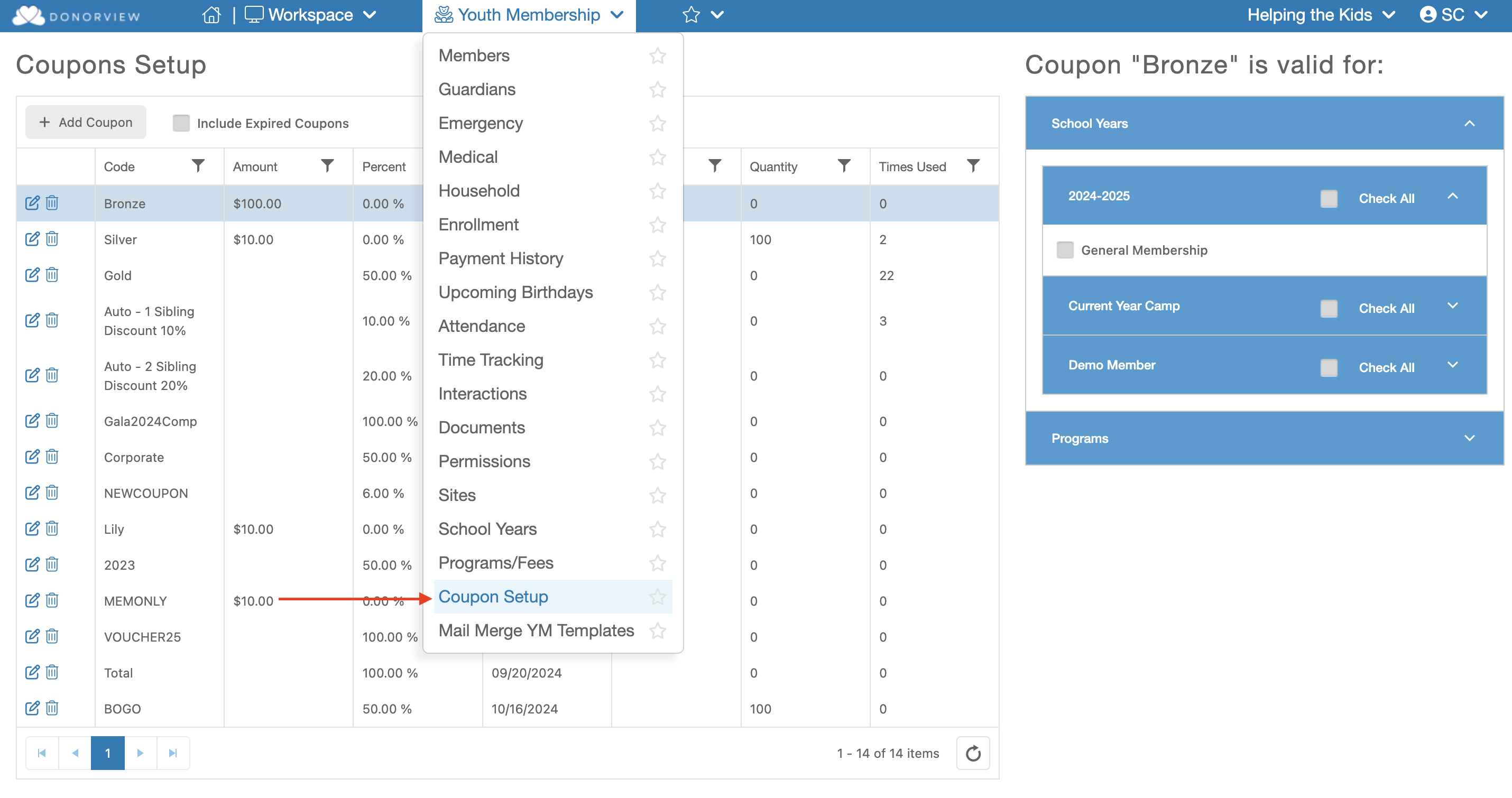
Creating a Coupon allows you to create a code the will deduct a chosen cost from specific event levels. To create a coupon go under the Youth Membership module and click "Coupon Setup"
 Here are the steps to creating a Coupon:
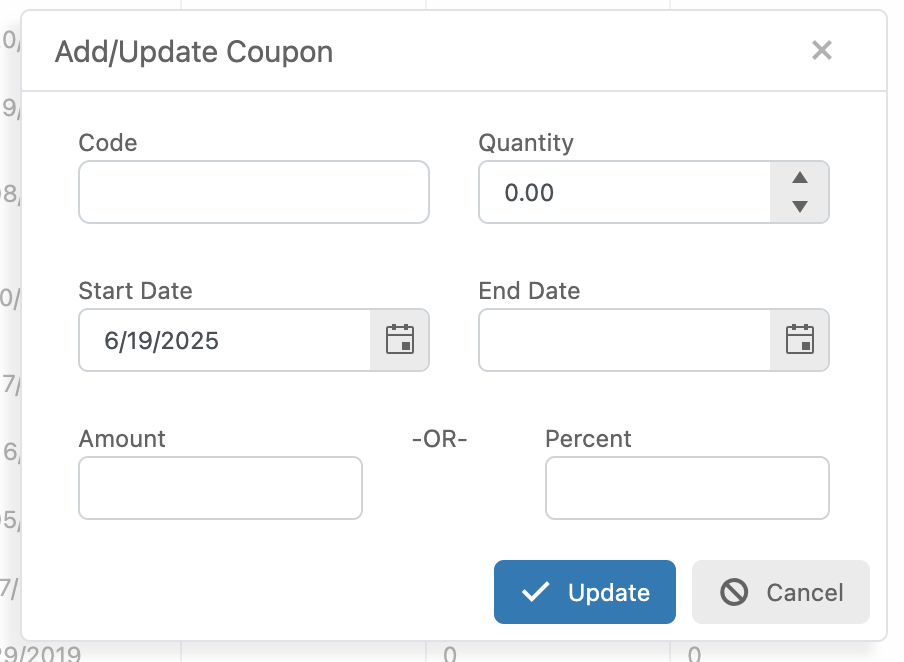
**Code** - Enter the code the purchaser would have to enter to use the coupon.
**Quantity** - If you only want a specific number of coupons to be available enter the number her. Otherwise leave the amount a "0".
**Start Date** - This field should already be filled out with today's date.
**End Date** - If you would like the coupon to become inactive after a certain date, enter the day which the coupon would be inactive. For example, if you wish the coupon to be valid through 3/10/2026, enter the End Date as 3/11/2026.
**Amount or Percent** - Enter either a specific amount or the percentage you would like to be deducted from that level's price.
Here are the steps to creating a Coupon:
**Code** - Enter the code the purchaser would have to enter to use the coupon.
**Quantity** - If you only want a specific number of coupons to be available enter the number her. Otherwise leave the amount a "0".
**Start Date** - This field should already be filled out with today's date.
**End Date** - If you would like the coupon to become inactive after a certain date, enter the day which the coupon would be inactive. For example, if you wish the coupon to be valid through 3/10/2026, enter the End Date as 3/11/2026.
**Amount or Percent** - Enter either a specific amount or the percentage you would like to be deducted from that level's price.