# Can Members Upload Documents During a Membership Transaction?
> Source: https://support.donorview.com/can-members-upload-documents-during-a-membership-transaction-dv | Updated: 2024-04-30T13:12:31Z
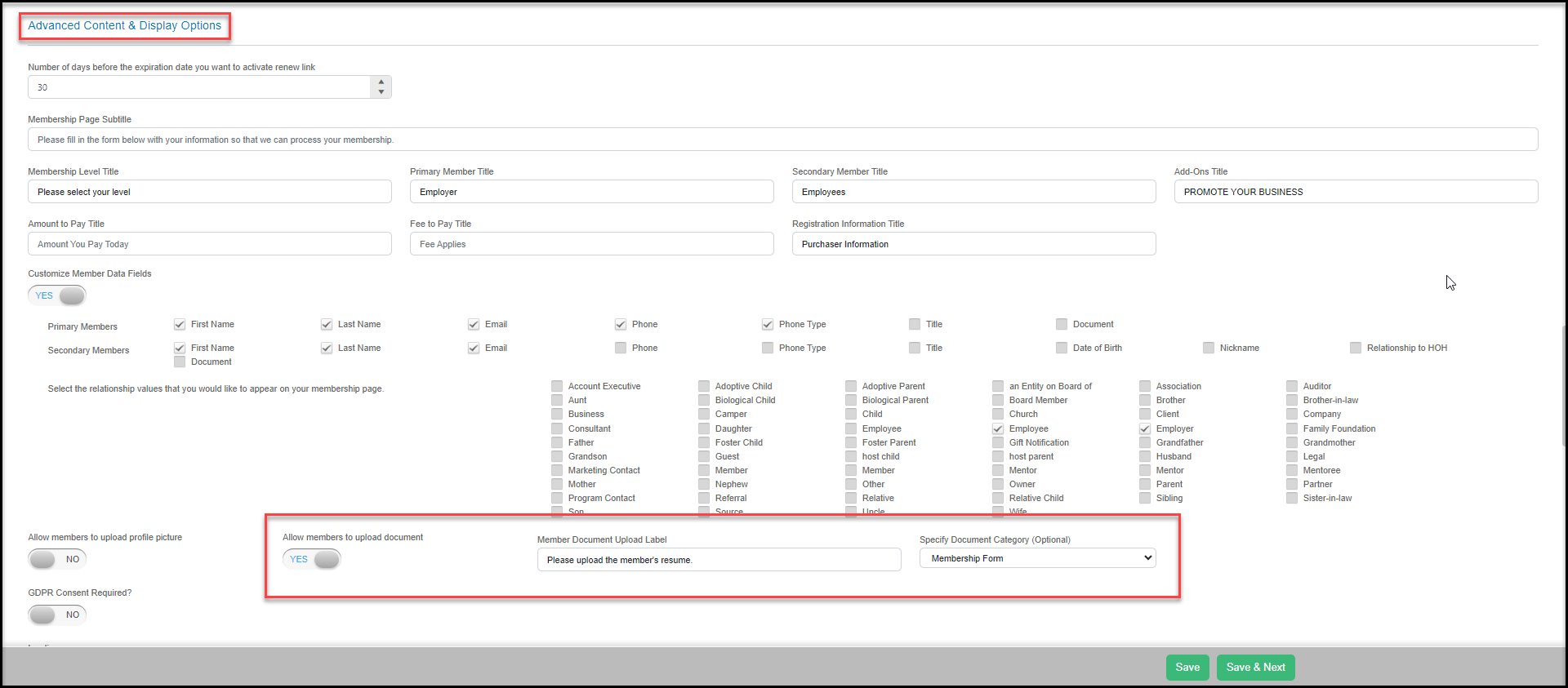
Yes, while a person is registering for a membership they can upload a document for each member. During the setup of your membership page on the Membership Settings tab scroll down to Advanced Content & Display Options and look for a new setting labeled, "**Allow members to upload document**". Turning this setting to **YES** will then allow you to customize the public label for the field and what internal category will be attached to the document.
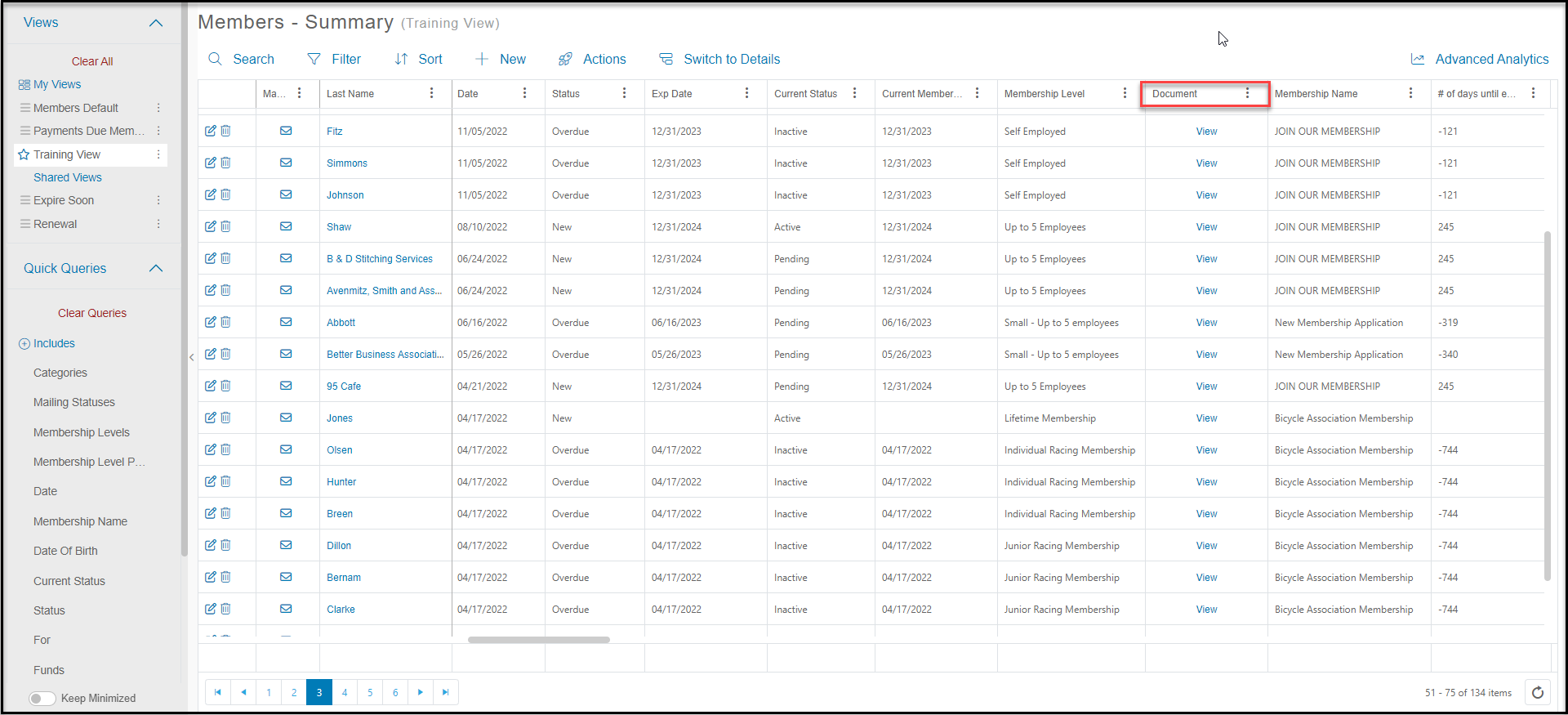
 The document will then be uploaded onto that member's constituent record under their Documents tab. You will also see on the Membership grid a column called, "**Document**" where you will see a "**View**" link on each row where a document was uploaded for that member. Clicking the "**View**" link will take you to that member's Document tab within their constituent record so that you can open the document.