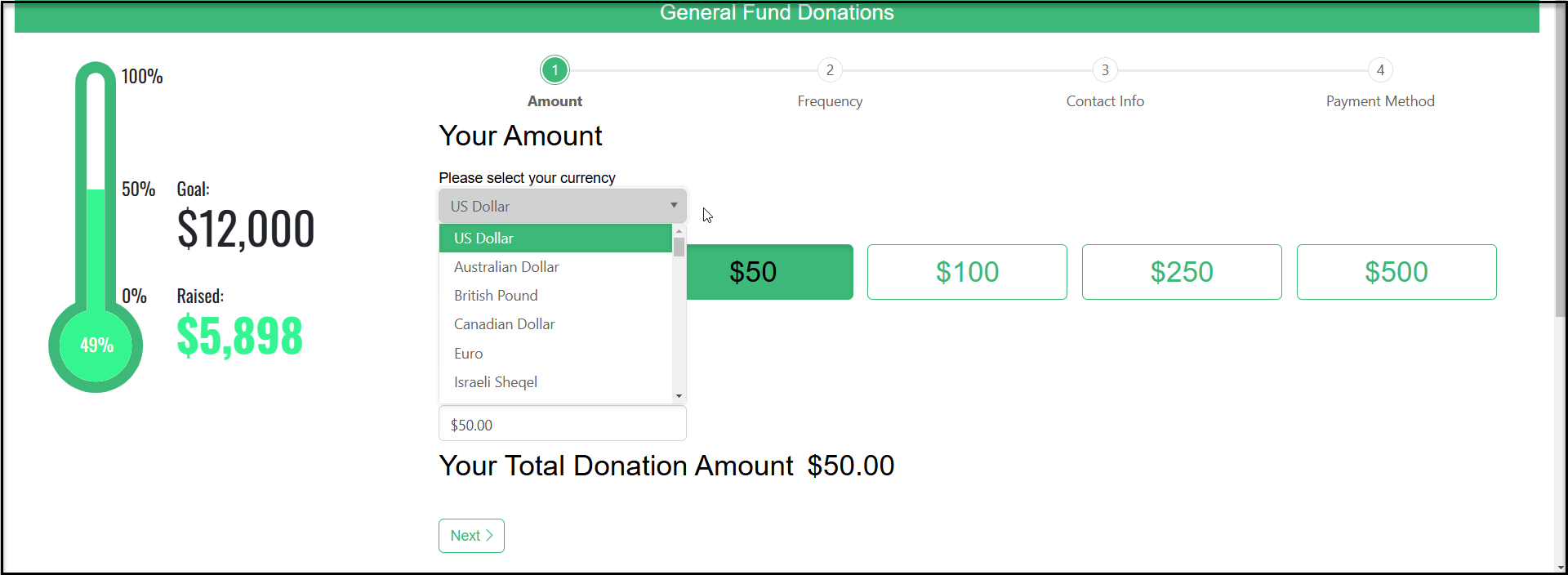
# Can I show foreign currency on the online donation form?
> Source: https://support.donorview.com/can-i-show-foreign-currency-on-the-online-donation-form | Updated: 2026-09-04T14:16:19Z
Yes, there is an option in both the Simple and Advanced Donation Page settings for this.
**Simple Page Designer**
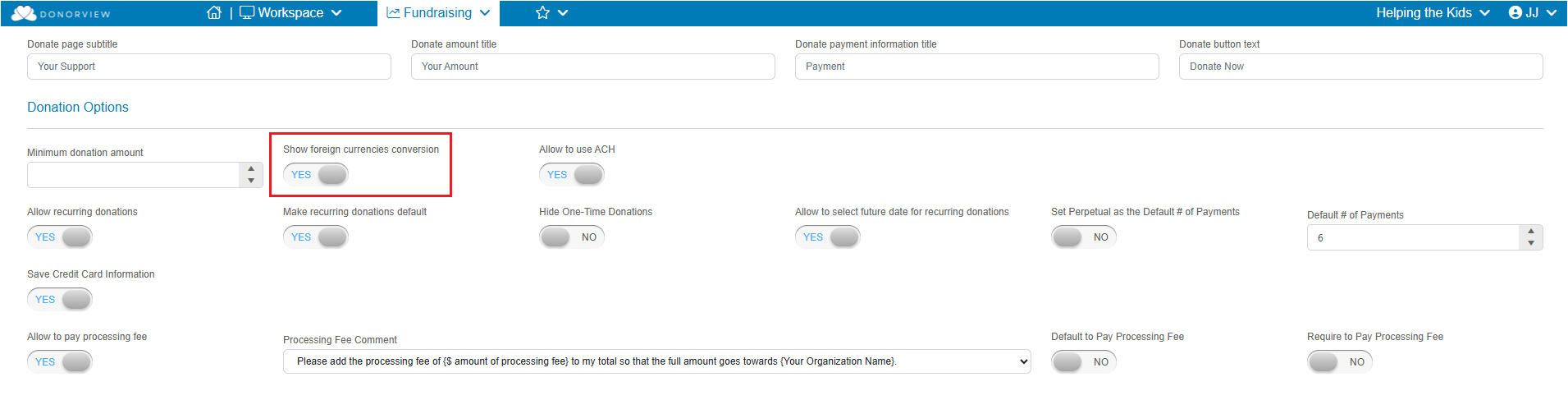
On the Donation Page Settings tab in the Donation Options section, turn the **Show foreign currencies conversion** toggle to **YES**. Click **Save** or **Save and Next**.
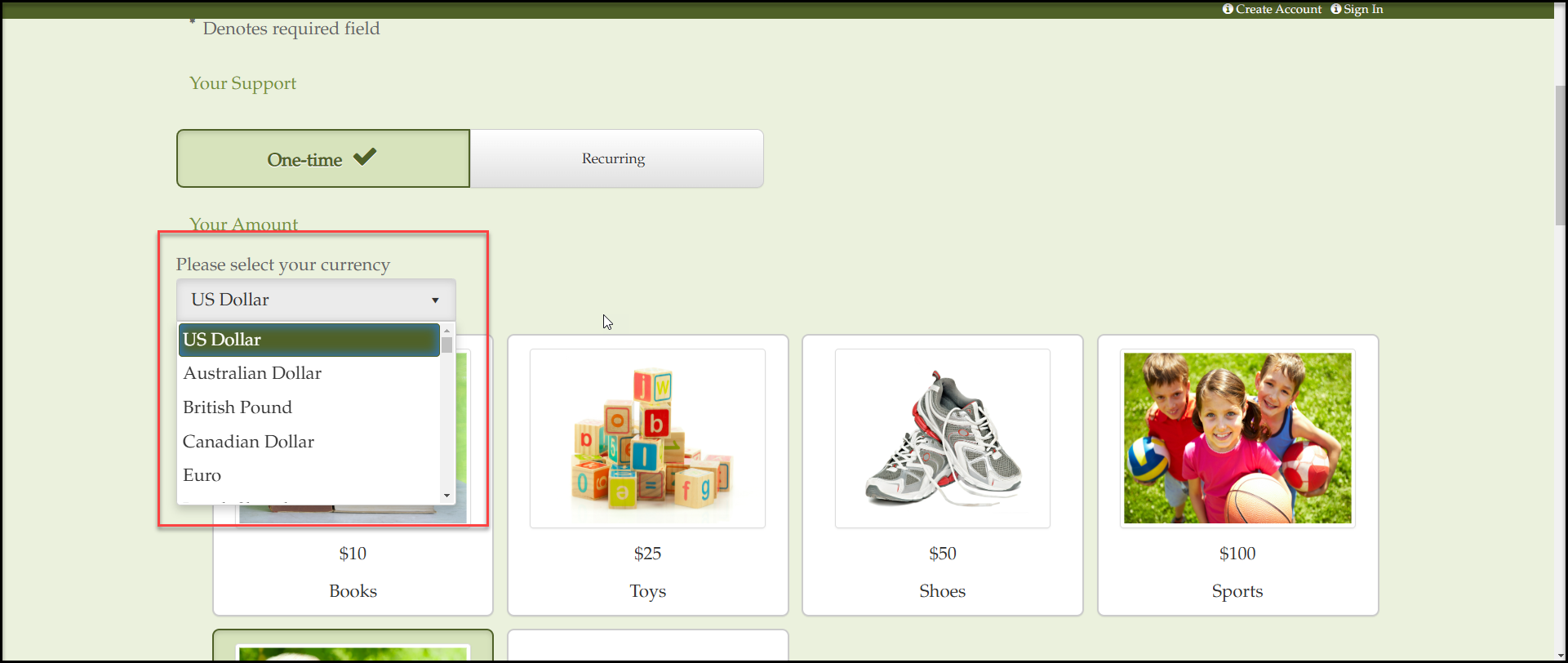
 On the donation page above where the donation amount is selected, the donor can choose from a dropdown list of available currencies with the credit card processor.
 **Advanced Page Designer**
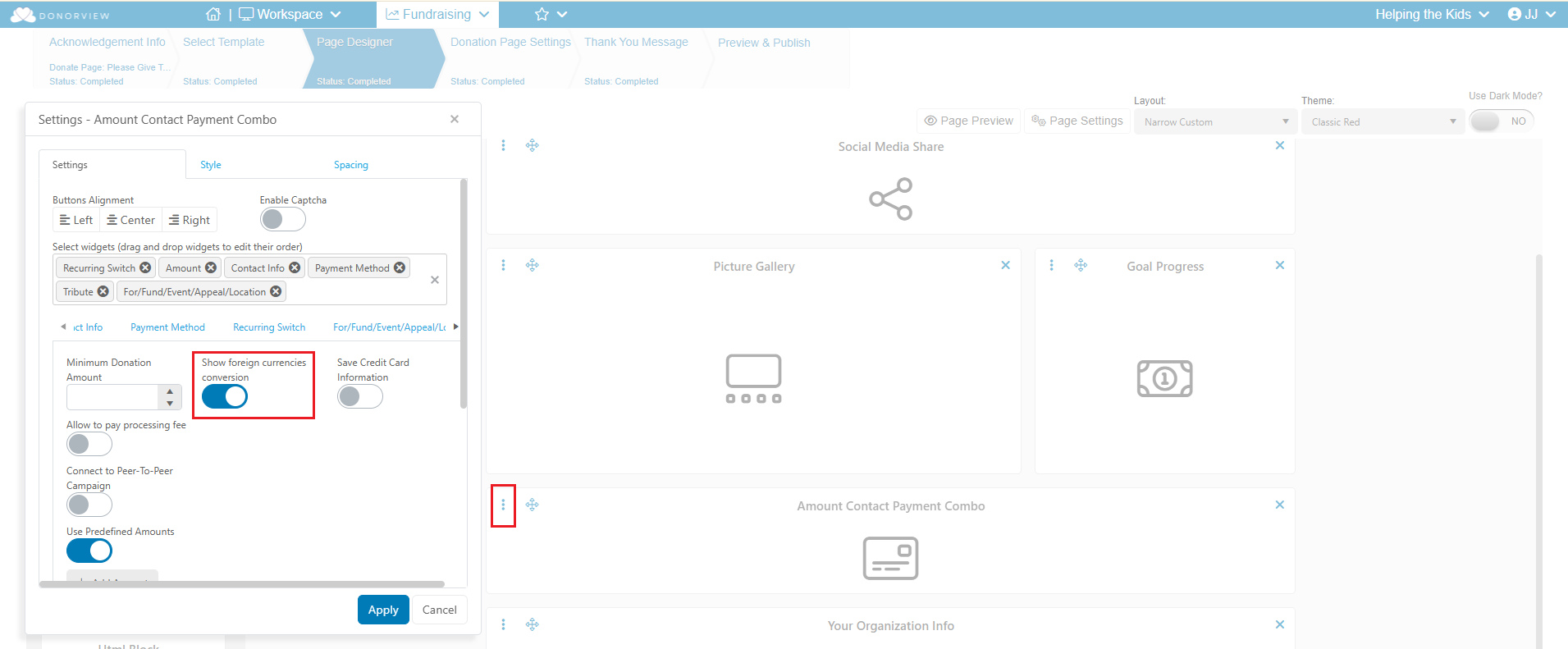
On the Page Designer Tab, click the three dots on the top left of the payment widget. Select **Widget Settings**. On the widget settings you can activate to Allow Donations in foreign currencies. Click **Apply** to save the changes.
**Advanced Page Designer**
On the Page Designer Tab, click the three dots on the top left of the payment widget. Select **Widget Settings**. On the widget settings you can activate to Allow Donations in foreign currencies. Click **Apply** to save the changes.
 On the donation page, the donor will be able to choose the currency from a dropdown list.