# Can I resend an email campaign to those who did not open?
> Source: https://support.donorview.com/can-i-resend-an-email-campaign-to-those-who-did-not-open-dv | Updated: 2024-09-11T12:27:04Z
Yes. Go to the Email Marketing Module, to the Overview page.
1. Select the campaign in the dropdown menu next to **Statistics For.**
2. Click on the **Email Delivery** tab.
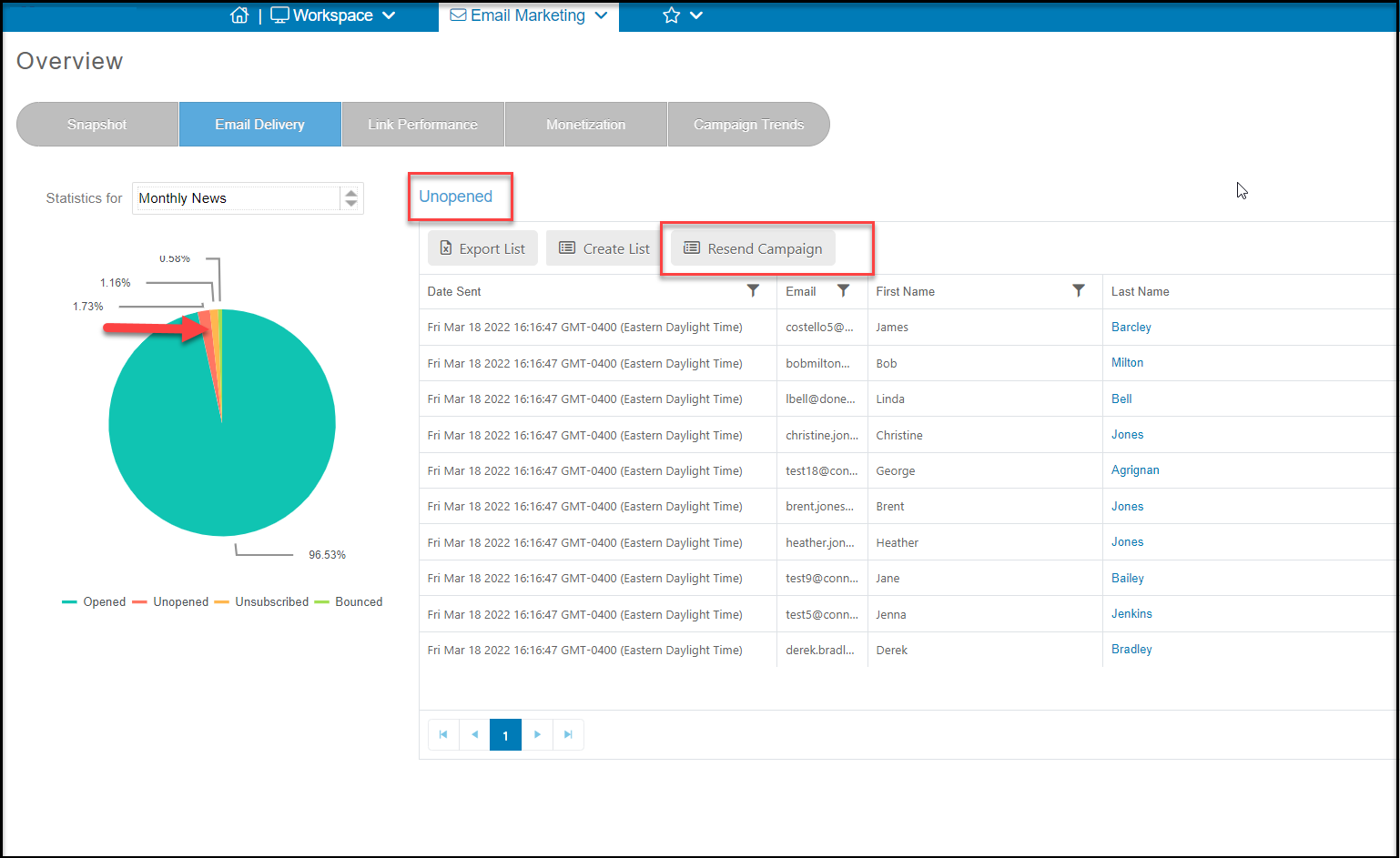
3. Click on the slice of graph for **Unopened** emails. You can also deselect the other areas by clicking on their name under the pie chart.
4. With the Unopened emails selected, click on **Resend Campaign.**
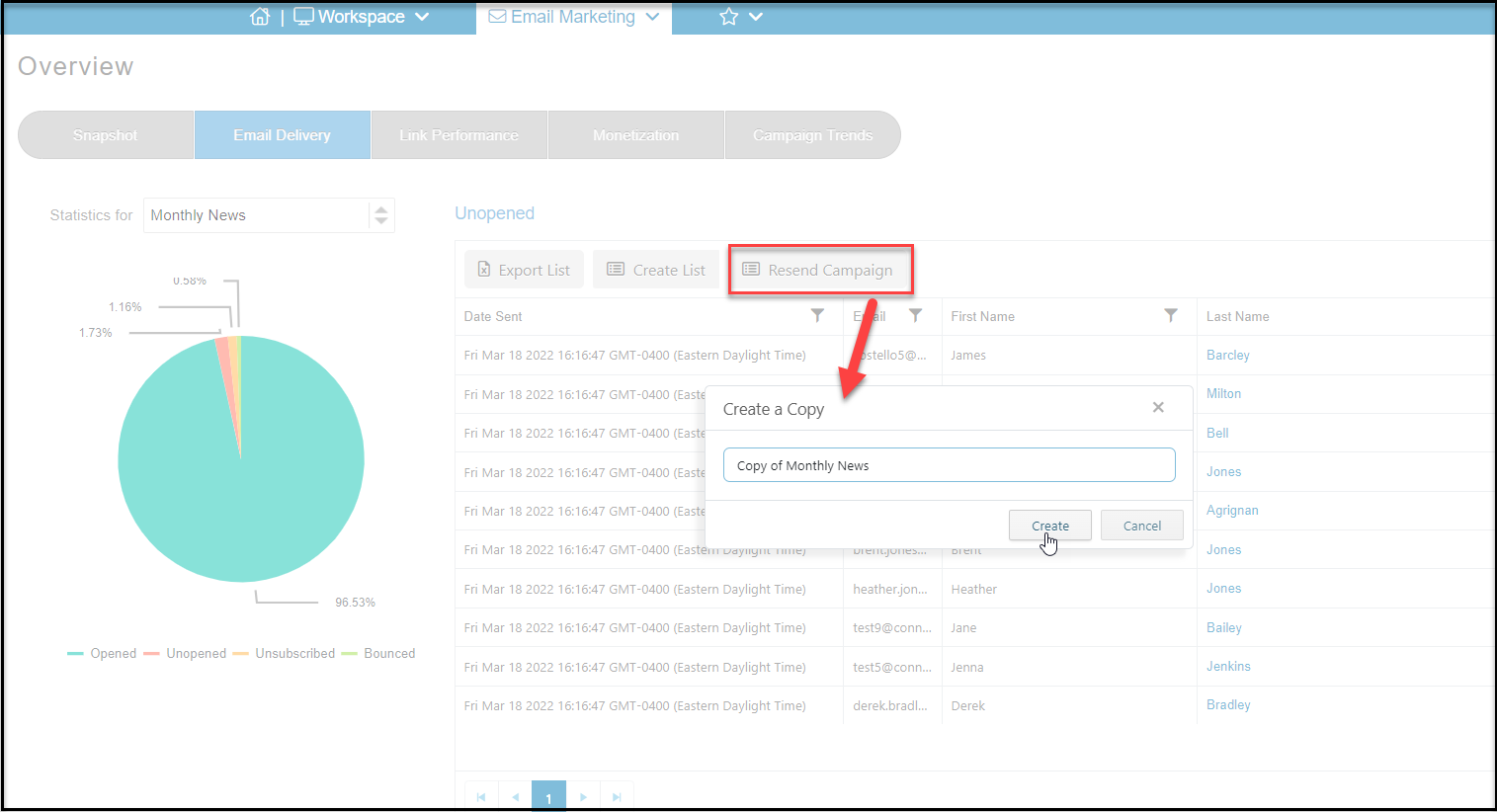
 5. This will allow you to name the new campaign being sent only to those who did not previously open. Click **Create** to create the new campaign or Cancel to return to the previous screen.
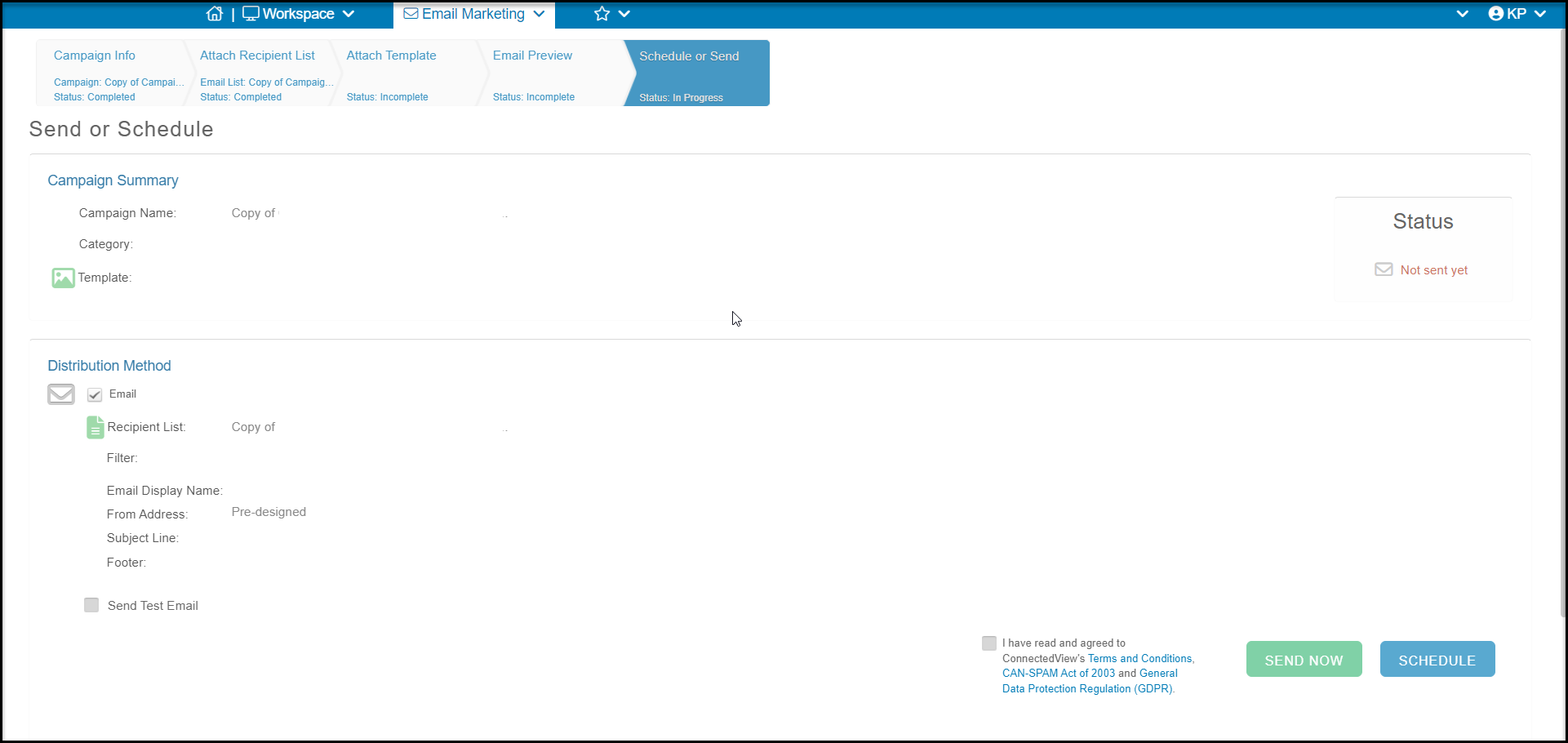
 6. After clicking Create, the last tab of the new campaign will open where you can send it immediately or schedule it.