# Can I look at total raised and by donor or Add-On level?
> Source: https://support.donorview.com/can-i-look-at-total-raised-and-by-donor-or-add-on-level-dv | Updated: 2024-03-25T15:44:04Z
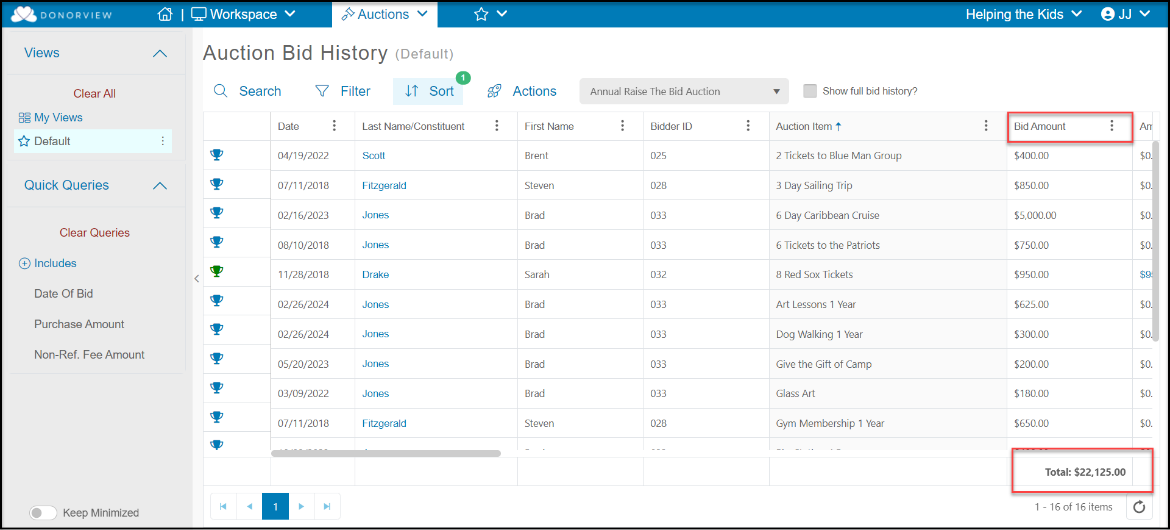
1. The total for auction items can be viewed in the Bid History grid under the **Bid Amount** column. This does not include add-ons.
2. If enabled, the goal progress widget on the auction page will also show the total amount raised per the settings.
 3. The list can be filtered by the **LastName/Constituent** field for a specific donor.
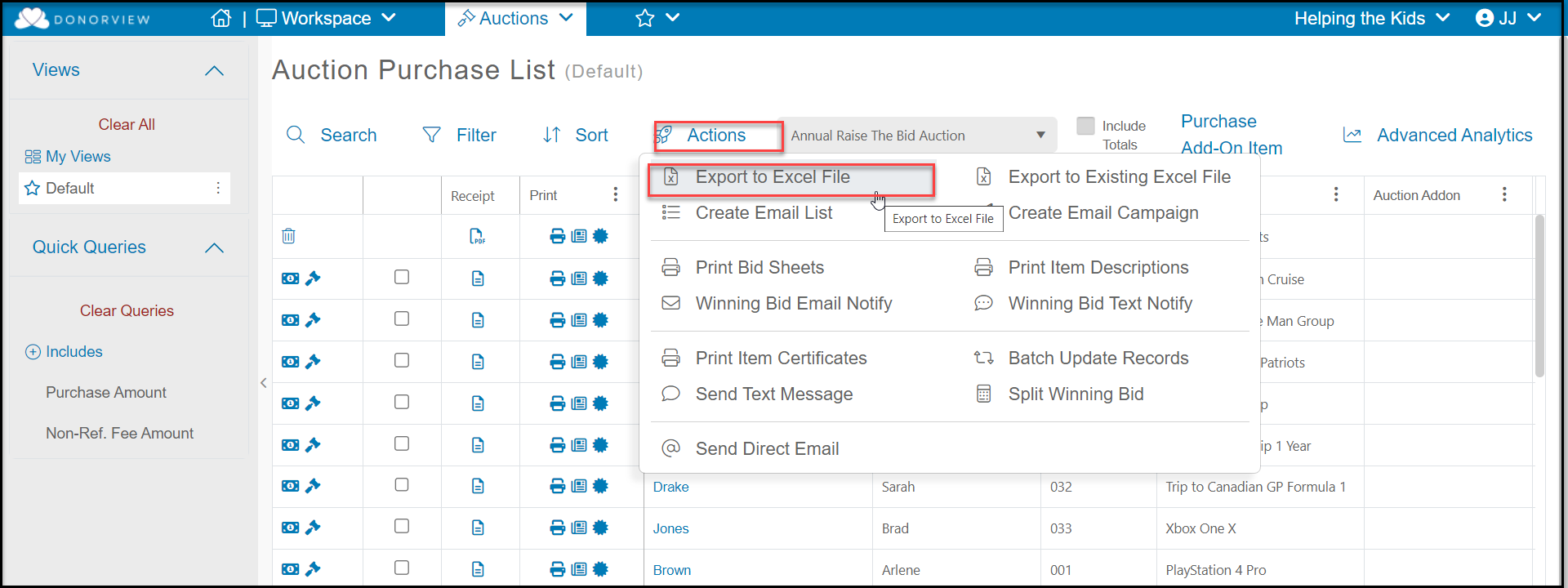
4. To see auction totals by donor or add-ons, export the data from the Auctions grid using the **Actions** menu. Click on **Export to Excel** and sort the data as needed via Excel.
3. The list can be filtered by the **LastName/Constituent** field for a specific donor.
4. To see auction totals by donor or add-ons, export the data from the Auctions grid using the **Actions** menu. Click on **Export to Excel** and sort the data as needed via Excel.