# Can I export constituent information?
> Source: https://support.donorview.com/can-i-export-constituent-information-dv | Updated: 2026-10-02T20:42:19Z
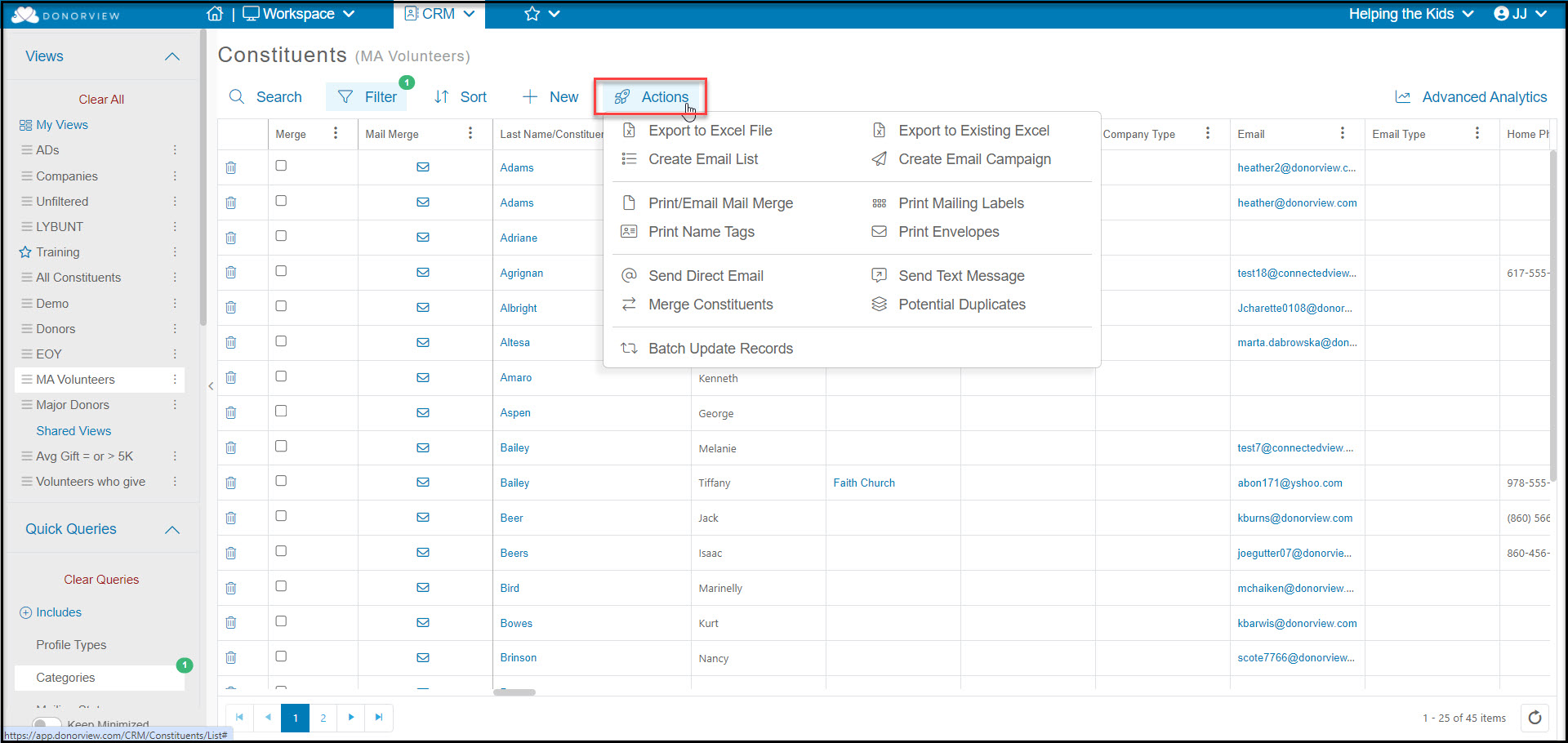
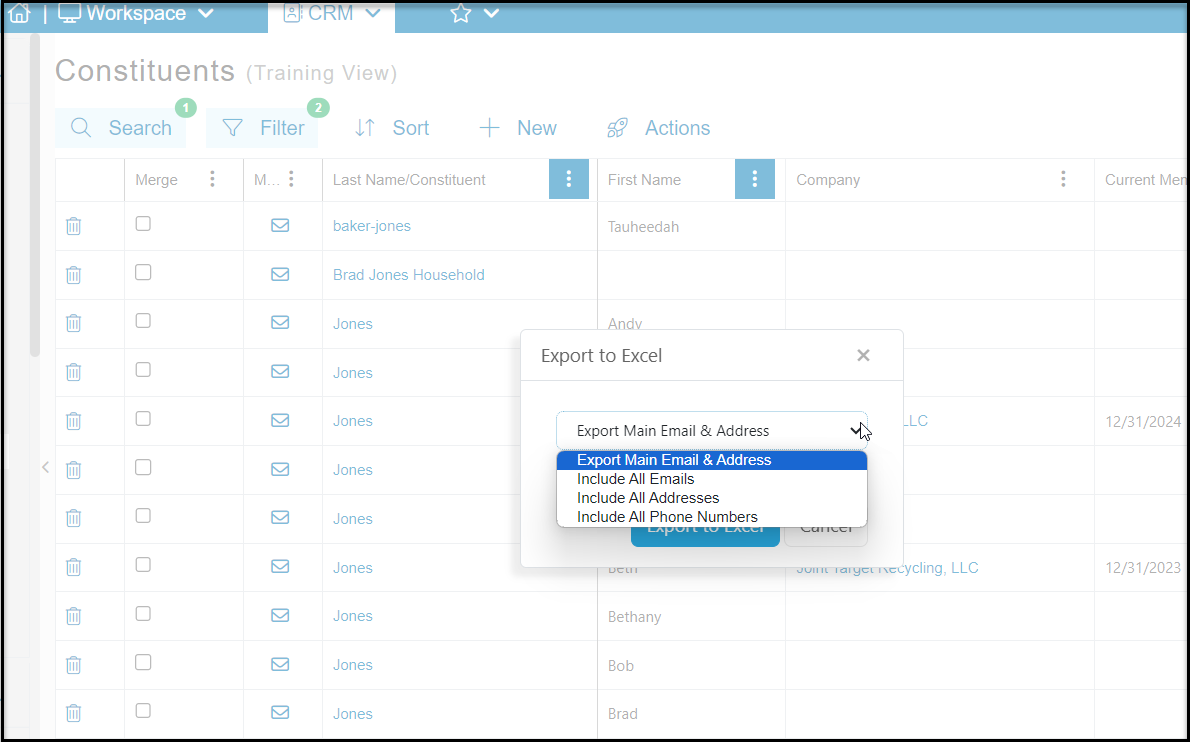
You can export the data shown on the Constituents grid to an Excel file by clicking on the **Actions** menu at the top of grid, then clicking on **Export to Excel File**. In the new window you will be able to choose to:
- Export Main Email & Address - this option includes only the default address and primary email
- Include All Emails - this option includes the default address and creates an additional row for each additional email address
- Include All Addresses - this option will produce additional rows for each address in the constituent's record
- Include all Phone Numbers - this option will include the default address, primary email and include an additional row for each phone number