# Can I delete a payment due from the pledge schedule?
> Source: https://support.donorview.com/can-i-delete-a-payment-due-from-the-pledge-schedule-dv | Updated: 2026-10-12T20:38:44Z
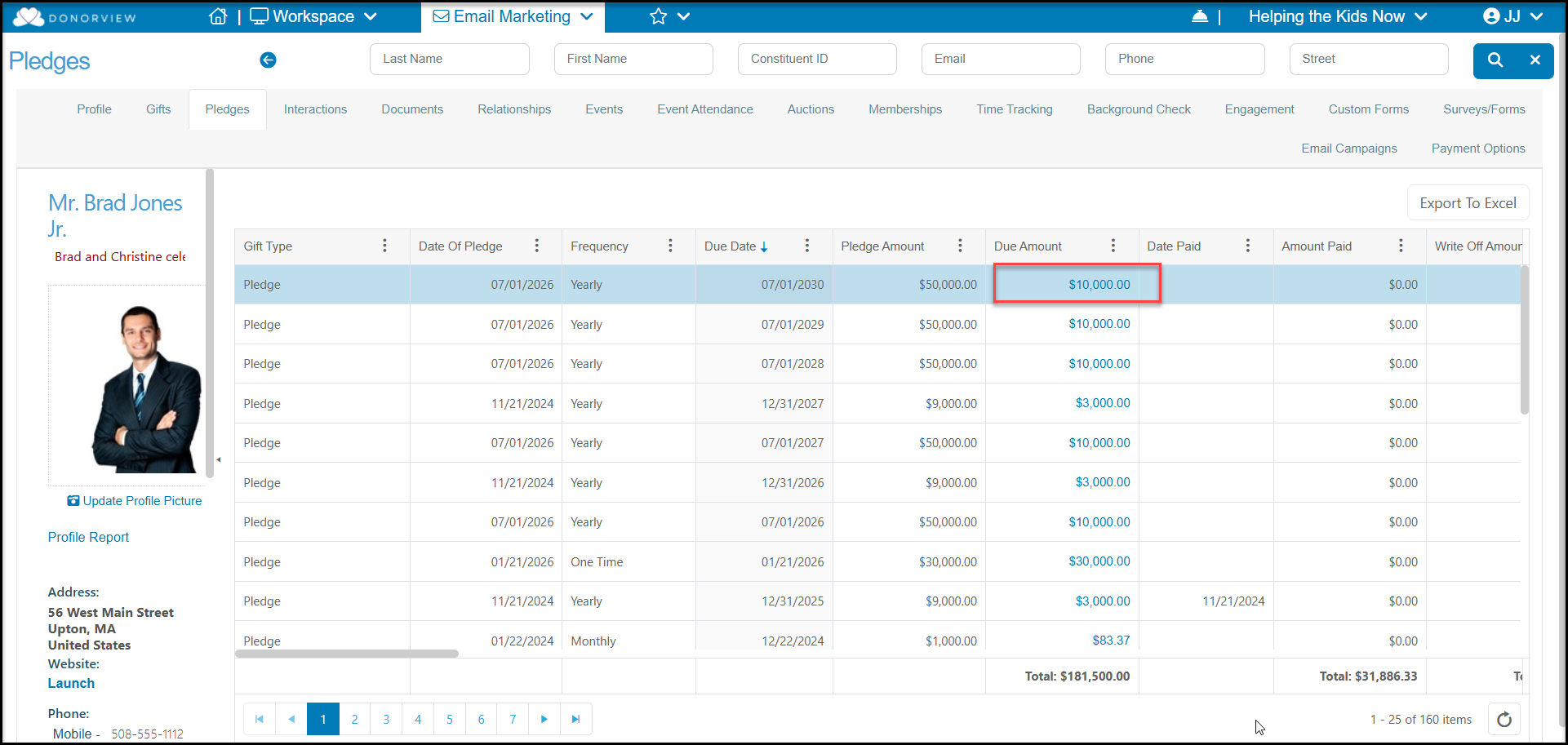
Yes, to open an existing pledge, click on a **Due Amount** from the constituent's Pledges tab or the main Pledges grid.
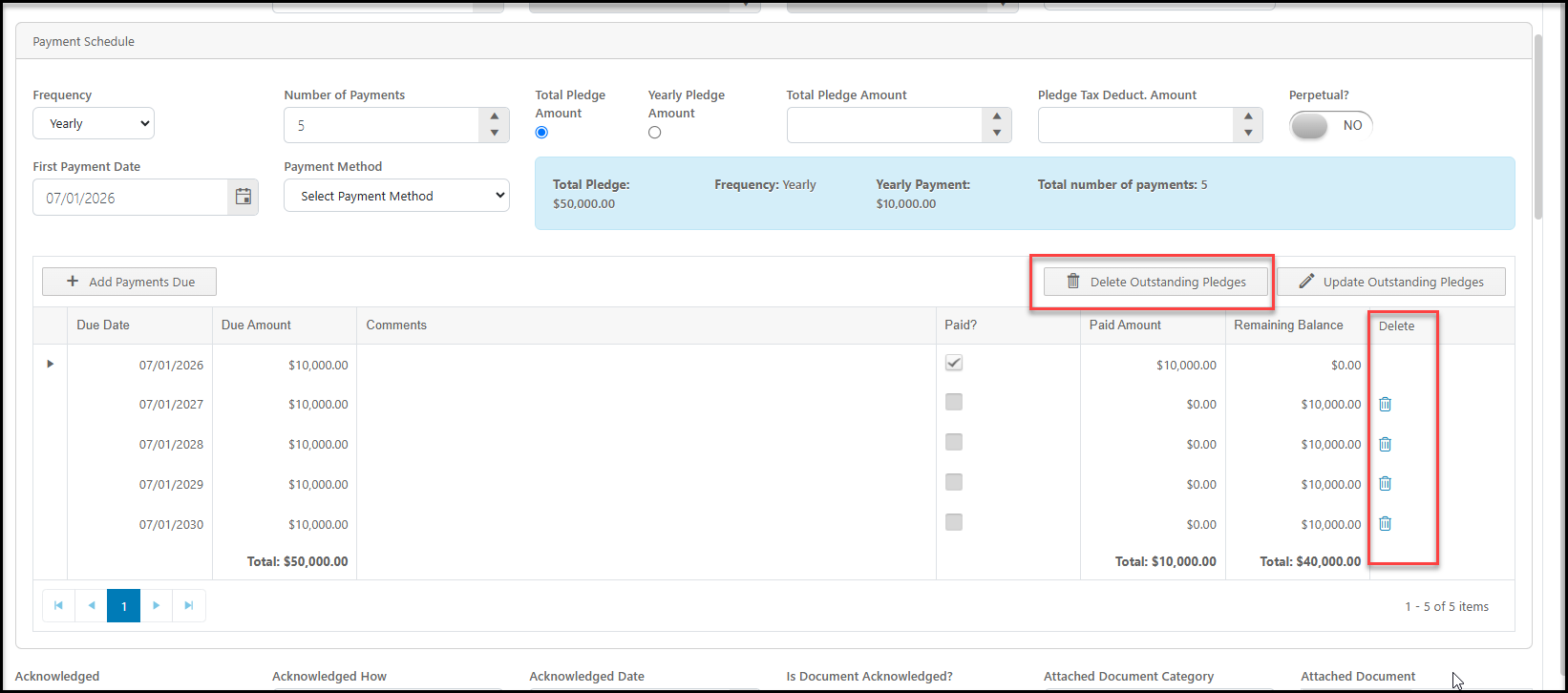
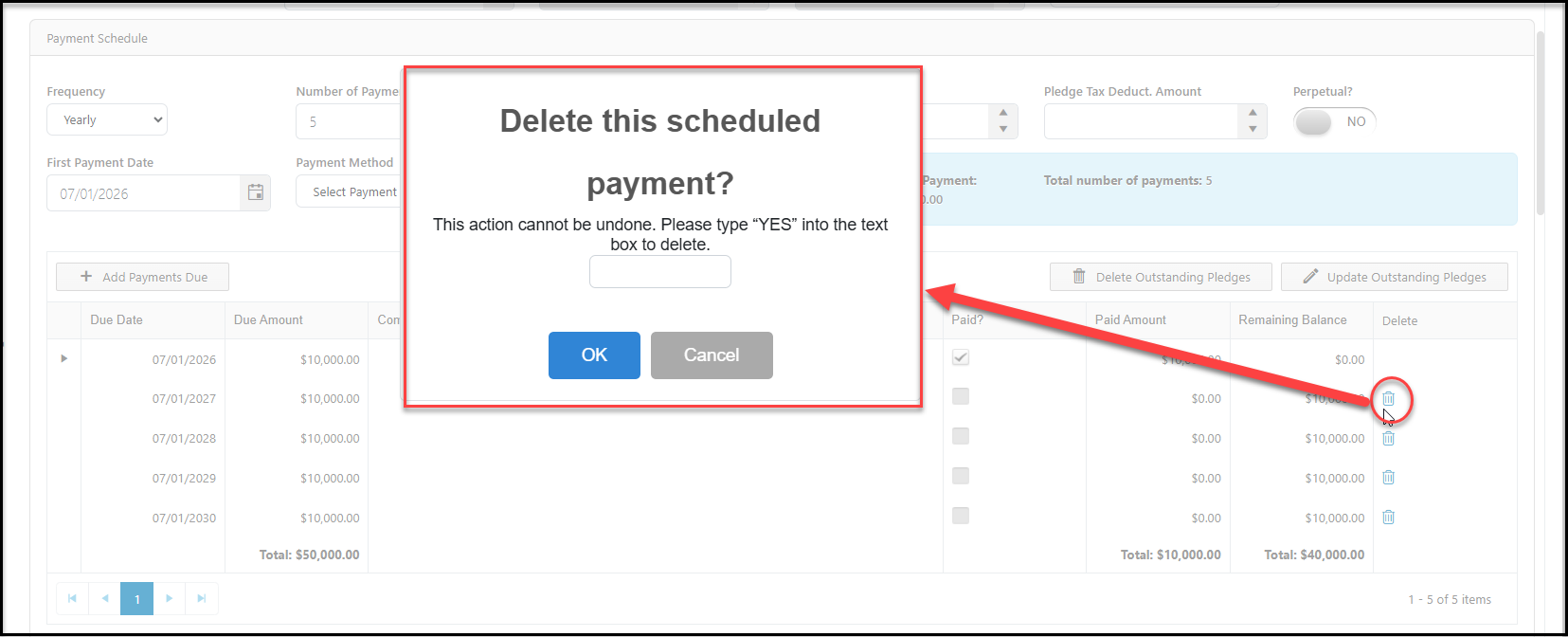
 To delete a payment, click on the trash can icon in the last column of the pledge schedule grid to delete a particular payment due. Type "**YES**" to confirm that you want to remove this row and click **OK** or click **Cancel** to keep the row.
You can also click on the **Delete Outstanding Pledges** button to delete all unpaid pledge payments that are due.
One or all pledge payments can also be written-off if you prefer to maintain a record of the pledge but show that the amount due to changed to zero. View the article ["How do I write off pledge payments?"](./how-do-i-write-off-pledge-payments) to learn more.
To delete a payment, click on the trash can icon in the last column of the pledge schedule grid to delete a particular payment due. Type "**YES**" to confirm that you want to remove this row and click **OK** or click **Cancel** to keep the row.
You can also click on the **Delete Outstanding Pledges** button to delete all unpaid pledge payments that are due.
One or all pledge payments can also be written-off if you prefer to maintain a record of the pledge but show that the amount due to changed to zero. View the article ["How do I write off pledge payments?"](./how-do-i-write-off-pledge-payments) to learn more.