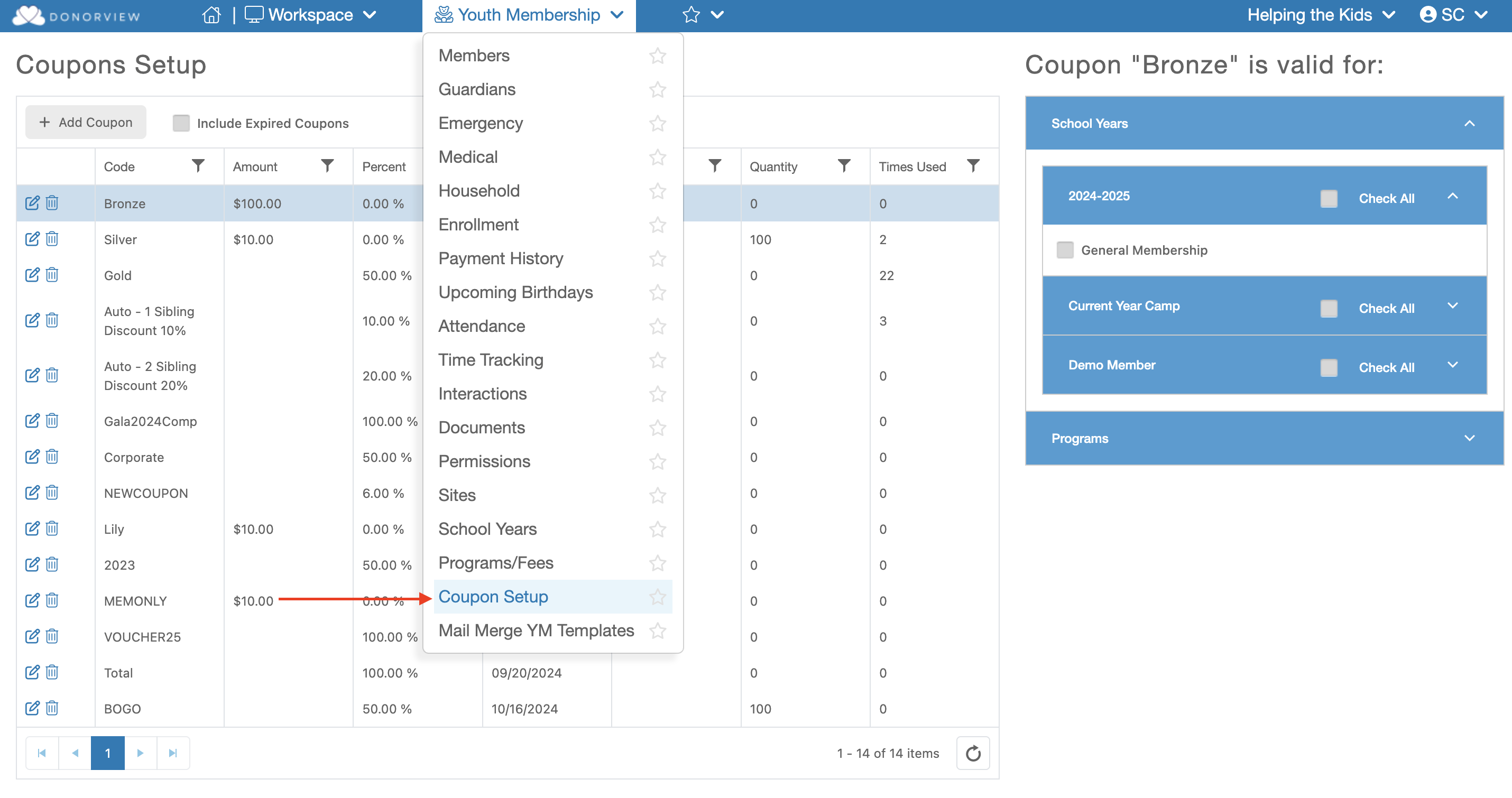
Creating a Coupon allows you to create a code the will deduct a chosen cost from specific event levels. To create a coupon go under the Youth Membership module and click "Coupon Setup"
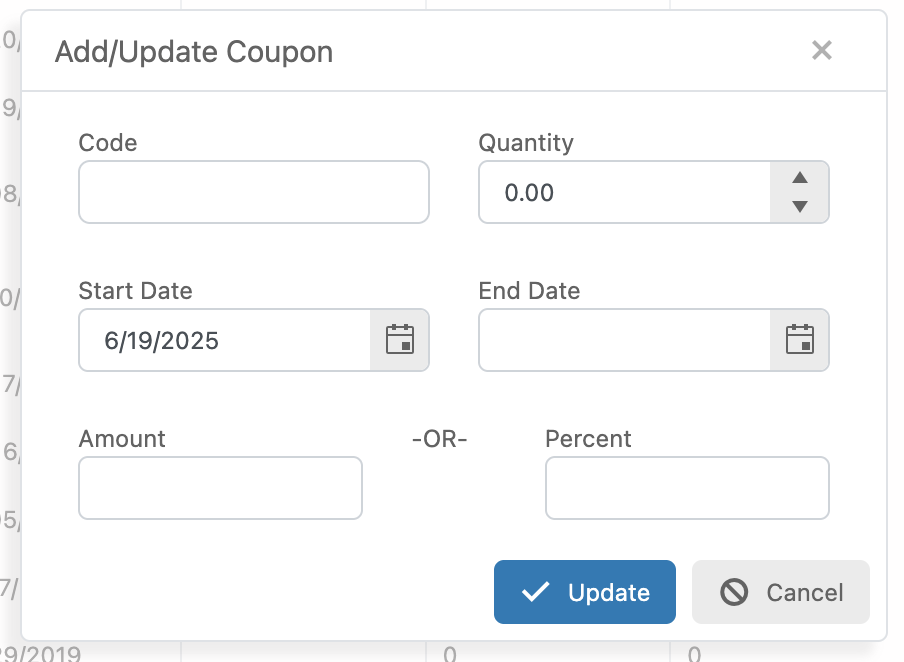
Here are the steps to creating a Coupon:
Code - Enter the code the purchaser would have to enter to use the coupon.
Quantity - If you only want a specific number of coupons to be available enter the number her. Otherwise leave the amount a "0".
Start Date - This field should already be filled out with today's date.
End Date - If you would like the coupon to become inactive after a certain date, enter the day which the coupon would be inactive. For example, if you wish the coupon to be valid through 3/10/2026, enter the End Date as 3/11/2026.
Amount or Percent - Enter either a specific amount or the percentage you would like to be deducted from that level's price.